Email validation in JavaScript, tested on 33 addresses
We fixed a list of 33 email addresses, good, broken, unusual and misspelt, and ran each through seven checks to see which ones you can trust in a form.
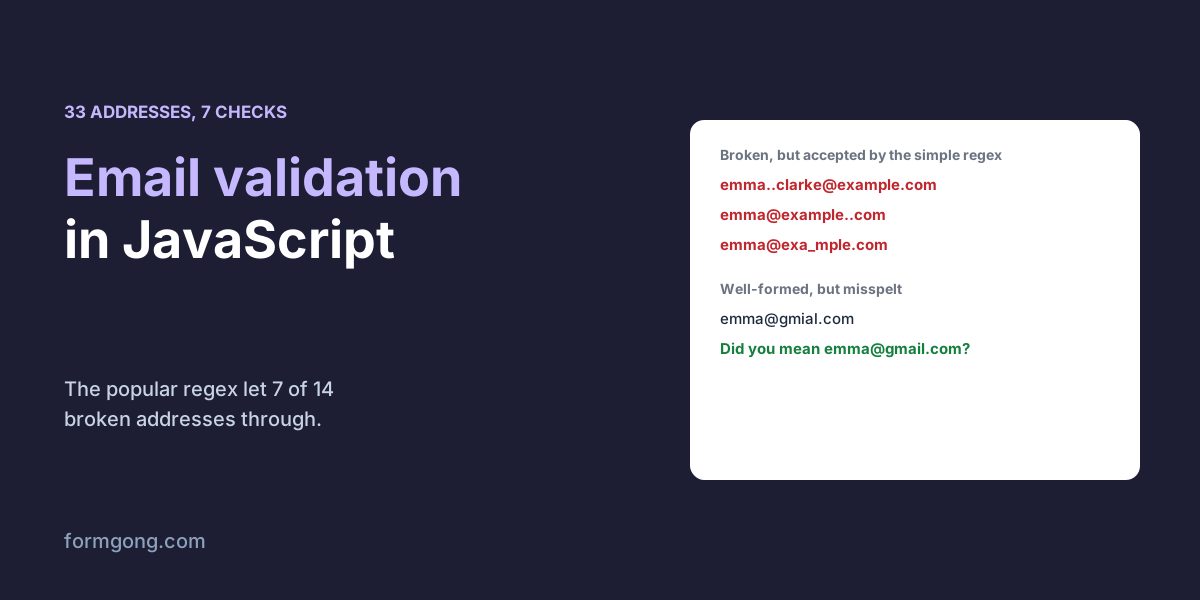
The short answer. Validate an email in JavaScript with a regex that also rejects dots in the wrong place, check it again on the server, and suggest a fix for misspelt providers instead of blocking them. In our test of 33 addresses on 3 November 2026, the popular one-line regex accepted 7 of 14 broken addresses, and no check caught the 3 misspelt ones such as emma@gmial.com.
Formgong
Email validation in JavaScript, tested on 33 addresses
Why does your email check let bad addresses through?
You add an email check to the form, and a week later you are looking at replies that bounce because someone typed emma..clarke@example.com or emma@example. Or the opposite happens: a customer writes to say your form will not take their address with a plus sign in it.
Both come from where your check draws the line, and the guides we read show a regex without testing what it lets through. So we wrote down 33 addresses before running anything. Twelve are ordinary good addresses, fourteen are broken in ways no mailbox can be, four are allowed by the mail standards but rare in a contact form, and three are correct in shape but misspell a big provider. Then we ran every address through seven checks: the browser's own type="email", three regular expressions, two libraries, and the field check on our own form backend.
Which email check catches the most mistakes?
How many addresses each check accepted, 3 November 2026. For good addresses you want 12 of 12; for bad ones, 0 of 14. Edge cases are valid but rare, so either answer can be right for your form.
Check
Good accepted
Bad accepted
Edge accepted
input type="email"
12 of 12
5 of 14
0 of 4
Simple regex /^[^\s@]+@[^\s@]+\.[^\s@]+$/
12 of 12
7 of 14
3 of 4
Static Forms' “stricter” regex
12 of 12
6 of 14
0 of 4
Formgong's server field check
12 of 12
6 of 14
3 of 4
Zod 4.6.7 z.email()
11 of 12
0 of 14
0 of 4
validator.js 13.15.35 isEmail()
12 of 12
0 of 14
3 of 4
isEmail() from this article
12 of 12
0 of 14
0 of 4
Every check accepted the good addresses, including plus signs, apostrophes such as o'brien@example.com, long endings such as .photography and a domain in its encoded international form. The one exception was Zod, which refused emma%clarke@example.com. The percent sign is allowed but rare in real addresses, so that is a small cost.
With the broken addresses the results spread out. The browser accepted 5 of 14, including emma@example with no dot in the domain, because the HTML standard's own pattern for email fields does not require one. Our test of HTML input types shows what else that field type lets through. The simple regex in Formspree's and Static Forms' guides accepted 7 of 14, among them emma@example..com and emma@exa_mple.com. Static Forms' “stricter” pattern accepted 6, and one of them was emma@example, because its domain part does not require a dot at all. Only validator.js, Zod and the function in this article refused all 14.
The four edge cases are a judgement call. A quoted address such as "emma clarke"@example.com, an accented one such as josé@example.com, a domain written with an umlaut and an address at a bare IP are all allowed somewhere in the mail standards, but support for them differs from one mail system to the next. For a contact form, refusing them, as Zod and our function do, will rarely cost you a real customer. If your audience writes in scripts other than Latin, accept international addresses and test them with your own mail provider.
What regex should you use for email validation?
Use one that checks the domain properly, then add the dot rules that a single regex struggles with. The function below does both. The regex requires a domain made of labels that start and end with a letter or digit, separated by dots, and an ending of at least two letters. The second test refuses a dot at the start, two dots in a row, and a dot right before the @, which together caught three of the broken addresses the simple pattern let through.
Trim the value first. A value from a script, an import or a JSON request can have a space at either end, and Zod, for one, refused an address with a leading space in our Zod form validation test.
A regex only checks the shape. It cannot tell whether the mailbox exists, and no check in our test caught emma@gmial.com, emma@gmail.con or emma@hotmial.com. All seven accepted all three, because they are well-formed. That is why the code also suggests a correction instead of blocking: in our list it suggested the right provider for 3 of 3 misspellings and raised no false alarm on any of the 12 good addresses. Show the suggestion as a question and let the visitor decide. Someone at a small company really can have an address that looks like a typo.
email-check.js
// The check that refused all 14 bad addresses and accepted all 12 good ones in our test.
const EMAIL = /^[\w.!#$%&'*+/=?^`{|}~-]+@(?:[a-z\d](?:[a-z\d-]{0,61}[a-z\d])?\.)+[a-z][a-z\d-]{1,62}$/i;

export function isEmail(value) {
  const email = value.trim();
  return email.length <= 254
    && EMAIL.test(email)
    && !/^\.|\.\.|\.@/.test(email); // no dot at the start, two in a row, or right before the @
}

// "Did you mean …?" for the big providers: one letter changed, added, dropped or swapped.
const PROVIDERS = ["gmail.com", "yahoo.com", "hotmail.com", "outlook.com", "icloud.com", "aol.com", "proton.me"];

function oneEditApart(a, b) {
  if (a === b || Math.abs(a.length - b.length) > 1) return false;
  let i = 0;
  while (i < a.length && a[i] === b[i]) i++;
  if (a.length === b.length) {
    return a.slice(i + 1) === b.slice(i + 1)
      || (a[i] === b[i + 1] && a[i + 1] === b[i] && a.slice(i + 2) === b.slice(i + 2));
  }
  const [long, short] = a.length > b.length ? [a, b] : [b, a];
  return long.slice(i + 1) === short.slice(i);
}

export function suggestEmail(value) {
  const at = value.lastIndexOf("@");
  if (at < 1) return null;
  const domain = value.slice(at + 1).toLowerCase();
  const near = PROVIDERS.find((provider) => oneEditApart(domain, provider));
  return near ? value.slice(0, at) + "@" + near : null;
}

// In the form: block what isEmail() refuses, but only suggest a fix for a typo.
const input = document.querySelector("#email");
const hint = document.querySelector("#email-hint");
input.addEventListener("blur", () => {
  input.setCustomValidity(input.value && !isEmail(input.value) ? "Please check this email address." : "");
  const better = isEmail(input.value) ? suggestEmail(input.value) : null;
  hint.textContent = better ? `Did you mean ${better}?` : "";
});
Where should the email check run?
In two places. In the page, run it when the visitor leaves the field, so a mistake shows while they still remember what they typed. Our guide to JavaScript form validation shows how to put the message under the field with setCustomValidity() and link it to the field for screen readers.
On the server, run it again. A bot or an old copy of your page skips everything in the browser. An address with a mistake in it means your reply bounces, and the customer thinks you never answered. Our test of server-side form validation shows what else to check there.
How strict is Formgong's own email check?
Not as strict as it should be, and we would rather you heard it from us. Formgong is a form backend that sends each message to your email and Telegram, and its field checks under Settings, then Protection, can require that a field holds an email address, on every plan. In this test that check accepted 6 of the 14 broken addresses: two dots in a row, a dot at either end of the name, two dots in the domain, a domain starting with a hyphen and one with an underscore. It does refuse emma@example and emma@example.c, which the browser lets through. So if your form posts to Formgong, keep a check like the one above in the page too. We do not have an edge over the competitors here. Formspree's guide says its backend adds an email rule to a form automatically, but it does not say which addresses that rule refuses, so we cannot compare the two. Static Forms' guide, dated 3 May 2026, does not describe any email check by its own service. After the form is sent, any mail Formgong sends, such as an automatic reply to the visitor, skips a list of misspelt provider domains such as gmial.com, so that reply does not bounce. The message itself is still stored. If you build the form with our HTML form generator, the email field gets type="email", and you can add the function above to it.
Did an address get past your check?
If you have an address that one of these checks gets wrong, send it to support@formgong.com. We will add it to the list, rerun all seven checks and update the table.
Frequently asked questions
Does type=email check that an email address is valid?
Only loosely. In our test it accepted 5 of 14 broken addresses, including emma@example with no dot in the domain.
What is the best regex for email validation in JavaScript?
One that checks each part of the domain, plus a separate test for dots at the start, at the end of the name or in a row. The code in this article refused all 14 broken addresses we tried.
Can JavaScript check that an email address exists?
No. A regex only checks the shape. Only a message that arrives proves the mailbox exists, so suggest fixes for typos instead.
Should I use validator.js or Zod for emails?
Both refused all 14 broken addresses in our test. Zod also refused one rare but valid address with a percent sign; validator.js accepted it.