What the FTC rule says about discounts
The US rule is 16 CFR Part 465, the FTC's Trade Regulation Rule on the Use of Consumer Reviews and Testimonials. It took effect on 21 October 2024. Section 465.4 makes it unlawful to give an incentive for reviews "expressing a particular sentiment, whether positive or negative". It covers a condition you say out loud and one you only imply.
A coupon counts as an incentive. The rule's definition of buying a review lists "money, gift certificates, products, services, discounts, coupons, contest entries, or another review". What the rule bans is tying the reward to the stars. FTC staff say it directly in their questions and answers on the rule: "The rule does not prohibit giving incentives for reviews".
The duty to label the reward comes from a second text, the FTC Endorsement Guides (16 CFR Part 255). Section 255.5 counts free or discounted products as a material connection "regardless of whether the advertiser requires an endorsement in return", and a connection like that has to be disclosed clearly. The Guides' own example is a shop that pays for reviews and tells people negative ones are fine. Even then, a review that does not mention the reward "is likely deceptive".
The rule lets courts fine businesses for knowing violations. This page is not legal advice. It is what the texts say, read on 31 October 2026; ask a lawyer about your own shop.
Google reviews have their own, stricter rule
For reviews on your Google Business Profile, Google bans incentives outright, whatever the rating. Its Maps content policy says merchants may not offer payment, discounts or free goods "in exchange for posting any review or revision or removal of a negative review". Google's Business Profile help calls such offers fake and misleading content, "strictly prohibited". The same policy also forbids businesses to "selectively solicit positive reviews". So if you answer a bad Google review, never pair the reply with a discount for changing it.
Product reviews you send to Google Merchant Center, for star ratings in Shopping, follow a different policy. There Google accepts reviews collected with gift cards or discounts, but "these incentives cannot be dependent on the sentiment of the review", and each such review must carry the is_incentivized_review tag in your feed. More on that feed in why review stars do not show in Google.
The EU and the UK
In the EU, Directive 2019/2161 (the Omnibus Directive) added two points to the blacklist in Annex I of the Unfair Commercial Practices Directive. Point 23b bans saying reviews come from real buyers when you took no reasonable steps to check. Point 23c bans fake reviews and "misrepresenting consumer reviews or social endorsements, in order to promote products". Neither point names discounts.
The directive's recitals explain what it is after. Shops should tell consumers whether reviews were "sponsored or influenced by a contractual relationship with a trader". And "publishing only positive reviews and deleting the negative ones" is named as manipulation. The new Article 7(6) makes it material information whether and how you check that reviews come from real buyers. Member states have applied these rules since 28 May 2022, each in its own national law, so the wording in your country may differ.
The UK text is the most direct. Schedule 20 of the Digital Markets, Competition and Consumers Act 2024, in force since 6 April 2025, bans submitting or commissioning "a consumer review that conceals the fact it has been incentivised". Its definition of commissioning includes incentivising by any means. It also bans publishing reviews in a misleading way, and the Act's own example is "failing to publish, or removing from publication, negative consumer reviews whilst publishing positive ones". Anyone who publishes reviews has to take reasonable steps to keep out fake ones and undisclosed incentivised ones.
Allowed and not allowed, rule by rule
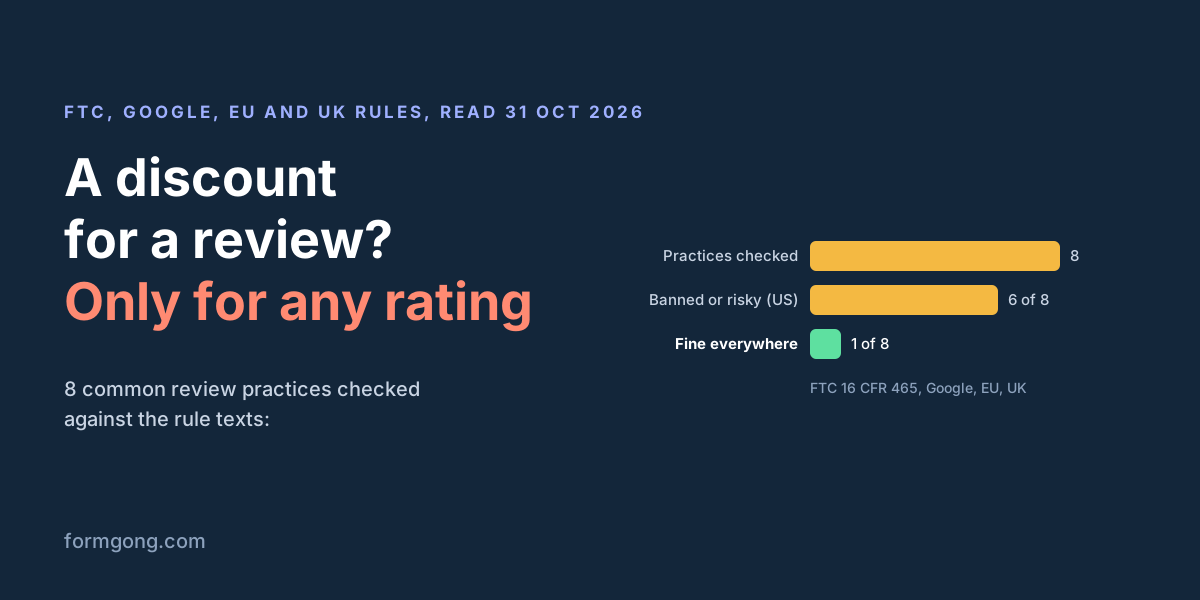
| What you do | US (FTC) | EU and UK | |
|---|---|---|---|
| The same coupon for every review, any rating, and the review says it was rewarded | Allowed (465.4). Disclose the reward (255.5) | Business Profile: not allowed. Merchant Center: allowed, tagged as incentivized | UK: allowed if the reward is apparent (Sch. 20 para 13). EU: not banned; tell shoppers reviews were sponsored (recital 47) |
| A coupon only for 4 or 5 stars | Not allowed (465.4) | Not allowed (Maps policy, Merchant Center policy) | Not named in the text; misleading use of reviews is banned (Annex I 23c, Sch. 20 para 13(2)) |
| A coupon for every review, but no label on the review | Likely deceptive (255.5, Example 6) | Merchant Center: needs the is_incentivized_review tag | UK: not allowed (para 13(1)(b)). EU: can mislead (Annex I 23c, recital 47) |
| A refund or discount to change or delete a bad review | FTC staff: may break the FTC Act (rule Q&A) | Not allowed (Maps policy) | Not named in the text |
| Hiding reviews because of their stars, while the page looks like all of them | Not allowed (465.7(b)) | Does not apply: you cannot hide Google reviews | Not allowed (recital 49 with Annex I 23c; Sch. 20 para 13(5)(i)) |
| Hiding abuse, personal data, fake or off-topic reviews, the same for every rating | Allowed (465.7(b)(1)–(3)) | Does not apply | Allowed. UK: you must take steps to remove fake ones (para 13(3)) |
| Asking only the customers you expect to be happy | Not in the rule; FTC staff call it misleading and a possible FTC Act breach | Not allowed (Maps policy) | Not named in the text |
| Writing reviews yourself, or buying them from people who never bought | Not allowed (465.2) | Not allowed | Not allowed (Annex I 23c; Sch. 20 para 13(1)(a)) |
Can you hide bad reviews?
Not because they are bad. Section 465.7(b) bans showing your reviews as if they were most or all of them while others are held back "based upon their ratings or their negative sentiment". It then gives examples of fair grounds, as long as the test is "applied equally to all reviews submitted without regard to sentiment". The examples are trade secrets, defamatory, abusive or vulgar content, someone else's personal information, discriminatory content, clearly false content, reviews you reasonably believe are fake, and reviews wholly unrelated to what you sell.
Holding reviews for approval is fine if every review waits the same way. FTC staff say you should "delay posting all reviews, positive and negative, for the same, reasonable period". A 1-star review that sits in the queue for good, while the 5-star ones go out, is suppression with extra steps.
A coupon flow that follows these rules
Here is how Formgong's review coupons work, step by step, and what the code does at each point. They need a WooCommerce store with the Formgong plugin, version 1.3.3 or later, because the store creates the coupon itself. The setting is on every plan, Free included.
- The order is completed. The plugin tells Formgong, and a review email goes out in your store's name.
- The email states the deal up front. While coupons are on, the email and the review page show one line: “As a thank-you, you'll get a coupon for your review, whatever your rating.” You can rewrite that line. Keep the part about any rating.
- The buyer reviews through the link. The review is marked “Verified buyer”. Because coupons are on at that moment, it also gets a public label: “Received a store coupon for reviewing”. The label comes from your coupon setting, not from the stars, and it stays even if the coupon email fails later.
- The coupon is queued at once. One per order, whether the review has 1 star or 5, and whether you publish it, hold it or hide it later. The request Formgong sends your store carries the order number and the coupon terms. It has no rating in it, so the store has nothing to treat a 1-star review differently with.
- The store makes a real coupon. WooCommerce creates a code that works once, and only with the buyer's billing email. If the same order is asked twice, the store answers with the same code, never a second coupon.
- The buyer gets it by email, seconds later. The subject reads “A thank-you coupon from” and your store name. The footer repeats the promise: “Every review of an order from” your store “gets this coupon, whatever its rating.” If the store does not answer, Formgong tries again, up to 7 times over about two days. The code is never put in a link or on a page.
- Google gets the tag. In the Merchant Center product reviews feed, these reviews carry
is_incentivized_review.
This is the whole request body Formgong posts to your store, with example values. It is signed, and it is all the store learns about the review:
{
  "site": "YOUR_SITE_KEY",
  "order_id": "1042",
  "coupon": { "type": "percent", "amount": 10, "days": 30, "min_spend": 0, "usage_limit": 1 }
}
Publishing modes that ignore the stars
Formgong's publishing modes treat every rating the same way. You can approve each review yourself, publish every review at once, or publish bare star ratings at once and hold written reviews for a look. On Formgong Pro there is also an AI mode that checks the text and photos for spam, abuse and personal data. The star rating is never sent to the model, so a clean 1-star review goes out like a clean 5-star one. There is no “publish only 4★ and up” setting, and the dashboard says why.
To hide a review you have to pick a reason: spam or fake, duplicate, unrelated, personal information, abusive, or a test. Each of those applies to a 5-star review the same as to a 1-star one. A genuine review, bad ones included, can be hidden but not deleted; deleting is only for tests, spam and duplicates.
In the mode where you approve each review, the waiting part is up to you. If you approve the 5-star reviews and leave the 1-star ones waiting, the tool will not stop you, and the rule would call that suppression.
What you still have to do yourself
Labels on each review are not the whole job. A few things are left to you:
- A note next to the average, if coupons lift it. The Endorsement Guides warn about the case where including incentivized reviews "materially increases that average star rating". FTC staff then ask you to disclose it "next to every overall or other summary rating". Formgong labels each review but adds no note by the average. If most of your reviews came with a coupon, put a line near the widget yourself, for example “Buyers who review an order get a coupon, whatever their rating.”
- A line on how you check reviews, for EU shoppers. Article 7(6) wants you to say whether and how you check that reviews come from buyers. Formgong does not write that for you. A true sentence could be that reviews marked “Verified buyer” came through a link sent after an order.
- Keep coupons away from Google. The coupon belongs to reviews on your own site. Do not add it to a request for a Google review.
Coupons work only with WooCommerce for now. On other platforms you can still collect reviews with the same email, without the coupon.
What review apps tell you
Most review apps get the gist right and stop before the rule text. EmbedSocial's guide (updated 28 October 2024) says offering rewards "isn't illegal" and asks you to be open about it, without quoting the rule. Judge.me labels rewarded reviews, and its coupon help page says it removed the option to "generate coupons based on review ratings", citing Shopify's review policy.
Older advice is still around. A Trustindex post from December 2020 shows how to "only show 4 and 5-star reviews" in a widget. On a page that collects your own reviews and looks like all of them, that filter is what 465.7 now bans. For reviews pulled from Google, the Endorsement Guides still ask you not to distort what customers think (255.2(d)).
Have you tried a review coupon?
Did it change how many reviews you got, or your average? Tell us at support@formgong.com. If we read a rule wrong, or it changed after 31 October 2026, write too, and we will fix this page.
What Formgong Reviews includes for free
- Unlimited review sites and reviews. Text, photo, video and voice reviews on Free.
- A widget with no view limit. The review widget, carousel, badge and stars in product lists load as often as your pages do.
- Review emails in your store's name. Sent after each order with your logo and colours, replies to you, no email service to set up; buyers can rate inside Gmail without leaving the email, and get one reminder (how it works).
- Bring your old reviews. Import from Judge.me, Yotpo, Loox, Shopify Product Reviews, WooCommerce, Etsy or a CSV.
- You decide what shows. Approve each review or choose a publishing mode, reply in public or in private, and let shoppers ask the author a question.
- Google. A Merchant Center review feed, and product rating markup through the WordPress plugin.
- Reviews from your form. People who filled in your contact form can get a review request automatically.
- One account for the rest. Contact forms with Telegram and Google Sheets, an AI help chat, and free website templates.
Frequently asked questions
Is it legal to offer a discount for a review?
In the US, yes, if the discount does not depend on the rating and the review shows it was rewarded (16 CFR 465.4 and 16 CFR 255.5). Not for Google reviews: Google bans incentives for them. This is not legal advice.
Can I give a coupon only for 5-star reviews?
No. 16 CFR 465.4 bans incentives for reviews that express a particular sentiment, positive or negative. Google Merchant Center also refuses incentives that depend on the review's sentiment.
Can I offer a discount for a Google review?
No. Google's Maps content policy and its Business Profile help forbid payment, discounts or free goods for posting, changing or removing a review, whatever the rating.
Do reviews that got a coupon need a label?
Yes. The FTC Endorsement Guides ask for a clear disclosure, the UK bans reviews that conceal an incentive, and Google Merchant Center needs the is_incentivized_review tag. Formgong adds the label “Received a store coupon for reviewing” and the feed tag by itself.
Can I hide negative reviews on my website?
Not because they are negative. 16 CFR 465.7 allows holding back reviews only on grounds applied to every rating alike, such as abuse, personal information, fake reviews or reviews unrelated to what you sell.
Sources and documentation
Official references for this guide: eCFR: 16 CFR Part 465, consumer reviews and testimonials, Federal Register: final rule, effective 21 October 2024, FTC: Consumer Reviews and Testimonials Rule, questions and answers, eCFR: 16 CFR Part 255, Endorsement Guides, FTC: Endorsement Guides, what people are asking, Google: Maps user content policy, prohibited and restricted content, Google Business Profile: tips to get more reviews, Google Merchant Center: product ratings policies, EUR-Lex: Directive (EU) 2019/2161, UK: Digital Markets, Competition and Consumers Act 2024, Schedule 20, Formgong: coupons for verified reviews. Formgong review emails docs, where data is stored.