Moderate reviews
Last updated
You decide what goes public. Pick a publishing mode once, then approve, hide or delete reviews on your site's Reviews tab.
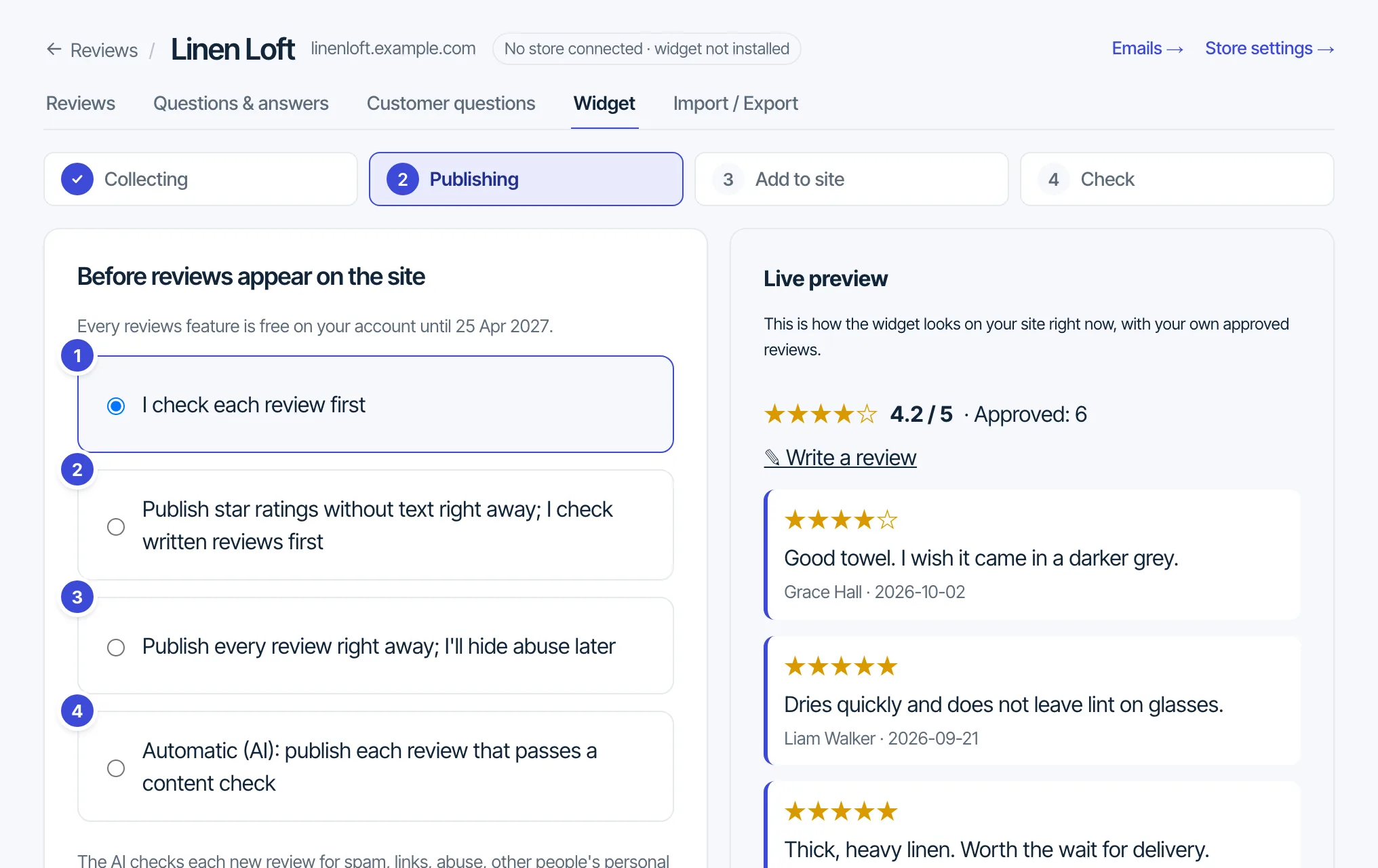
Choose how reviews go public
- Open Reviews, pick your site and open the Widget tab.
- Go to step Publishing (“Before reviews appear on the site”).
- Pick one of the four modes below and press Continue.
- I check each review first. Nothing is public until you approve it. The default on Reviews Free.
- Publish star ratings without text right away; I check written reviews first.
- Publish every review right away; I'll hide abuse later.
- Automatic (AI): publish each review that passes a content check. On Pro, and the default there. The check reads the text without the star rating, so a fair 1-star review passes like a 5-star one. It holds spam and advertising, abuse, someone's personal details and unrelated text, and checks each photo for nudity, violence and ID documents. A held review waits for you with the reason. Videos always wait for you, and so does a review the check could not answer.
There is no “publish only 4 stars and up” option, on purpose: hiding bad reviews breaks the US FTC rule on fake reviews. In every mode that publishes on its own, only 3 reviews a day from one visitor go out at once; the rest wait for you. Reviews with photos or a video wait for you in every mode except AI, which checks the photos itself.
| Stars only | With text | With photos | With video | |
|---|---|---|---|---|
| I check each review first | Waits | Waits | Waits | Waits |
| Stars right away, I check text | Public | Waits | Waits | Waits |
| Every review right away | Public | Public | Waits | Waits |
| Automatic (AI), on Pro | AI check | AI check | AI check | Waits |
Public: goes public at once. Waits: waits for you to approve it. AI check: goes public if it passes the content check, otherwise waits with the reason. In every mode that publishes on its own, only 3 reviews a day from one visitor go out at once; the rest wait for you.
Approve, hide or delete
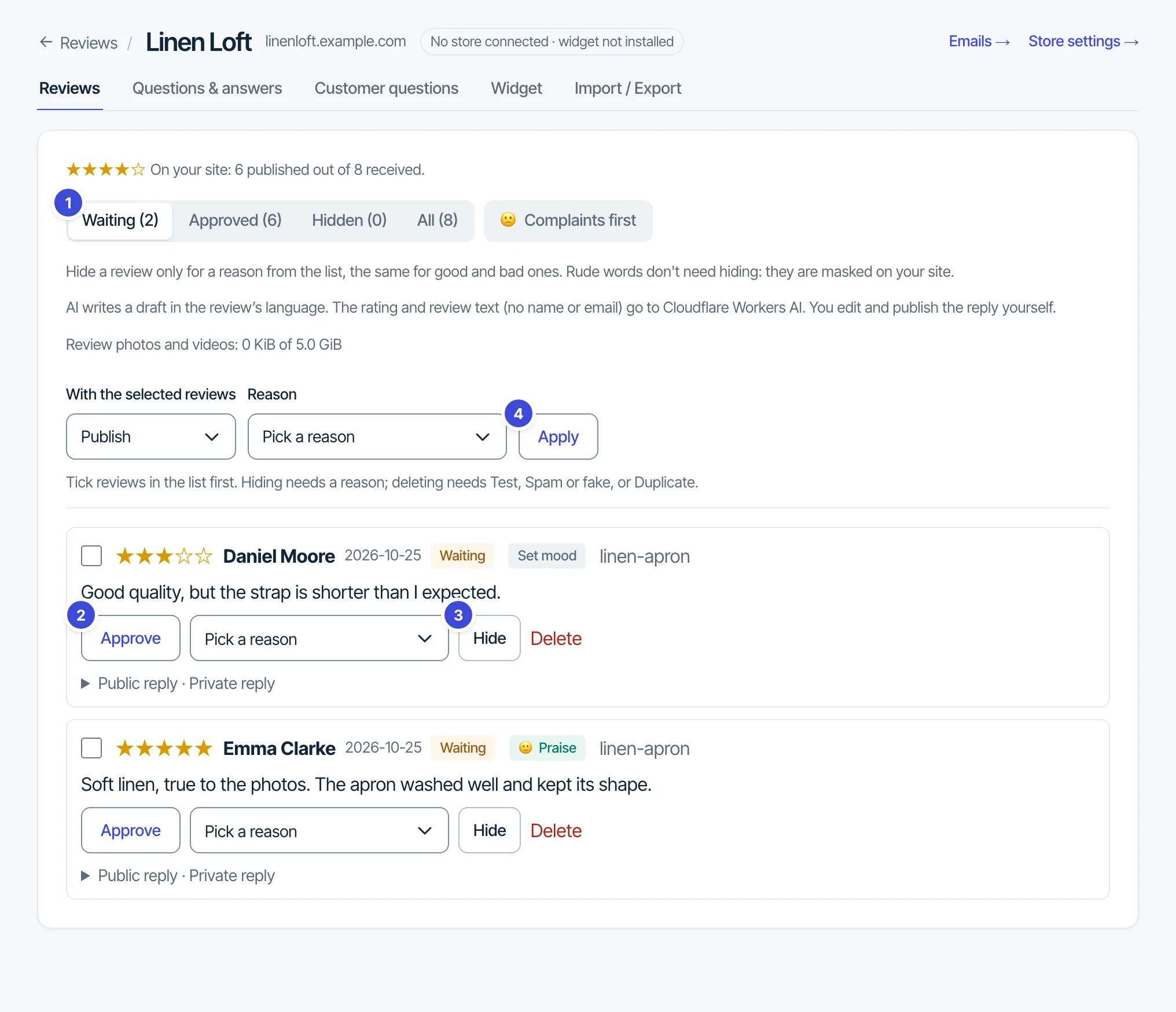
The Reviews tab sorts reviews into Waiting, Approved, Hidden and All. Press Approve on a review to publish it.
Hiding needs a reason, the same list for good and bad reviews: Spam or fake, Duplicate, Not about your business, Personal data, Threats, hate or harassment, Test. You can delete only reviews hidden as Test, Spam or fake, or Duplicate. To act on several reviews, tick them, choose Publish, Hide or Delete under With the selected reviews, pick a reason when you hide or delete, and press Apply.
Rude-word masking
Rude-word masking is on by default for each site. The review is still published, and rude words show as their first letter and stars (f******). You see the original in the dashboard, with the masked version under it. The switch is in step Publishing.
Questions: support@formgong.com.