Questions on reviews
Last updated
Both features are on every plan. Shoppers can ask a reviewer a question, and your review form can ask buyers a few short questions of its own.
Ask the author
- Open Reviews, pick your site, open the Widget tab and go to step Publishing.
- Turn on Let shoppers ask reviewers questions. It is off by default.
- Press Continue.
Reviewers who tick a box on the review form get an “Ask the author” button under their review. A shopper's question reaches the reviewer by email, and the answer goes back by email. Neither sees the other's address. The reviewer can choose to publish the question and answer under the review; only those show in the Questions & answers tab, where you can hide them.
- Questions up to 1,000 characters, answers up to 2,000. Links are removed.
- Per day: 3 questions per review, 5 per visitor, 50 per site. Up to 5 public Q&As under one review.
- The answer link works for 30 days.
There is no separate Q&A where you, the owner, answer product questions.
Customer questions
- Open Reviews, pick your site and open the Customer questions tab.
- Type up to 5 questions, such as “Fit”. For each, pick Choice or Scale and write the options one per line (2 to 8), for example Runs small, True to size, Runs large.
- Press Save questions. To remove a question, leave it empty and save.
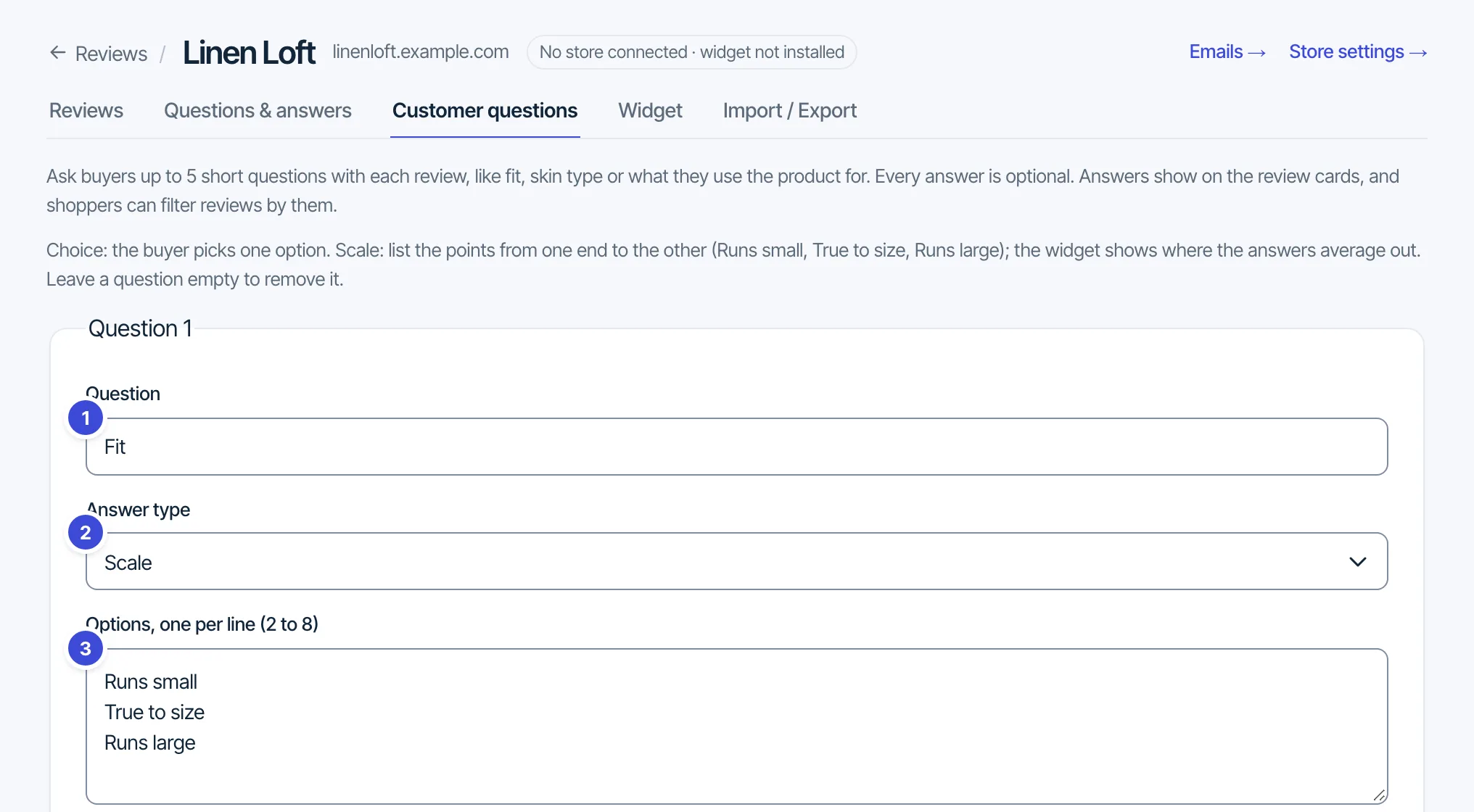
Every answer is optional. Answers show on the review cards, a scale gets an average bar above the list, and the toolbar can filter by an answer.
Questions: support@formgong.com.