The reviews widget
Last updated
One div and one script show your approved reviews on any page. You copy them from the Widget tab of your review site.
Add the widget
- Open Reviews, pick your site and open the Widget tab.
- Go to step Add to site and press Copy next to Code for your site.
- Paste the code where the reviews should appear. The tabs under the code (HTML, WordPress, Wix, Webflow, Tilda, Shopify, Framer) say where each site builder takes HTML; the platform guides in the side menu walk through it click by click.
- Go to step Check, enter the Page with the widget and press Check my site.
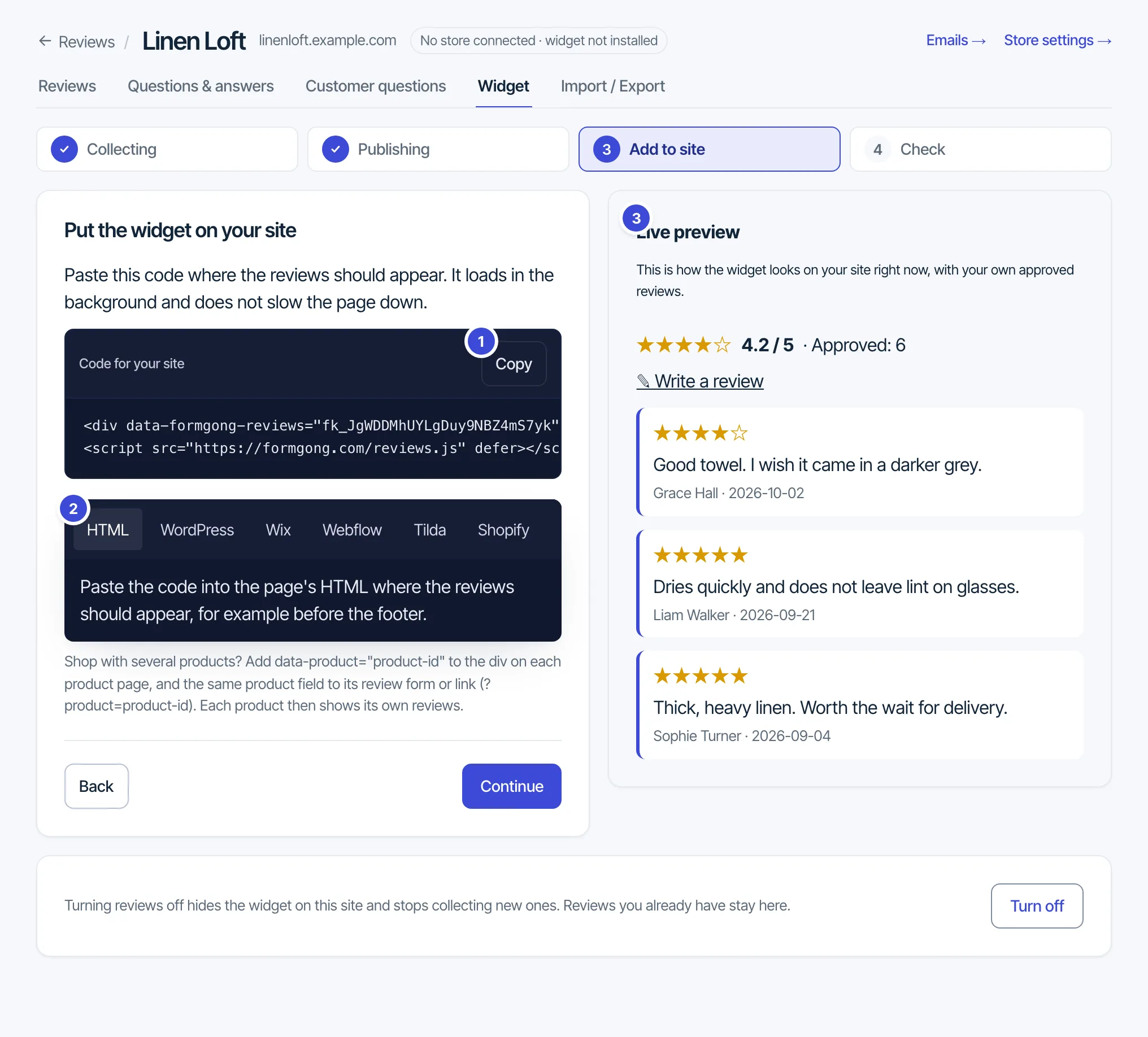
<div data-formgong-reviews="fk_your_reviews_key" data-limit="6"></div>
<script src="https://formgong.com/reviews.js" defer></script>
The widget draws into its own shadow DOM, so your site's CSS cannot break it. With no approved reviews it shows only the “Write a review” link, or nothing. The count always says “approved reviews”.
Settings on the div
data-limit: how many reviews show first (1 to 50, default 6). “Show more reviews” loads the next batch.data-product: show one product's reviews only. On Shopify usedata-product="{{ product.handle }}".data-title: a heading, shown only when there are reviews.data-lang: the widget language. Without it the widget follows<html lang>.data-layout="carousel": the same cards in one row that scrolls sideways, with Previous and Next buttons. Adddata-autoplay="6"to move it every 6 seconds (3 or more). Hovering pauses it, and it never moves for visitors who turn off motion.
On a shop with several products, put data-product on the div of each product page, and add the same product id to that product's review link (?product=product-id). Each product then shows its own reviews.
Filters and sort
Once a site has 5 approved reviews, a toolbar appears above the list. The rating bars filter the list to one star value, “With photos” keeps reviews with a photo, and Sort by offers Newest, Highest rating, Lowest rating, Most helpful and With photos first.
Rating badge
A small “★ 4.8/5 · 123 approved reviews” link for any page, with the same script:
<div data-formgong-badge="fk_your_reviews_key" data-href="/reviews/" data-position="bottom-right"></div>data-position is inline (default), bottom-right or bottom-left. Add data-product for one product's rating.
Review pop-up
A small card in a corner of the page that shows your newest approved written reviews one at a time, with the same script:
<div data-formgong-popup="fk_your_reviews_key" data-href="/reviews/"></div>The first card appears after 8 seconds (data-delay changes it), each stays 7 seconds, and a visitor sees at most 6 per page. It shows the newest reviews whatever their stars. Hovering holds a card; × hides the pop-ups until the visitor closes the tab. data-position="bottom-right" moves it from the bottom-left corner; data-product shows one product's reviews.
Stars in product lists
Put <span data-formgong-stars="fk_your_reviews_key" data-product="42"></span> under each product title. All of them on a page load in one request per 50 products. A product without approved reviews shows nothing; data-show-count="0" hides the “(12)”.
Reviews as JSON
The approved reviews are also public JSON at https://formgong.com/reviews/<key>.json, open to any origin.
Questions: support@formgong.com.