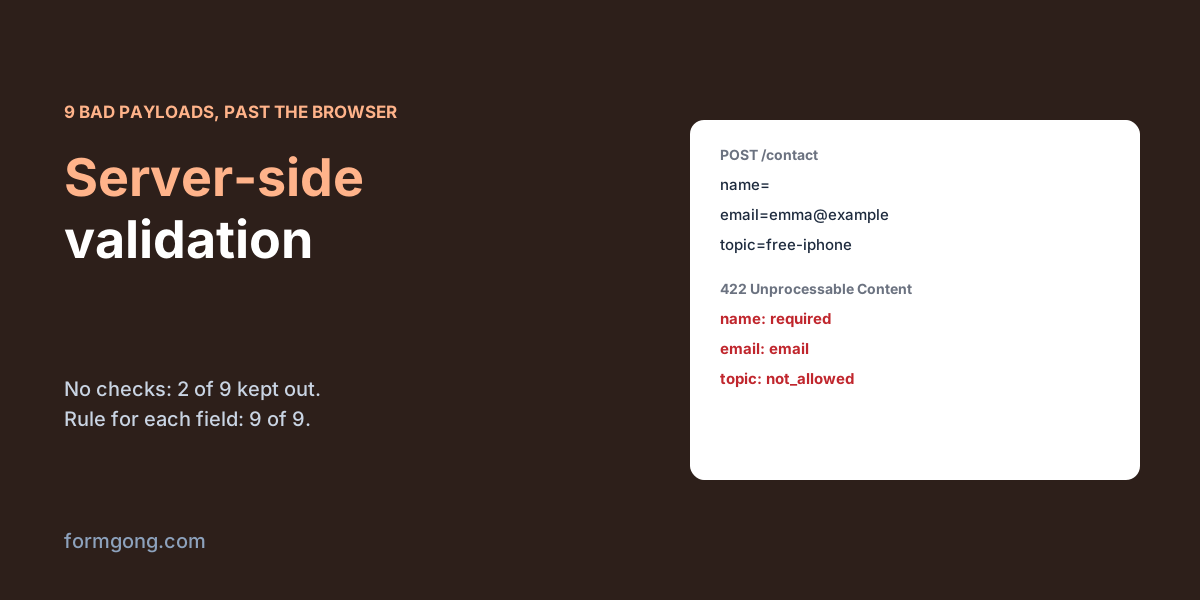
Why validate on the server if the browser already checks?
Your form has required on every field and a script that checks the email, and still a message arrives with an empty name and the email emma@example. Nothing in the browser failed. The request simply never came from your page.
Every browser check, whether it is HTML attributes, JavaScript validation or a library, runs on the visitor's computer, where they can switch it off. A bot posts straight to your endpoint. An old cached page may not have today's rules. So the server is the only place where a rule really holds. To see what that means in numbers, we posted 12 payloads from a page with no checks at all to three receivers. Two were copies of Formgong's form backend, one with its field checks off and one with them on. The third was the small Node server shown below.
What gets through when only the browser checks?
Nine of the payloads should never reach a person's inbox. Of the other three, a correct message was stored by all three receivers, and the other two, an extra field and a name with HTML markup, come up further down.
| What we sent | Formgong, no field checks | Formgong, field checks on | Example Node server |
|---|---|---|---|
| Only the access key, no fields | Stored | 422, all 3 fields named | 422, all 4 fields named |
| Name of three spaces | Stored | 422 required | 422 required |
emma@example | Stored | 422 email | 422 email |
emma..clarke@example.com | Stored | Stored | 422 email |
| Message of one letter | Stored | Stored | 422 too_short |
| Name of 5,000 letters | Stored | Stored | 422 too_long |
Topic not in the list (free-iphone) | Stored | Stored | 422 not_allowed |
| Honeypot field filled | Stored as spam, no email | Stored as spam, no email | 200, nothing kept |
text/plain body | 415 | 415 | 415 |
| Kept out of the inbox | 2 of 9 | 5 of 9 | 9 of 9 |
The form without server checks stored 7 of the 9. It only stopped the honeypot, which went to the spam folder with no email, and the text/plain body, which it could not read. Turning Formgong's field checks on raised that to 5 of 9. The four it let through tell you what its checks are: required fields and the format of an email, URL, number, date or phone number. There is no rule for length or for a fixed list of options, so a 5,000-letter name, a one-letter message and a topic that is not on your list all got in. The email check also accepted two dots in a row.
The Node server kept all 9 out because we wrote a rule for each of those cases. A server check catches what you wrote a rule for, and nothing else.
What should a server-side check cover?
Start with the request before you look at a single field. Accept only the encodings a form or fetch sends, and refuse the rest with 415. Stop reading after a size limit, so nobody can make you read a gigabyte, and answer 413. These two checks protect the server itself, which is why they come first.
Then check each field against what you expect, after trimming spaces. Mark required fields as required. Check the format of emails and numbers. Give every text field a maximum length, because your database column and your email template have one even if your form does not. For a select or a set of radio buttons, accept only the values you offer, since the browser will send whatever is posted. Our dropdown menu test stored a value that was never in the list for exactly this reason.
Keep only the fields you know about. Our extra field, is_admin=true, was stored by both Formgong forms as one more line in the message, which is harmless in an email but dangerous if your code copies the whole body into a user record. The Node server builds a new object from its four known fields, so the extra one was dropped.
Markup is not a validation problem. All three receivers accepted a name with <script> in it, and that was correct: refusing angle brackets turns away harmless messages, such as one that quotes a bit of code, and still misses other tricks. The fix belongs where you show the value. Escape it in your pages and emails. Formgong's notification email escaped markup in our earlier textarea test, and the Node server escapes everything it puts back into the page.
How should the server answer when a field is wrong?
Answer with 422 and a list of the fields that failed, each with a code and a message. A script can then put each message under its field. Every 422 in our table, from Formgong and from the Node server, came back as that kind of list.
Forms without JavaScript need a page instead. When we posted a bad email from a plain HTML form to the Node server, it sent the form back with “Please fix 2 fields.” at the top, a message under the email and the empty message box, and the name, email and topic still filled in. Keeping the values matters most here, because asking someone to retype a long message over one typo is an easy way to lose it.
Formgong does this differently, and it is worth knowing the limits. A plain HTML form that breaks a field check is sent to a Formgong page that says “Some fields are missing or not filled in correctly. Please check: email.” with a Back link, and in our Chromium test the Back button brought the visitor to the form with every typed value still there. If you set your own error page with the _error_redirect field, the visitor lands on your page with ?formgong_error=invalid_fields, but the field names are not passed on, so your page cannot say which field was wrong. For field-by-field messages, send the form with JavaScript and read the 422.
What does a small validating server look like?
This is the server we tested, trimmed of the test page it also served. It uses only Node's own modules and reads URL-encoded, multipart and JSON bodies with the same Request API browsers use. The renderForm function is yours to write: your form, with the values and messages put back in and escaped.
It answers JSON when the request asks for it, so the validation script can map the errors onto fields, and a page otherwise. On success it redirects, which stops a refresh from posting the form a second time. If you would rather write the rules as a schema, our Zod form validation test shares one schema between the page and the server.
// server.mjs — Node 22+, no dependencies. node server.mjs, then post a form to http://localhost:8793/contact
import http from "node:http";

const MAX_BODY = 64 * 1024;
const TOPICS = ["sales", "support", "billing"];
const EMAIL = /^[^\s@]+@[^\s@]+\.[^\s@]{2,}$/;

// One rule per field. Values arrive trimmed. Each rule returns an error code or null.
const RULES = {
  name: (v) => (!v ? "required" : v.length > 100 ? "too_long" : null),
  email: (v) => (!v ? "required" : v.length > 254 || !EMAIL.test(v) || /\.\.|^\.|\.@/.test(v) ? "email" : null),
  topic: (v) => (!v ? "required" : TOPICS.includes(v) ? null : "not_allowed"),
  message: (v) => (!v ? "required" : v.length < 10 ? "too_short" : v.length > 5000 ? "too_long" : null),
};
const MESSAGES = {
  required: "Please fill this in.", too_long: "This is too long.", too_short: "Please write at least 10 characters.",
  email: "Please enter an email like emma@example.com.", not_allowed: "Please pick one of the options.",
};

function validate(input) {
  const clean = {}; // only the fields you know about; anything else in the body is dropped
  const errors = [];
  for (const field of Object.keys(RULES)) {
    const value = typeof input[field] === "string" ? input[field].trim() : "";
    clean[field] = value;
    const code = RULES[field](value);
    if (code) errors.push({ field, code, message: MESSAGES[code] });
  }
  return { clean, errors };
}

async function readBody(req) {
  const chunks = [];
  let size = 0;
  for await (const chunk of req) {
    size += chunk.length;
    if (size > MAX_BODY) return null; // stop reading: nobody gets to send you a gigabyte
    chunks.push(chunk);
  }
  return Buffer.concat(chunks);
}

http.createServer(async (req, res) => {
  if (req.method !== "POST" || req.url !== "/contact") { res.writeHead(404).end(); return; }
  const wantsJson = (req.headers.accept || "").includes("application/json");
  const type = (req.headers["content-type"] || "").toLowerCase();
  const reply = (status, body) => {
    res.writeHead(status, { "content-type": wantsJson ? "application/json" : "text/html; charset=utf-8" });
    res.end(wantsJson ? JSON.stringify(body) : renderForm(body)); // renderForm: your page, values and errors escaped
  };
  // On success, redirect plain forms so a refresh does not post twice.
  const done = () => (wantsJson ? reply(200, { ok: true }) : res.writeHead(303, { location: "/thanks" }).end());

  if (!/^(application\/x-www-form-urlencoded|multipart\/form-data|application\/json)/.test(type)) return reply(415, { ok: false, code: "unsupported_type" });
  const body = await readBody(req);
  if (!body) return reply(413, { ok: false, code: "too_large" });

  let input;
  try {
    if (type.startsWith("application/json")) input = JSON.parse(body.toString("utf8")) ?? {};
    else {
      const form = await new Request("http://local/", { method: "POST", headers: { "content-type": type }, body }).formData();
      input = Object.fromEntries([...form.keys()].map((k) => [k, form.getAll(k).filter((v) => typeof v === "string").join(", ")]));
    }
  } catch {
    return reply(400, { ok: false, code: "bad_body" });
  }

  // Honeypot filled: answer like a success so the bot learns nothing, and keep nothing.
  if (typeof input.botcheck === "string" && input.botcheck.trim()) return done();

  const { clean, errors } = validate(input);
  if (errors.length) return reply(422, { ok: false, errors, values: clean });
  // save(clean) and send the notification here, then:
  return done();
}).listen(8793);
Can a form backend do the server checks for you?
Partly. Formgong is a form backend that sends each message to your email and Telegram, and under Settings, then Protection, then Field checks you can mark fields as required or as an email, URL, number, date or phone number. It refuses a post that breaks a check before anything is stored or counted toward your monthly limit, on every plan including Free. We do not have an edge over the two competitors here, and one of them offers more. Formspree's own article on server-side validation describes built-in rules set per field, and its Workflow help page, read on 3 November 2026, lists them on all plans, with minimum and maximum lengths that Formgong does not have. Splitforms' guide, last reviewed on 5 August 2026, says every submission to its endpoint is checked for format and length and refused with a JSON error. Neither service says it checks a field against a fixed list of options. Splitforms' guide lists that among the checks a server should make, but not among its own, and Formgong has no such rule either. If your form needs length or option rules, run your own server like the one above. Our HTML forms docs list every field Formgong reads.
Did your server let something through?
If a payload got past your checks, or past ours, send it to support@formgong.com. We will add it to this test and update the table.
Frequently asked questions
Is client-side validation enough?
No. Browser checks only run in your page. Bots and scripts post straight to your server, so it must check every field again.
What HTTP status should a validation error return?
422 with a list of the fields that failed, each with a code and a message. Use 415 for a wrong encoding and 413 for a body that is too large.
Should the server refuse HTML in form fields?
Usually not. Store it as text and escape it wherever you show it. Refusing angle brackets turns away harmless input and misses other tricks.
How do I keep the visitor's input after a server error?
Send the form back with the values filled in and a message under each wrong field, or answer JSON and let your script show the messages.
Sources and documentation
Official references for this guide: Formgong: JavaScript form validation without a library, Formgong: HTML input types and what each one sends. HTML forms, where data is stored.