Form backend vs form builder: which one do you need?
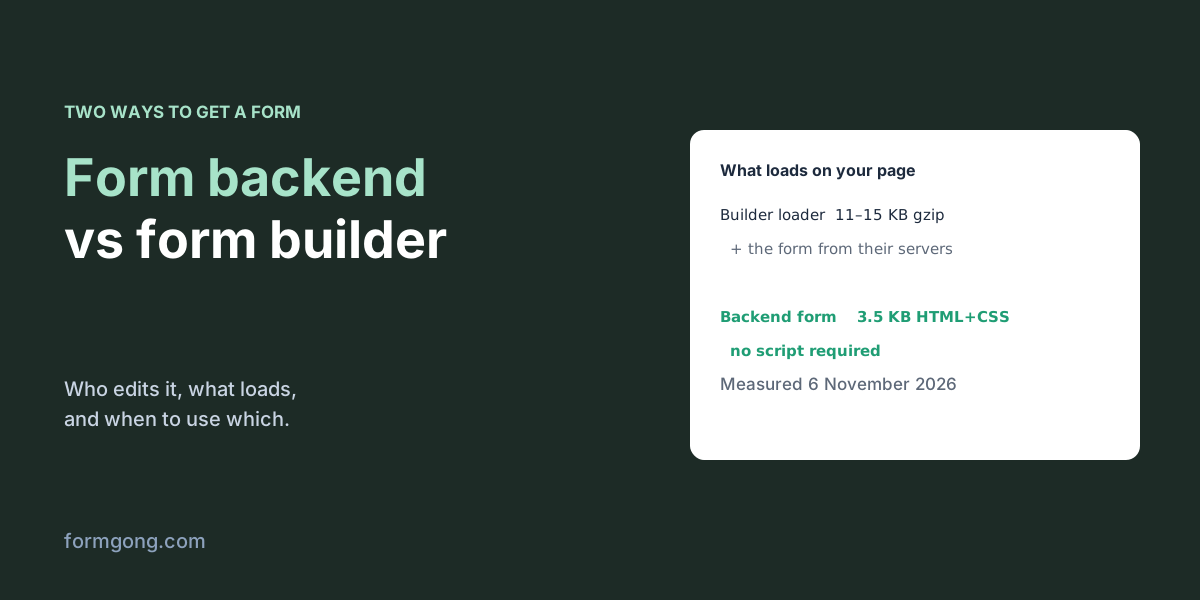
A builder's loader script alone weighed 11 to 15 KB compressed in our test, before the form itself loaded. A backend form was 3.5 KB of HTML and CSS with no script.
The short answer. Use a form builder when people who don't edit code need to create and change forms, or when the form needs payments, signatures or multi-page logic. Use a form backend when the form is part of your site, has to look like it and load fast, and someone can paste HTML. A backend only receives and delivers; a builder also draws the form. Some tools, Formgong among them, give you both: a builder that writes plain HTML and a backend it posts to.
Formgong
Form backend vs form builder: which one do you need?
What is the difference between a form backend and a form builder?
Both get the answers from a visitor to you. They split the work differently.
A form builder such as Jotform, Typeform, Tally or Google Forms does everything: you design the form in its editor, it hosts the form, and you show it on your site with an embed or a link. A form backend does only the second half. The form is ordinary HTML in your own page, its action points at the backend, and the backend stores each submission, checks it for spam and sends it to your email or wherever you want it. Our article on headless form backends explains that half in more detail.
On WordPress there is a third option: a form plugin, which keeps the editor and the stored messages inside your own site. It behaves like a builder that lives in your admin, and it sends mail through your host. Our comparison of the best WordPress contact form plugins covers that route.
How the two approaches differ, with the sizes we measured on 6 November 2026.
Form builder
Form backend
Where does the form live?
On their servers, shown in your page through an iframe or a script
In your page's own HTML
Who can change it?
Anyone with a login, in a visual editor
Whoever can edit the page's code
How does it look?
Their themes, adjusted within their options
Exactly like your site, it uses your CSS
What loads on the page?
A loader script (11–15 KB compressed in our test), then the form from their servers
Only your HTML; no script is required
What does it handle well?
Payments, signatures, multi-page logic, quizzes
Contact, quote, booking and sign-up forms
Where do submissions go?
Their dashboard, email and integrations
Their dashboard, email and integrations
Leaving later
Rebuild the form elsewhere; export the answers
Change one action URL; the form stays
What does each one load on your page?
We measured the parts we could check on 6 November 2026. The embed scripts that Typeform, Tally and Paperform document for putting a form on your site were 14,556, 15,126 and 11,357 bytes compressed. That is only the loader: the form itself then comes from their servers. One form page hosted by Typeform was 75,655 bytes compressed, counting only its HTML.
A form for a backend is just your HTML. Formgong's free form builder reported 3.5 KB of HTML and CSS for a contact form, with no script required. A 1.5 KB script is optional, only if you want the thank-you message to appear without leaving the page.
A few dozen kilobytes won't ruin a page on a fast connection. On a slow phone, though, a form that appears a second after the rest of the page is a form some people never see, and an iframe can't use your fonts or your site's spacing. The code below shows the two shapes side by side.
A backend form and a builder embed (HTML)
<!-- A form backend: the form is yours, only the action points elsewhere -->
<form action="https://formgong.com/submit" method="POST">
  <input type="hidden" name="access_key" value="fk_your_access_key">
  <label>Email <input type="email" name="email" required></label>
  <label>Message <textarea name="message" required></textarea></label>
  <button type="submit">Send</button>
</form>

<!-- A form builder embed, in general shape: their script draws their form here -->
<div data-builder-form-id="abc123"></div>
<script src="https://builder.example/embed.js" async></script>
When is a form builder the right choice?
When the people making forms don't edit code. A marketing team that launches a new survey every week, or a clinic manager who changes the intake questions, needs an editor with a login, and that is what builders are for.
Also when the form does more than collect text. Payments, e-signatures, quizzes with scores, multi-page logic and dozens of ready integrations are the reason full builders exist, and a backend doesn't give you those. Formgong, for example, does not take payments or build multi-page forms. With a backend you'd send people to a separate checkout page for the payment, which works but means the answers and the payment arrive in two places. Our comparison of the best form builders lists what each free plan included on the day we checked.
When is a form backend the right choice?
When the form belongs to the site. A contact, quote, booking or sign-up form on a business site should look like the page around it, load with it, and keep working with whatever the site is built on: plain HTML, WordPress, Webflow, a React app, a static site generator or a page an AI tool wrote. With a backend, the form is your markup, so all of that comes for free.
It is also the easier one to leave. Your form doesn't change when you switch backends; you change the action URL and the hidden key. Moving away from a builder means rebuilding the form somewhere else.
AI site builders have tilted this further. Lovable, Bolt or v0 will write the form's HTML for you, so drawing the form is no longer the hard part; receiving it, filtering spam and getting it to your inbox still is. That half is exactly what a backend sells. Our guide to forms in AI website builders shows the wiring.
The cost is that someone edits HTML to change a field. If that person is you, or a developer who already looks after the site, it's not a cost at all.
Can you have both?
Yes, and for a lot of sites that's the sweet spot: a builder that writes the HTML for you, and a backend that receives it. Formgong works that way. Our free form builder reads your home page to copy its colour, corners and font, lets you pick from eight kinds of form, and gives you code to paste into WordPress, Shopify, Wix, Webflow, Framer, Squarespace, plain HTML or React. That code posts to Formgong's backend.
Many sites also simply use both kinds side by side: a backend for the contact and quote forms that sit on the site, and a hosted builder for the occasional customer survey that goes out as a link in an email. The two jobs barely overlap, so there is nothing to choose between.
From there it behaves like any backend. Formgong takes up to 50 fields per submission, joins checkbox groups into one line, can refuse posts that break the field rules you set, and answers a plain post with a redirect to a thank-you page or a fetch with JSON. The free plan covers 250 submissions a month. You can also send forms you already have, built by hand or by an AI site builder, to the same place. And the same account adds an AI help chat and a reviews widget to the site, so the form, the chat and the reviews share one dashboard.
Do backends handle files, analytics and where the data lives?
These are the questions builder comparisons usually raise, and the answers depend on the service, not on the approach.
Files. Builders take uploads through their own field. A backend takes them from an ordinary <input type="file"> in your form. Formgong accepts three files per submission, 5 MiB each and 10 MiB together, on every plan, and a form that sends files must include a Turnstile check.
Analytics. A builder can count how often its form was opened, because it serves the form. A backend only sees the submission unless you add a counter to the page. Formgong's small analytics script counts a view when 40% of the form is on screen and a start at the first click into a field, so you get the same funnel.
Where the data lives. Both kinds keep your visitors' answers on their own servers, so ask the same question either way: which country, and is there a data processing agreement. Formgong's database is created with EU jurisdiction. If you handle patient records in the US, you need a vendor that will sign a HIPAA business associate agreement; Formgong makes no HIPAA claim.
How do you move from a builder to a backend?
For a contact or quote form it's an afternoon's work. Write down the fields and their names from the builder. Rebuild them as HTML, or let a builder that writes HTML do it, with a name on every field. Point the form's action at the backend, set who gets the emails, and limit it to your own domain; Formgong has that domain setting on the free plan. Replace the embed code on the page with the new form, send a few real test messages from a phone, and keep the old form's account open for a week or two in case a link to its hosted page is still out there.
Branching is the part that doesn't move by itself. A builder's “show this if that” rules have to become a few lines of JavaScript, or a flatter form. If the form has a lot of them, that is a sign it should stay in the builder.
Three questions to decide
Who will change the form, and do they edit code? Does the form need payments, signatures or several pages? Does it have to look and load like part of your site? If the answers are “someone who doesn't code”, “yes” and “not really”, choose a builder. If they are “us”, “no” and “yes”, choose a backend. Mixed answers usually point to a builder that writes HTML, plus a backend.
Which did you pick, and why?
If you moved from a builder to a backend, or the other way, tell us at support@formgong.com what made you switch. We will add the most common reasons to this page.
Frequently asked questions
What is a form backend?
A service that receives a form written in your own HTML, through its action URL, then stores each submission and sends it to your email or other tools.
What is a form builder?
A tool with a visual editor that hosts the form for you. You put it on your site with an embed code or share it as a link.
Is a form backend faster than an embedded form builder?
Usually. In our test the builders' loader scripts were 11–15 KB compressed before the form itself loaded; a backend form was 3.5 KB of HTML and CSS with no script.
Can I use a form builder and a form backend together?
Yes. A builder that outputs plain HTML, like Formgong's free form builder, gives you the form, and the backend receives it.