What the term means
You write the form yourself, in plain HTML, a React component, an Astro page or whatever your site is built with. The form's action, or a fetch call in your script, points at a URL the service gives you. Everything after the visitor clicks Send is the service's job.
"Headless" only says that the service has no front end of its own for you to embed. Forminit describes it as "an API service that receives form submissions, validates data, stores it". CustomJS calls it "a form backend API that accepts submissions without dictating how the frontend looks". Many services in this group never use the word and just say form backend or form endpoint. Formspree's home page, for one, calls it a form backend and API for HTML and JavaScript forms. It is the same thing under different names.
What the service does after the click
- Receives the request. A plain HTML form sends form-encoded data, a form with a file sends multipart, and a script usually sends JSON. A good backend reads all of them, sends a plain form on to a thank-you page, and answers a script with JSON it can check.
- Keeps a copy. Each submission lands in an inbox you can search and export, so a message that fails to reach your email is not lost.
- Sorts out spam. A hidden honeypot field, rate limits and checks on the content, sometimes a captcha. Spam is set aside instead of reaching you.
- Delivers it. Email first, then whatever else the service connects to: Telegram or Slack, a spreadsheet, or a webhook into your own code.
How it differs from a form builder
A form builder such as Jotform, Typeform or Google Forms gives you the form as well. You design it in their editor and embed it on your page, and it looks and behaves the way their editor allows. Splitforms sums up the difference in one line: "A form backend gives you an endpoint that receives HTML form submissions."
A builder is the better fit when nobody on the project writes code, or when you want multi-page logic, quizzes or surveys you would rather not build. A headless backend fits when the form is already in your code, has to match your own design, or lives inside a component your app renders. Some services do both: Basin's home page offers to receive your form or build one for you.
How it differs from writing your own endpoint
The other way is to write the receiver yourself, as an API route, a serverless function or a Next.js Server Action. The code that reads the fields is short. What takes the time is everything around it:
- An email provider, its API key and a verified sending domain, or your messages end up in spam.
- Spam protection and a rate limit, because the route is public from the moment it ships.
- A place to store each message, and a retry when the email provider or your CRM is down.
- A host that runs server code. A static site on GitHub Pages or S3 has nowhere to put the route.
When we built the smallest Server Action contact form we would ship, it needed 3 server environment variables and 2 extra accounts, and it still kept no copy of the message. The full count is in Server Actions vs a form backend. If you already run a server with mail set up, or the submission has to change your own data, your own endpoint is the right call. For sites with no server at all, form without a backend goes through seven ways to receive the form.
Five ways to handle a form, and which one to pick
- A form builder. The quickest when there is no code, but the form is theirs, on their page or in their embed.
- Your host's forms. Netlify Forms reads your HTML when Netlify builds the site. There is nothing else to sign up for, and it works only on sites Netlify builds.
- A mailto link. It opens the visitor's email app instead of sending anything. Many visitors have none set up, and nothing is kept.
- Your own endpoint. You control every line, and every job in the list above is yours to build and keep running.
- A headless form backend. The form stays in your code, and receiving, storing, spam and delivery are handed off.
For a site you build yourself, pick the fifth. It keeps the form in your code on any host, with nothing for you to run. Move to your own endpoint when the submission must update your own database or check a signed-in user, and to a builder when nobody will touch code.
What to look for in a headless form backend
- The request your code sends. JSON from fetch, form-encoded from plain HTML, multipart with files. Make sure the service reads the one you use, and that a form with JavaScript turned off still gets a sensible page back.
- CORS. If your page posts with fetch, the browser has to be allowed to read the answer, or you cannot tell the visitor whether the message went through.
- Posting from a server. You need it for Server Actions, workers and scripts. Some services block it on their free plan.
- An answer you can branch on. A wrong key should come back as an error status with a code. In our 16 October test, 4 of the 12 services that answered gave HTTP 200 to a wrong key at least once, so a check on the status alone would have shown the visitor a thank-you message.
- Spam handling that does not need a captcha, and spam that does not count toward your limit.
- The free limit and what happens past it. Whether it resets every month, and whether a message over the limit is kept, held or turned away. Our free form backend limits article has this for 12 services.
- Where messages can go on the plan you will use. Email only, or also chat apps, spreadsheets and webhooks. A webhook should be signed and retried when your end is down.
- Where the data is kept, and for how long. This is half of your GDPR work; the other half is in the GDPR form backend guide.
What 10 backends accepted in our test
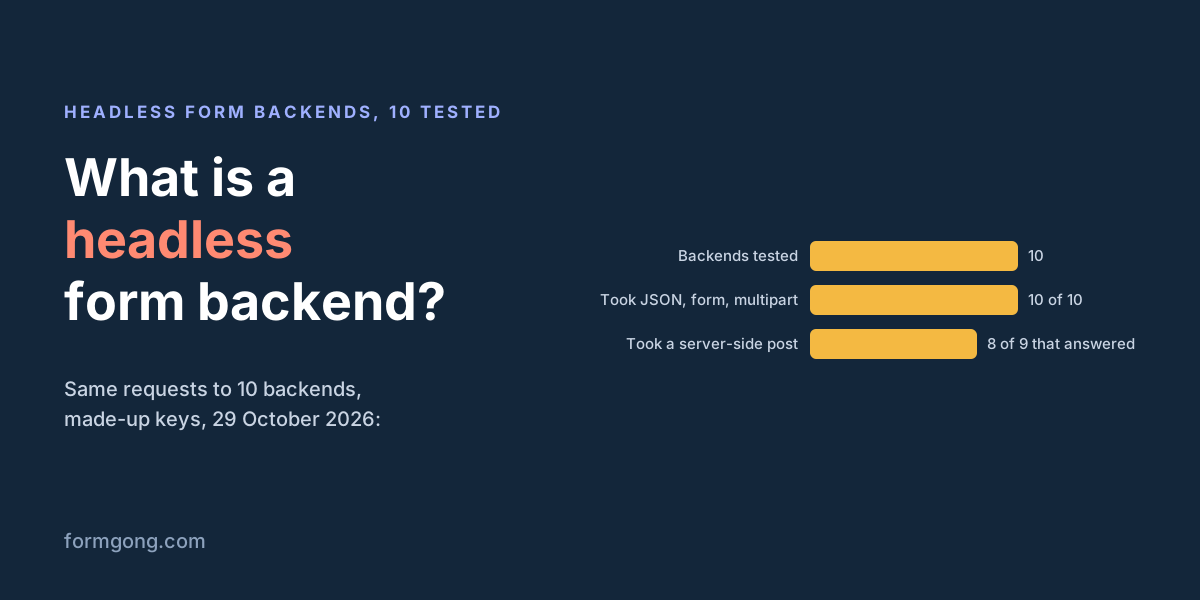
On 29 October 2026 we sent the same requests to 10 hosted form backends with made-up keys: a JSON, a form-encoded and a multipart body, a CORS preflight and a real browser fetch from a page on example.com, and the JSON post again from a server with no Origin header. Nothing was stored or delivered.
| Service | Body formats | Browser fetch (CORS) | Post from a server |
|---|---|---|---|
| Formgong | All three read | Readable | Works |
| Formspree | Not refused | Readable | Works |
| Web3Forms | JSON read from a browser; curl blocked | Readable in a browser | Blocked (403) |
| Forminit | Not refused | Readable | Works |
| Basin | Not refused | Readable | Works |
| FormSubmit | No answer (site down) | Not tested | No answer |
| Formcarry | Not refused | Readable | Works |
| Formspark | Not refused; errors in plain text | Readable | Works |
| Static Forms | All three read | Readable | Works |
| Splitforms | All three read | Readable | Works |
None of them refused a body format, and every one that answered let a browser fetch read its reply. Only Web3Forms blocked the post from a server: its 403 said to use the API from the client side, or contact support with a server IP on a paid plan. FormSubmit's site was down for the whole test, from two networks, so its row is empty rather than a fail. Where the key sits in the URL, the answer was about the form, so it shows the format was accepted, not that every field was read.
The error bodies and rate limits from the same day are on contact form API test.
Which headless form backends exist
All of these receive a form you build yourself. To compare them on free limits, wrong-key answers and storage, see best form backend or the comparison pages.
- Formspree, one of the oldest, with many integrations.
- Basin, which also lets you build the form on its site.
- Forminit, with a separate protected mode and API key for posting from servers.
- Web3Forms, which takes posts from browsers only on its free plan.
- FormSubmit, which needs no account, only your email address in the form's action.
- Formcarry, Formspark, Static Forms and Splitforms, endpoint services of the same kind.
- CustomJS, a newer service that uses the word headless for its form endpoint.
- Netlify Forms, built into Netlify hosting.
- Formgong, ours, described below.
How Formgong works as a headless backend
Your form posts to https://formgong.com/submit with a hidden access_key field. Formgong reads JSON, form-encoded and multipart bodies. A plain HTML form is sent on to a thank-you page, or to your own with a _redirect field. A script that asks for JSON gets success: true and the submission's id, or an error status with a code such as unknown_access_key. CORS is open to any site, and a post from your server is answered the same way.
The access key sits in your page, and it can only send a message to that one form. Fields that other services let the page use to choose recipients or webhooks, such as _cc and _webhook, are ignored, so nobody with the key can redirect your mail. Reading submissions needs an API token from your account. You can also list the domains allowed to post. A post without an Origin or Referer from one of them is then refused, so leave the list empty if you post from a server.
Each message is checked by a spam score and a honeypot, with a block list, filters and your own Turnstile key if you want them; spam goes to a Spam tab and does not count toward the 250 free submissions a month. Delivery goes to email at once, Telegram, Google Sheets, Notion and up to 3 signed webhooks per form, each tried up to 5 times. There is a React component and a Next.js template to paste, and an MCP server lets Cursor or Claude create the form, wire it into your code and read the submissions.
<form action="https://formgong.com/submit" method="POST">
  <input type="hidden" name="access_key" value="fk_your_access_key">
  <label>Name <input name="name" autocomplete="name" required></label>
  <label>Email <input type="email" name="email" autocomplete="email" required></label>
  <label>Message <textarea name="message" required></textarea></label>
  <div aria-hidden="true" style="position:absolute;inset-inline-start:0;top:0;width:1px;height:1px;overflow:hidden;clip-path:inset(50%)">
    <label>Leave empty <input name="botcheck" tabindex="-1" autocomplete="off"></label>
  </div>
  <button type="submit">Send</button>
</form>
The same form sent with fetch and JSON
const res = await fetch("https://formgong.com/submit", {
  method: "POST",
  headers: { "Content-Type": "application/json", Accept: "application/json" },
  body: JSON.stringify({ access_key: "fk_your_access_key", name, email, message }),
});
const data = await res.json().catch(() => null);

if (res.ok && data?.success === true) {
  showThanks();
} else {
  showError(data?.message ?? "The message was not sent. Please email us instead.");
}
What Formgong's free plan includes
- Build the form or bring your own. The form builder takes the colours and fonts from your site's address, with no sign-up; ready form templates copy into your account; AI writes the fields from one sentence. Any hand-written HTML form works too.
- Websites with the form already connected. 28 free website templates post to Formgong out of the box.
- 250 submissions a month on unlimited forms. Spam does not count. Once a year, a busy month keeps delivering on credit until the 7th instead of stopping.
- Everywhere you work. Email to up to 3 people at once, Telegram with Reply and Handled buttons, Google Sheets, Notion, and 3 signed webhooks for Slack, Discord, Zapier, Make or n8n.
- Emails to your customers in your business's name. Formgong sends them under your business name and replies come back to you, with no email service of your own to set up: a review request to every lead, a reminder a visitor asked for, and review emails after an order with your logo and colours. People who agree can also go straight into your Mailchimp, Klaviyo, Brevo, MailerLite or Kit list. An automatic reply to each visitor is on Pro.
- No captcha needed. A server-side spam filter, a honeypot, allowed domains and a block list; add your own Turnstile key if you want one.
- Files and voice. Visitors can attach files, or record a voice message that arrives transcribed.
- Made for AI-built sites. A hosted form page and a contact button; step-by-step guides for sites built with Lovable, Bolt, v0, Replit and Base44; an MCP server lets Cursor or Claude wire the form for you.
- See what the form does. Analytics for views, starts, conversion and where each lead came from, and an alert when a form goes quiet.
- One account for the rest. Customer reviews and an AI help chat that answers visitors from your own pages, with every message in one inbox. Data is stored in the EU.
Frequently asked questions
What does headless mean for a form backend?
That the service has no form of its own for you to embed. You build the form in your own code and the service only receives what it sends, then stores, filters and delivers it.
Is a form endpoint or contact form API the same thing?
Yes. A form endpoint is the URL your form posts to, and a contact form API is the same URL seen from code: you send the fields and read a status and a body. All three names describe one kind of service.
Do I need a backend for a contact form on a static site?
Something has to receive the post, and a static host has no server code to do it. Use a hosted form backend, or your host's own forms if it has them. A mailto link opens the visitor's email app instead of sending.
Is it safe to put a form backend's key in my HTML?
On Formgong, yes: the access key can only send a message to that form, and reading submissions needs an API token from your account. Fields that would let the page choose recipients or webhooks are ignored. You can also limit which domains may post.
Can I use a headless form backend from a server?
In our 29 October 2026 test 8 of the 9 services that answered took a JSON post from a server. Web3Forms blocked it and asks for a paid plan and an allow-listed server IP. Formgong answers server posts the same as browser posts.
Sources and documentation
Official references for this guide: Forminit: what is a headless form backend, CustomJS: headless forms, Splitforms: form backend vs form builder, Formspree, Basin, MDN: CORS preflight request, Formgong form endpoint test (29 October 2026), Formgong API reference (llms.txt). Formgong HTML form docs, where data is stored.