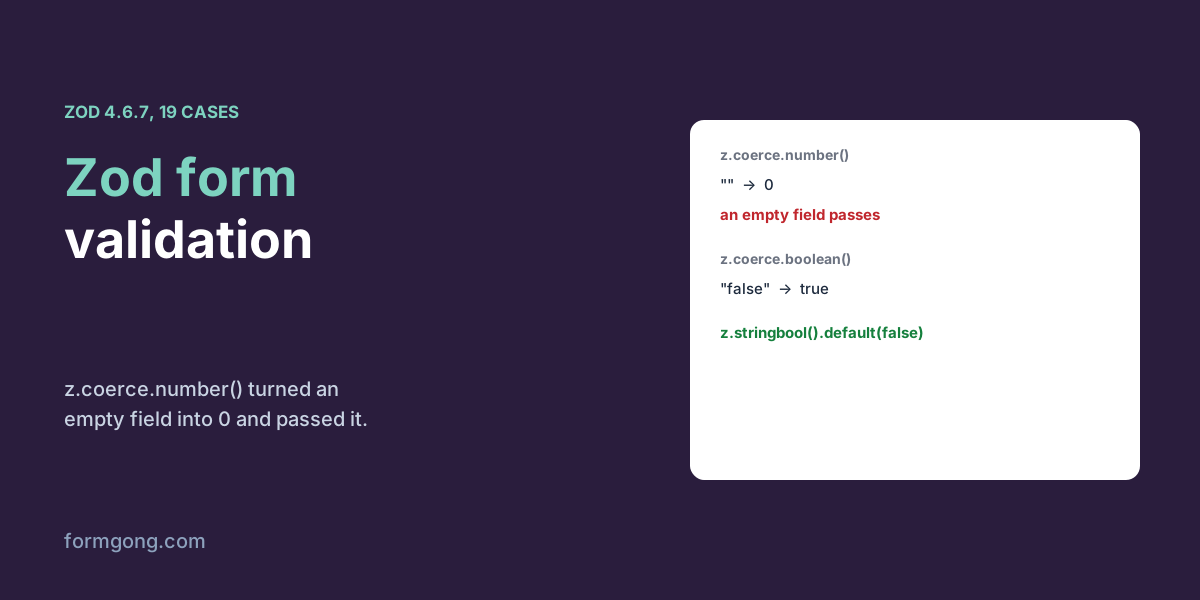
We checked a booking form with Zod 4.6.7 in Chromium and on a Node server, and tested the schema habits that let empty fields and unticked boxes slip through.
The short answer. Validate a form with Zod by turning its FormData into an object, running schema.safeParse() on it, and showing the first message for each field. Then run the same schema on your server. In our test with Zod 4.6.7 on 3 November 2026, z.coerce.number() turned an empty field into 0 and accepted it, so a required number needs a check for the empty string first.
Formgong
Zod form validation with FormData, tested
Why does a Zod schema accept bad form data?
You write a tidy schema, name: z.string().min(1), guests: z.coerce.number(), plug it into the form, and it works on the first try. Then a booking arrives for zero guests from someone whose name is a space, and Zod said both were fine.
The schema was written for clean JavaScript values, and a form does not give you those. FormData holds only strings and files. An unticked checkbox is missing, not false. Three ticked boxes are three entries with one name, and an empty number field is an empty string. So we tested what Zod 4.6.7 does with each of those, then ran one schema in Chromium for a booking enquiry and the same file on a Node server. No React and no form library here. If you use React Hook Form, the habits below still apply to the schema you hand it, and our React form validation test shows the React side without a library.
What does Zod do with the values FormData gives you?
Each row is one safeParse call on a value exactly as a form sends it.
Zod 4.6.7, one safeParse call per row, on the values a form's FormData holds, 3 November 2026.
Schema
Input
Result
z.string().min(1)
three spaces
Accepted
z.string().trim().min(1)
three spaces
Refused
z.number()
"3"
Refused: FormData values are strings
z.coerce.number()
an empty field
Accepted as 0
z.coerce.number()
"12,5"
Refused
z.boolean()
a ticked box ("on")
Refused
z.coerce.boolean()
"false"
Accepted as true
z.stringbool().default(false)
"on" / an unticked box
true / false
z.array(z.string())
Object.fromEntries of 3 ticked boxes
Refused: it held one string, "billing"
z.email()
an address with a leading space
Refused
Three rows are worth remembering. A string rule without .trim() counts spaces as content, so put .trim() before .min() on every text field. z.coerce.number() runs JavaScript's Number(), which turns an empty string into 0, so an empty required field passes as zero. Splitforms' React Hook Form guide points this out too. The schema here checks for the empty string first and then converts, so the visitor sees “Please fill this in.” instead of “At least 1.”. And z.coerce.boolean() turns any non-empty string into true, including "false". For a checkbox, use z.stringbool(), which read a ticked box's "on" as true, and give it .default(false) for the unticked case.
The last two rows are about getting the data out of the form. Object.fromEntries(formData) keeps only the last value of a repeated name, so a group of three ticked boxes reached Zod as the string "billing" and failed the array rule. The formToObject() helper in the schema file uses getAll() for the names you list. Our JavaScript FormData test shows the same loss when the object is sent as JSON.
How do you share one schema between the form and the server?
Put the schema in its own module and import it in both places. The page and the server then refuse exactly the same input with exactly the same messages. That matters because the server is the check that counts, and a rule you forget to copy is a rule that only half exists.
The helper fieldMessages() uses z.flattenError(), which turns Zod's list of issues into one list of messages per field name. For a booking with a blank name, emma@example, no guests, no topic and the message “Hi”, it returned five fields, each with its message, and their names match the form's name attributes. That is what lets you put each message under its input without a lookup table. On the server, Node 22 and later can read a form body with the same Request and FormData APIs as the browser, so the same formToObject() works there too.
schema.mjs
// schema.mjs — imported by the page and by the server
import { z } from "zod";

export const TOPICS = ["pricing", "setup", "billing"];

export const contactSchema = z.object({
  name: z.string().trim().min(1, "Please fill this in.").max(100, "Please keep it under 100 characters."),
  email: z.string().trim().pipe(z.email("Please enter an email like emma@example.com.")),
  // FormData gives strings; an empty box must say "fill this in", not become 0
  guests: z.string().trim().min(1, "Please fill this in.")
    .pipe(z.coerce.number().int("Please use a whole number.").min(1, "At least 1.").max(20, "At most 20.")),
  topics: z.array(z.enum(TOPICS, "Please pick from the list.")).min(1, "Please pick at least one topic."),
  // a ticked box sends "on"; an unticked one sends nothing
  newsletter: z.stringbool().default(false),
  message: z.string().trim().min(10, "Please write at least 10 characters.").max(5000, "Please keep it under 5,000 characters."),
});

/** FormData to a plain object. Names listed in arrays keep every value. */
export function formToObject(formData, arrays = ["topics"]) {
  const out = {};
  for (const key of new Set(formData.keys())) {
    const values = formData.getAll(key).filter((v) => typeof v === "string");
    out[key] = arrays.includes(key) ? values : values.at(-1);
  }
  for (const key of arrays) out[key] ??= [];
  return out;
}

/** The first message for each field, ready to put under each input. */
export function fieldMessages(error) {
  const { fieldErrors } = z.flattenError(error);
  return Object.fromEntries(Object.entries(fieldErrors).map(([field, messages]) => [field, messages[0]]));
}

// In the page:
//   const result = contactSchema.safeParse(formToObject(new FormData(form)));
//   if (!result.success) { show(fieldMessages(result.error)); return; }
// On the server (Node 22+):
//   const formData = await new Request("http://local/", { method: "POST", headers, body }).formData();
//   const result = contactSchema.safeParse(formToObject(formData));
//   if (!result.success) return reply(422, { errors: fieldMessages(result.error) });
What happened when we ran it?
In Chromium we typed five bookings key by key and pressed Send. The schema stopped all 4 wrong ones with no request sent: an empty form, a name of spaces with 0 guests, 2.5 guests with emma@example, and a booking with no topic ticked. Each message appeared under its field and focus moved to the first one. The correct booking was sent and accepted.
Then we skipped the page and posted six bookings straight to two receivers. The Node server with the shared schema refused all 5 bad ones. Formgong's form backend, with field checks for a required name, email and message, refused 2 of the 5, the bad email and the name of spaces. It accepted a two-letter message, 500 guests and a topic that is not in the list, because its checks cover required fields and formats such as email, URL, number, date and phone number, not lengths, ranges or lists of options.
There is also a cost in page weight. The bundle with Zod's main import came to 456,201 bytes minified and 94,420 bytes gzipped, built with esbuild. That is a lot for a contact form. Zod also publishes a smaller build, zod/mini, with a different way of writing schemas, which we did not measure. For a form with three to ten fields, the plain JavaScript validation we tested needs no library at all.
Can a form backend run your Zod schema?
Formgong does not run your schema. It is a form backend that sends each message to your email and Telegram. Its field checks, set under Settings, then Protection, on every plan, refuse a post with a missing required field or a wrong email, URL, number, date or phone number, and the 422 answer lists each field with a code. You can show those under the same inputs your Zod messages use, so a bad email gets the same treatment whether the page or the server caught it. We do not have an edge over the two guides we read on 3 November 2026. Formspree's article on Zod validation shows Formspree's own server errors next to the fields as well. Splitforms' guide to React Hook Form with Zod, dated 10 October 2026, says plainly that its endpoint does its own checks and does not know your Zod schema, which is true of ours too. So if your schema has rules for length, ranges or allowed options, run it on a server of your own, as in our server-side form validation test, or accept that those rules only hold in the browser. The HTML forms docs list what Formgong reads and returns.
Did Zod surprise you with your form?
If a Zod version or a form field behaves differently from what we found, write to support@formgong.com with the schema. We will run it through the same test and update this page.
Frequently asked questions
Why does z.coerce.number() accept an empty field?
It uses JavaScript's Number(), which turns an empty string into 0. Check for the empty string first, then convert.
How do I validate a checkbox with Zod?
Use z.stringbool().default(false). A ticked box sends "on" and an unticked one sends nothing, so z.boolean() refuses both.
Should I use z.email() or z.string().email()?
In Zod 4, z.email() is the current form. Wrap it as z.string().trim().pipe(z.email()) so a stray space does not fail a good address.
Do I still need server validation if I use Zod in the browser?
Yes. Bots post straight to your endpoint. Import the same schema on the server and run it there too.