Why isn't the browser's own validation enough?
You add required and type="email" to your inputs and assume the form is checked. Then a message arrives from someone called “ ” with the address emma@example, and you have no way to reply. The browser did exactly what the HTML standard asks of it, which is less than you need.
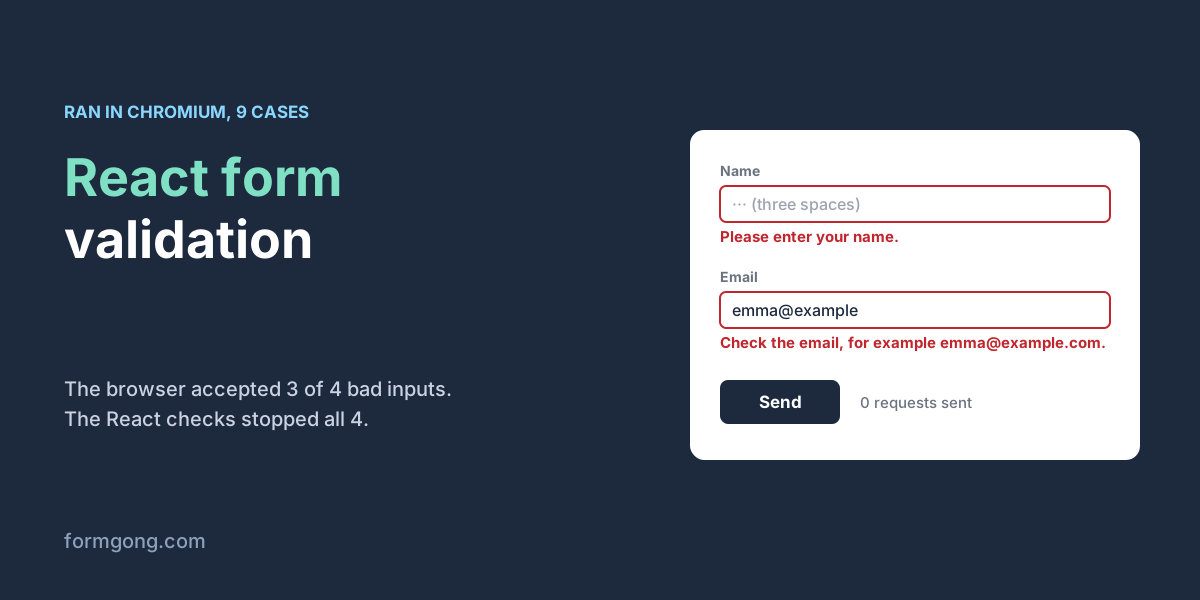
We asked Chromium what it thinks of four inputs that should all be refused:
| Input | Browser |
|---|---|
A name of three spaces in a required field | Accepted |
emma@example in a type="email" field | Accepted |
emma@ in a type="email" field | Refused |
“Hi” put into a minlength="10" textarea by a script | Accepted |
Three of the four pass. required is happy with spaces, an address without a dot after the @ is valid by the standard's own rule, and minlength only counts what a person typed, not what a script or a password manager filled in. So the form needs a few lines of its own.
What does a validated React form look like?
This is the component we ran, with only the test switches taken out. It needs only useState and sends with fetch to any endpoint that answers JSON. Each choice in it is there because a test needed it.
The noValidate attribute turns off the browser's own bubbles so your messages are the only ones the visitor sees. Each rule trims the value first, which is what catches the name made of spaces. A field shows its message only after the visitor has left it, because nobody wants to be told the email is wrong while they are still typing it.
Each message also gets a fixed slot under its field. Our first version added and removed those paragraphs, and when a message vanished on blur the Send button jumped up under the pointer. In that run 4 of the 8 cases that click Send lost the click to the page, and the form never saw it. Reserving the space fixed it. The aria-invalid and aria-describedby attributes let a screen reader announce the message, and focus moves to the first broken field so a keyboard user does not have to hunt for it. Our guide to an accessible contact form goes further on that side.
import { useRef, useState } from "react";

const ENDPOINT = "https://formgong.com/submit";
const KEY = "fk_your_access_key";

const EMAIL = /^[^\s@]+@[^\s@]+\.[^\s@]{2,}$/;
const RULES = {
  name: (v) => (v.trim() ? "" : "Please enter your name."),
  email: (v) => (!v.trim() ? "Please enter your email." : EMAIL.test(v.trim()) ? "" : "Check the email, for example emma@example.com."),
  message: (v) => (v.trim().length >= 10 ? "" : "Please write at least 10 characters."),
};
const FIELDS = Object.keys(RULES);
const EMPTY = { name: "", email: "", message: "" };

// Show a message only for fields the visitor has already left (or after a submit).
function visible(errors, touched) {
  return Object.fromEntries(Object.entries(errors).filter(([field]) => touched[field]));
}

function validate(values) {
  const errors = {};
  for (const field of FIELDS) {
    const message = RULES[field](values[field]);
    if (message) errors[field] = message;
  }
  return errors;
}

// Formgong answers a failed field check with 422 and errors: [{ field, code }].
function fromServer(list) {
  const errors = {};
  for (const { field, code } of list) errors[field] = code === "required" ? "Please fill this in." : `This is not a valid ${code}.`;
  return errors;
}

export default function ContactForm() {
  const [values, setValues] = useState(EMPTY);
  const [errors, setErrors] = useState({});
  const [touched, setTouched] = useState({});
  const [status, setStatus] = useState("");
  const [sending, setSending] = useState(false);
  const inputs = { name: useRef(null), email: useRef(null), message: useRef(null) };

  function focusFirst(found) {
    const first = FIELDS.find((field) => found[field]);
    if (first) inputs[first].current.focus();
  }

  function onChange(event) {
    const next = { ...values, [event.target.name]: event.target.value };
    setValues(next);
    // Re-check only fields the visitor has already left, so nobody is scolded mid-word.
    setErrors(visible(validate(next), touched));
  }

  function onBlur(event) {
    const nextTouched = { ...touched, [event.target.name]: true };
    setTouched(nextTouched);
    setErrors(visible(validate(values), nextTouched));
  }

  async function onSubmit(event) {
    event.preventDefault();
    if (sending) return;
    const found = validate(values);
    setErrors(found);
    setTouched({ name: true, email: true, message: true });
    if (Object.keys(found).length) return focusFirst(found);

    setSending(true);
    setStatus("Sending…");
    try {
      const response = await fetch(ENDPOINT, {
        method: "POST",
        headers: { Accept: "application/json" },
        body: new FormData(event.currentTarget),
      });
      const data = await response.json().catch(() => ({}));
      if (response.ok && data.success) {
        setValues(EMPTY);
        setTouched({});
        setStatus("Thanks, your message was sent.");
      } else if (Array.isArray(data.errors)) {
        const serverErrors = fromServer(data.errors);
        setErrors(serverErrors);
        focusFirst(serverErrors);
        setStatus("Please fix the marked fields.");
      } else {
        setStatus(data.message || `Not sent (error ${response.status}). Please try again.`);
      }
    } catch {
      setStatus("Not sent: check your connection and try again.");
    } finally {
      setSending(false);
    }
  }

  const field = (name) => ({
    id: name,
    name,
    ref: inputs[name],
    value: values[name],
    onChange,
    onBlur,
    "aria-invalid": errors[name] ? "true" : "false",
    "aria-describedby": `${name}-error`,
  });
  // The slot is always there (min-height in CSS), so a message appearing or clearing never moves the Send button.
  const error = (name) => <p id={`${name}-error`} className="error">{errors[name] ?? ""}</p>;

  return (
    <form onSubmit={onSubmit} noValidate>
      <input type="hidden" name="access_key" value={KEY} />
      <input type="text" name="botcheck" tabIndex={-1} autoComplete="off" style={{ display: "none" }} />

      <label htmlFor="name">Name</label>
      <input {...field("name")} autoComplete="name" required />
      {error("name")}

      <label htmlFor="email">Email</label>
      <input {...field("email")} type="email" autoComplete="email" required />
      {error("email")}

      <label htmlFor="message">Message</label>
      <textarea {...field("message")} rows={5} required minLength={10} />
      {error("message")}

      <button type="submit" disabled={sending}>{sending ? "Sending…" : "Send"}</button>
      <p role="status">{status}</p>
    </form>
  );
}
What happened when we ran it?
We built the component with esbuild, opened it in Chromium on our test server and posted it to a local copy of Formgong's form backend, the same code that runs at formgong.com. One form there had no field checks, the other had name, email and message set as required, with the email checked as an email.
| Case | What happened |
|---|---|
| Empty form | 3 messages, focus on Name, 0 requests |
Spaces as the name, emma@, “Hi” | 3 messages, focus on Name, 0 requests |
emma@example as the email | 1 message, focus on Email, 0 requests |
Typing emma@, then leaving the field | No message while typing, one after leaving |
| A correct form | 1 request, 200, fields cleared, message stored and emailed |
| React checks off, form with field checks on the server | 1 request, 422, Email and Message marked from the server's answer |
| React checks off, form without field checks | 1 request, 200, an empty name and emma@example stored |
| Wrong access key | 1 request, 404, “That access key does not exist.”, fields kept |
| Browser offline | “Not sent: check your connection”, fields kept |
The first four rows never reached the network. That is the point of checking in the browser, because the visitor gets an answer at once and you get no junk. The last two rows are about what the form does when the problem is not the visitor's typing. A wrong key or a dropped connection must not wipe what they wrote, and the message has to say what to do next. Our article on “Failed to fetch” on contact forms covers the network failures in more detail.
Why check the fields again on the server?
Everything in the browser can be skipped. A bot posts straight to your endpoint, and a visitor with an old browser or a blocked script sends whatever is in the boxes. We switched the React checks off and posted emma@example with an empty name and message to both forms.
The form without field checks stored it and emailed a notification with an empty name. The form with field checks answered 422 with a list of the fields that failed, [{"field":"email","code":"email"},{"field":"message","code":"required"}], and stored nothing. The component reads that list and puts “This is not a valid email.” under the email field, exactly where a browser-side message would go. You write the field rules once on the server and still show the visitor where to look.
Spam is a separate job from validation. The hidden botcheck field in the component is a honeypot, and our honeypot guide explains why bots fill it in and people never see it. If the same person clicks Send twice, the disabled button stops the second request; duplicate submissions covers the rest.
Do you need React Hook Form or Zod?
For a contact form with three to ten fields, no. The component above is about a hundred lines and has no dependency to update. A library starts to pay off when you have many forms, steps, fields that depend on each other, or one schema you want to share between the browser and your own server.
If you do use one, keep the two habits that mattered in our test. Trim before you check, because a schema with min(2) accepts two spaces as a name. And handle the failure branch, so a server error lands on a field instead of disappearing. Splitforms' React form validation guide (last reviewed 15 May 2026), which uses React Hook Form with Zod and which we read on 3 November 2026, leaves both out: its schema has no trim, and its code does nothing when the send fails. Their newer blog post on React Hook Form and Zod does trim and does handle a failed send. If you are on React 19 and prefer form actions, our useActionState contact form shows the same send with a different state model.
How does this work with Formgong?
Formgong is a form backend. Your form posts to https://formgong.com/submit with your access key, and the message reaches your email and Telegram. Under Settings → Protection → Field checks you mark fields as required or as an email, URL, number, date or phone number, and Formgong refuses a post that breaks one with a 422 that names each field, before anything is stored or counted. That is the answer the component maps onto its fields.
Field checks are on every plan, Free included. Of the three competitor guides we read on 3 November 2026, Formspree's says its React library picks up validation errors from Formspree's server, though its plans page does not list field validation, so we cannot tell you which plans have it. The Splitforms and Static Forms guides do not describe any server-side field check by their own service; the Static Forms one tells you to validate on your own server. If you would rather start from finished code, the React contact form component page has a copy-paste version, and the HTML forms docs list every field Formgong reads.
Did your form fail in a way we missed?
If your React form lets through something this test did not cover, or the component misbehaves in your setup, write to us at support@formgong.com. We will run your case and add it here.
Frequently asked questions
Does required stop empty fields in React?
Not fully. The browser treats a value of spaces as filled in, so trim the value in your own check before deciding it is empty.
Why does type=email accept an address without a dot?
The HTML standard allows addresses like emma@example. If you want a dot after the @, check it yourself and on the server.
Should I validate on change or on blur?
Show a field's message after the visitor leaves it, then update it as they type. Showing it earlier scolds people mid-word.
Is client-side validation enough?
No. Anyone can post to your endpoint without running your JavaScript, so the server has to check the fields again.
Sources and documentation
Official references for this guide: Formgong: React 19 contact form with useActionState, Formgong: Accessible contact form. HTML forms, where data is stored.