Count three things, not one
Most form tools show you one number: submissions. That tells you how many people got through, but not how many tried. To see abandonment you need two more counts before it.
- Views. How many people actually saw the form on screen. A page view is not the same thing if the form sits below the fold.
- Starts. How many clicked or tapped into a field. This is the moment someone decided to fill it in.
- Submits. How many sent it and got through.
From those you get two rates. Conversion is submits divided by views: how well the form and the page around it persuade. Completion is submits divided by starts: how well the form itself works once someone has begun. Abandonment is what is left of completion. Say 400 people see your form in a month, 120 start it and 70 send it. Conversion is 17.5%, completion is 58%, and 50 people, 42% of those who started, left halfway.
The two rates point at different fixes. Low conversion with good completion means people are not starting: look at the offer and at where the form sits. Good conversion up to the first field and a big drop after it means the form is the problem, and that is what the rest of this article is about.
What counts as a start changes the number
Two tools can report very different abandonment on the same form because they define the steps differently. Before you compare yourself with anyone, check four things.
- Does a view mean the page loaded, or the form was on screen? Counting page loads makes conversion look worse on long pages.
- Does a start mean focus, or typing? A tap into the first field by accident counts as a start under the first rule and not under the second.
- Is switching tabs counted as leaving? People often go to another tab to copy an order number or an address, then come back and send. A tool that counts every hidden page as an exit will show some of them as abandoned and as submitted.
- Are submits counted from the same visits? If your backend counts every message, including ones sent by a script or from a page without the tracking code, submits can be higher than starts.
Static Forms makes the same point in its own guide: a start should mean "the first meaningful interaction, not just the pageview". Whatever rule you pick, keep it the same for every change you test.
What the studies actually show
| What was measured | Figure | Sample | Source |
|---|---|---|---|
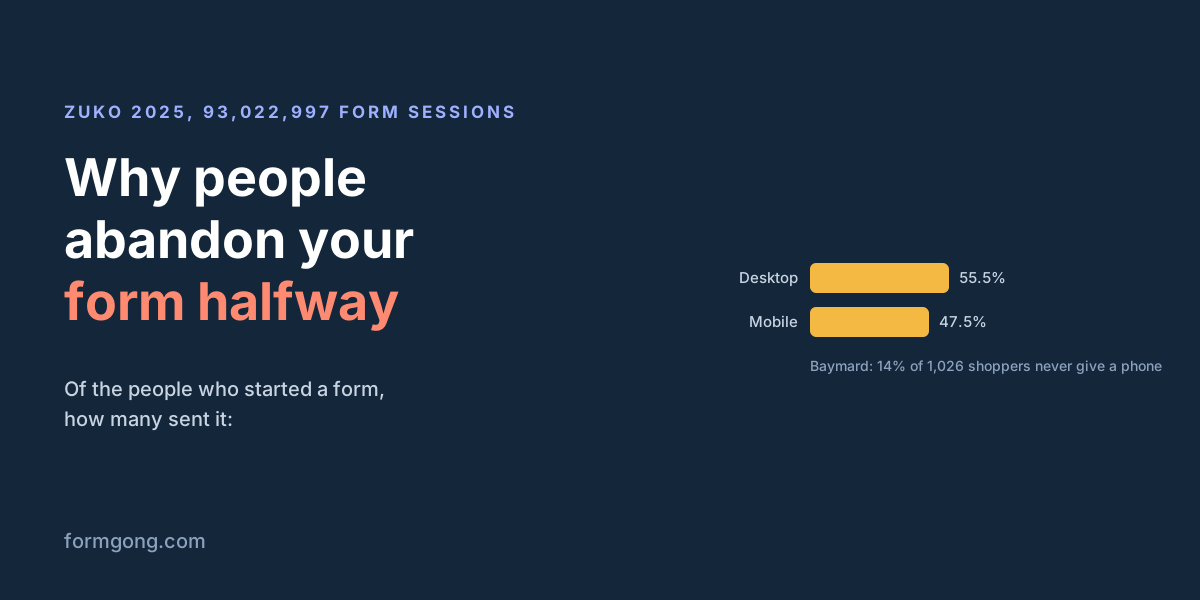
| People who started a form and sent it, desktop | 55.5% | 93,022,997 form sessions (number of forms not stated), 2025 | Zuko industry benchmarks |
| The same, on mobile | 47.5% | same data set | Zuko industry benchmarks |
| Shoppers who would never give a store their phone number | 14% | 1,026 online shoppers, 2025 | Baymard Institute |
| Sign-ups after an optional phone field was added | 99.6% to 62.9% | 1,454 visitors, one A/B test, 2017 | NextAfter (Care Net) |
| Paid participants who quit a task with captchas in it | 174 of 574 (30%) | 574 starters, 2023 | Searles et al., USENIX Security |
| Success rate with errors shown after each field, against errors on submit | +22% | 22 participants, 2009 | Wroblewski and Etre, A List Apart |
The Zuko benchmark is the closest thing to a public baseline for "of those who started, how many finished". Its figures come from forms that run Zuko's analytics, and more than a quarter of the sessions (27,089,063) are on financial services forms. The page does not say how many contact forms are in it, so a short contact form may well do better. The gap between desktop and mobile, eight points, is the part most likely to apply to you.
Two numbers you will see everywhere did not survive a check. "81% of people abandon a form after starting it" goes back to a 2018 survey by The Manifest; the coverage we found (PR News, 502 respondents) describes it as people who abandoned an online survey, and we could not find the original report online. "A required phone field cuts submissions by 37%" is credited to HubSpot on some sites and to WPForms on others, and we found no study behind it. Static Forms quotes "overall web form abandonment at 67.9%" from "a widely cited 2025 to 2026 benchmark" without naming who published it. If a figure has no publisher, year and sample, treat it as a rumour.
Fields you do not need
Every field is a question the visitor has to answer before they get what they came for. HubSpot's Dan Zarrella looked at over 40,000 customer landing pages and found that conversion fell only slightly as one-line text fields were added. Several multi-line text boxes, or several drop-down menus, pulled it down more. Baymard's checkout research puts the average US checkout at 14.88 form fields and says most could lose 20 to 60% of their form elements.
For a contact form, that leaves a short list. You need a way to reply, which is an email address, and the message itself. A name is cheap and makes your reply friendlier. Company, budget, "how did you hear about us" and a subject line are questions for your first reply, not for the form. The message box is the one multi-line field worth keeping: on a contact form it is the point.
Required phone numbers
A phone field has the best evidence against it of any single field. In Baymard's 2025 survey of 1,026 online shoppers, 14% said they would never give a store their phone number. In a 2017 test NextAfter ran for the charity Care Net on 1,454 visitors, adding a phone field to a course sign-up form took conversion from 99.6% to 62.9%, and the field was not even required. That is one test on one form, but the direction matches everything else.
If you call people back, keep the field, make it optional, and say why you ask: "Only if you'd like a call back". If you never call, remove it.
Captcha puzzles
A 2023 study of real, unmodified captchas (Searles and colleagues, USENIX Security, 1,400 participants in the main study) ran a separate test on abandonment. Of 574 paid participants who started a task with captchas in it, 174 quit before the end. When the captchas came inside an account sign-up, the way you meet them on a real site, people were 120% more likely to give up than when they were simply asked to solve captchas. These were people being paid to finish, so a visitor with no reason to stay is unlikely to do better.
A captcha also costs page weight before anyone touches it. We measured that ourselves in Turnstile vs hCaptcha vs reCAPTCHA speed. Most contact form spam can be stopped without any puzzle; here is how.
Errors that show up after send
The classic case: someone fills in five fields, presses send, and the page reloads with "Please correct the errors below", sometimes with the fields emptied. In a 2009 study Luke Wroblewski ran with the usability firm Etre (22 participants), a form that checked each field when the person left it had a 22% higher success rate than the same form checked on submit, and people finished it in 42% less time. Checking while people were still typing did worse than checking after they left the field.
The cheapest fix is already in your browser. Put required on the fields you need and type="email" on the email field, and the browser stops the send and points at the field before anything leaves the page. Write error messages that say what to type, not that something is "invalid". If the server refuses a message anyway, keep what the person typed.
The wrong keyboard on a phone
On a phone, the keyboard is half the form. A plain text field for an email address opens the letters keyboard without the @ key in reach; a phone number in a text field opens letters too. Zuko's benchmark shows completion eight points lower on mobile than on desktop, and small frictions like these add up on a small screen.
- Use
type="email"andtype="tel", which bring up the right keyboard. - Add
autocomplete="name","email"and"tel", so the phone can fill them in one tap. - Put the label above the field, not inside it as placeholder text that disappears once the person starts typing.
- Make the send button full width and big enough to hit with a thumb.
A send that looks like nothing happened
We found no study with a published sample on slow form submission, so this one is from practice rather than data. If the button does nothing visible for two seconds, people press it again, or decide it is broken and leave. The first gives you duplicate submissions; the second is abandonment that your analytics may not even count, because the person did press send.
Change the button to "Sending…" and disable it the moment it is pressed, and show a clear thank-you message when it works. Keep heavy scripts off the form page, especially ones that load before the form can be used.
How Formgong measures it
Formgong's form analytics counts the three steps for each form, on every plan, once the page has the small fg.js script (the hosted form page has it already):
- A view is counted when at least 40% of the form is on screen, once per page.
- A start is the first time the visitor focuses a field they can fill in. Hidden fields and the honeypot do not count.
- Leaving is recorded when the page is closed or hidden after a start without a send, with the last field the visitor was in. That field list is where you see which question loses people. Switching to another tab also counts as leaving, so read it as "where people stopped", not as a final count.
- Submits are counted by the server for every message, so they include messages from pages without the script. Compare views and starts only on pages that have it.
The script sets no cookies and stores no IP address with these events. A few other things help with the causes above. Spam is filtered without a puzzle: a honeypot field and a check for forms filled faster than a person can type, and a Turnstile check only if you turn it on, or for file uploads and voice messages. Field checks in the form's settings refuse a message with a missing or badly formatted field and tell the visitor which field to fix. The default contact form asks only for a name, an email and a message, with autocomplete on each.
Our own numbers, and why we are not quoting a rate
We wanted to give you Formgong's own completion rate across customer forms. On 1 November 2026 we counted every form that had ever reported a view: there were three, and all their views came in the last three days of October. Most forms send us messages without the view script, which is optional. Three forms over three days is not a benchmark, so we are not publishing a percentage from it. We will add one here when the sample is large enough to mean something.
Tell us what you found
If you measure your own form before and after one of these changes, we would like to hear what moved and by how much, including when nothing did. Write to support@formgong.com. A result with its denominator ("31 of 90 starts, then 52 of 94") is worth more to other readers than any number in this article.
What Formgong's free plan includes
- Build the form or bring your own. The form builder takes the colours and fonts from your site's address, with no sign-up; ready form templates copy into your account; AI writes the fields from one sentence. Any hand-written HTML form works too.
- Websites with the form already connected. 28 free website templates post to Formgong out of the box.
- 250 submissions a month on unlimited forms. Spam does not count. Once a year, a busy month keeps delivering on credit until the 7th instead of stopping.
- Everywhere you work. Email to up to 3 people at once, Telegram with Reply and Handled buttons, Google Sheets, Notion, and 3 signed webhooks for Slack, Discord, Zapier, Make or n8n.
- Emails to your customers in your business's name. Formgong sends them under your business name and replies come back to you, with no email service of your own to set up: a review request to every lead, a reminder a visitor asked for, and review emails after an order with your logo and colours. People who agree can also go straight into your Mailchimp, Klaviyo, Brevo, MailerLite or Kit list. An automatic reply to each visitor is on Pro.
- No captcha needed. A server-side spam filter, a honeypot, allowed domains and a block list; add your own Turnstile key if you want one.
- Files and voice. Visitors can attach files, or record a voice message that arrives transcribed.
- Made for AI-built sites. A hosted form page and a contact button; step-by-step guides for sites built with Lovable, Bolt, v0, Replit and Base44; an MCP server lets Cursor or Claude wire the form for you.
- See what the form does. Analytics for views, starts, conversion and where each lead came from, and an alert when a form goes quiet.
- One account for the rest. Customer reviews and an AI help chat that answers visitors from your own pages, with every message in one inbox. Data is stored in the EU.
Frequently asked questions
How do you calculate form abandonment rate?
Count starts (people who clicked into a field) and submits (people who sent the form). Abandonment is starts minus submits, divided by starts. If 120 people started and 70 sent it, 50 left, which is 42%.
What is a normal contact form abandonment rate?
There is no public benchmark for contact forms alone. Zuko's 2025 data on 93 million form sessions, mostly longer forms, shows 55.5% of starters finishing on desktop and 47.5% on mobile, so abandonment of about 44 to 53%. A short contact form may do better.
Does a required phone number reduce form submissions?
Yes, in the studies we could check. In Baymard's 2025 survey of 1,026 shoppers, 14% said they would never give a store their phone number, and in one 2017 test with 1,454 visitors an optional phone field cut sign-ups from 99.6% to 62.9%. The often quoted 37% has no study we could find.
Is the 81% form abandonment statistic real?
It comes from a 2018 survey by The Manifest. The coverage we found says 502 people took part and describes it as people who had abandoned an online survey after starting. We could not find the original report.
Can I see where visitors leave my form in Formgong?
Yes. With fg.js on the page, form analytics shows views, starts and conversion, and the field each visitor was in when they left. It is on every plan.
Sources and documentation
Official references for this guide: Zuko: conversion rate statistics by industry, Baymard: cart abandonment rate statistics, Baymard: explain the phone number field, NextAfter: phone field on a sign-up form (Care Net), HubSpot: which form fields lower landing page conversions, Searles et al.: An Empirical Study & Evaluation of Modern CAPTCHAs, A List Apart: Inline validation in web forms, PR News: why most people abandon online forms, Static Forms: form abandonment rate. Formgong form analytics, where data is stored.