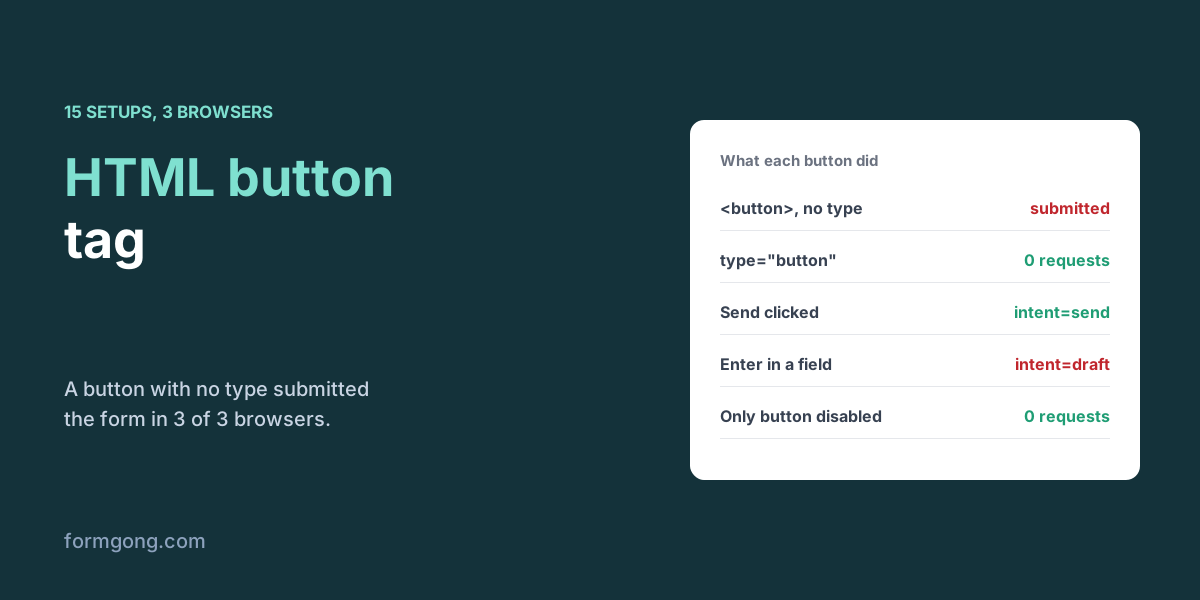
We clicked buttons and pressed Enter in 15 form setups across three browsers to see which ones submit and what each adds to the request.
The short answer. A button element inside a form submits it unless you set type="button". Type submit sends the form, reset restores the fields, and button does nothing on its own. In our test on 3 November 2026, a button with no type submitted the form in 3 of 3 browsers, and only the clicked button's name=value pair was sent.
Formgong
HTML button tag and what a form button sends
Why does a button submit my form when I did not ask it to?
You add a “Show tips” button to your contact form, wire it to a bit of JavaScript, and clicking it sends the half-written message. Or your “Save draft” button keeps getting used when people press Enter, and your inbox fills with drafts. Both come from browser defaults that the <button> tag has had for years.
We built 15 small forms, each testing one of those defaults, and ran them in Chromium 153, Firefox 155 and WebKit 26.6 against a local copy of Formgong's form backend. For each one we recorded whether a request left the page and exactly which button data was in it.
What do type submit, button and reset do?
Buttons clicked, or Enter pressed in a text field, in Chromium, Firefox and WebKit, 3 November 2026. Every row held in 3 of 3 browsers.
Setup
What happened
<button> with no type, clicked
Submitted the form
type="button", clicked
0 requests
type="reset", clicked after typing
0 requests; the typed name was cleared
Two named submit buttons, “Send” clicked
intent=send only; the other button sent nothing
Same form, Enter pressed in the name field
intent=draft: the first button in the markup
<input type="submit" value="Send"> without a name
Submitted; no button pair in the request
The same input with name="action"
action=Send (named): the value is the visible text
<button name="go"> with no value
go=, an empty answer
The only submit button is disabled
0 requests from a click and 0 from Enter
No submit button, one text field, Enter
Submitted
No submit button, two text fields, Enter
0 requests
Button outside the form with form="f"
Submitted that form, with from=footer
Required email empty, normal submit button
Blocked by the browser
Second button with formaction
Sent to the other address, still checked first
Third button with formnovalidate, email empty
Submitted with email= and intent=save
The first row explains the “Show tips” bug. A <button> with no type is a submit button, so inside a form it sends the form. Formspree's HTML button guide lists button as the default type in its attribute list, then says a few paragraphs later that the default inside a form is submit. The second statement is the one that matched all three browsers. Write type on every button you add, so nobody reading your code has to remember.
The reset button did exactly what its name says and cleared what the visitor had typed, with no undo. It is rarely what anyone wants in a public form, because it sits next to Send and gets clicked by mistake.
What does a button inside a form send?
Only the button that submitted the form adds anything, and only if it has a name. Then it adds name=value, just like a field. With two buttons named intent, clicking Send gave intent=send and nothing from Save draft. That is a clean way to give one form two actions without JavaScript, and Formgong stored it as an ordinary answer, so intent: send showed up next to the message.
Enter is the surprise. When a visitor presses Enter in a text field, the browser acts as if they clicked the first submit button in the form, and in our test that sent intent=draft in all three browsers because Save draft came first in the markup. Put your main action first. If a form has no submit button at all, Enter still submits it when there is a single text field, and does nothing with two, which is why some search boxes work without a button and longer forms do not.
A few smaller details matter for the data. An <input type="submit"> sends its visible text as the value, so renaming the button on screen changes what your server receives. A named button with no value sends an empty answer. And a disabled submit button sends nothing, from a click or from Enter. If you send the form with fetch instead, new FormData(form) leaves the button out unless you pass it in, which our JavaScript FormData article measured.
Can one button send the form somewhere else?
Yes. Attributes on a submit button override the form's own for that click. A second button with formaction sent the same fields to a different address, and a third with formnovalidate skipped the browser's checks, so it went through with the required email still empty. That is how a “Save draft” button can save something incomplete. Our article on the form action attribute covers where those addresses can point. A button outside the form also works if you give it the form's id, as in form="f", which helps when a sticky footer holds the Send button.
What does a screen reader hear for a button?
Its text, if it has any. In Playwright's snapshot in all three browsers and in Chromium's own accessibility tree, “Send message” was read as a button named “Send message”, an <input type="submit"> with no value was named “Submit”, and an image button took its alt text. An icon-only button with just an SVG inside had no name at all, so a screen reader announces only “button”. Give those an aria-label; ours read as “Close”.
A disabled button is still listed, marked disabled, but Tab skips it in all three browsers. If you disable Send until the form is valid, keyboard and screen reader users cannot reach the button to find out why, so put the reason in text near it. A <div role="button"> got the right role and a name from its text, and that is all the markup gives it; everything else a button does is left to your script. The accessible contact form checklist has the rest of the button checks, including contrast.
What does a form backend do with the button?
Formgong, a form backend that sends each submission to your email or Telegram, treats a button's name=value like any other field and keeps it, which is what you want for an intent button and harmless otherwise. If you do not want the button in your emails, leave its name off. The markup below has the safe defaults: an explicit type on every button and the main action first.
The HTML form generator writes type="submit" on its button, and its optional script disables the button while the request runs and turns it back on when the answer comes, so a double click does not send twice. It is a small advantage. Static Forms' button tags guide, dated 25 June 2026, gives the same advice in prose: set the type every time, use name and value for intent, disable while a request is in flight. Formspree's button guide from 17 March 2025 mentions disabled for loading states in one line of its attribute list. So the advice is not new; the difference is only that our generator writes it for you. For the reload and second-tab cases a disabled button cannot stop, see our guide to stopping duplicate form submissions.
buttons.html
<form action="https://formgong.com/submit" method="POST">
  <input type="hidden" name="access_key" value="fk_your_access_key">
  <label for="message">Message</label>
  <textarea id="message" name="message" required></textarea>

  <!-- Not a submit button: say so, or it submits. -->
  <button type="button" id="tips">Show writing tips</button>

  <!-- The main action first: Enter in a field uses the first submit button. -->
  <button type="submit" name="intent" value="send">Send</button>
  <button type="submit" name="intent" value="draft" formnovalidate>Save draft</button>
</form>
Did a button behave differently for you?
If a button in your form submits, or fails to, in a way this test did not show, write to support@formgong.com. We will rerun your case in all three browsers and add it to the table.
Frequently asked questions
What is the default type of a button in HTML?
Submit. A button with no type inside a form submits it. Use type="button" for buttons that only run JavaScript.
Is a submit button's value sent with the form?
Only for the button that was used, and only if it has a name. Then name=value is sent like a field.
Which button is used when someone presses Enter?
The first submit button in the form. Put your main action first so Enter does not trigger a secondary one.
What is the difference between button and input type=submit?
Both submit. A button can hold HTML such as an icon, while an input shows its value as text and sends that value.