Where submissions get lost
Changing a form's action takes a minute. The messages you lose go missing around that minute, in four places:
- The history. Formspree keeps your old submissions. Delete the form or the account first and they are gone.
- Old copies of the page. A CDN cache, a preview deploy, or a visitor who opened the page an hour ago still posts to Formspree.
- JavaScript that expects Formspree's answer. Code that reads
nextorerrorscan show an error, or a thank-you, for a message that went somewhere else. - A captcha nobody checks. A reCAPTCHA widget left on the page still makes visitors click, while the new backend ignores the result.
The steps below deal with each of them. If you have not picked a new backend yet, start with Formspree alternatives, Formgong vs Formspree or a head-to-head such as Formspree vs Web3Forms. If the reason is where the data is stored, see EU Formspree alternatives. If the form is broken right now, Formspree's error messages explained may fix it without moving at all.
Export the old submissions first
In Formspree, open the form's Submissions tab and click Export at the top right of the table. You get a choice of CSV or JSON. Formspree's help page lists the export on its Personal, Professional and Business plans (checked 31 October 2026). On the free plan there is no export button, so the notification emails you already received are your copy.
Formgong can take that CSV. In your new form's menu, open Import submissions, choose Formspree as the source and upload the file. You pick the date column, tick the columns to keep, see a preview, and confirm. What to know before you start:
- 100 rows per file, up to 512 KiB. Split a longer export into several files. Importing the same rows twice is safe: repeated rows are skipped.
- Dates need a time zone. The date column has to look like
2026-10-02T12:00:00Z. Up to six decimals are fine, so Formspree's2018-11-03T07:28:29.707632works once it ends inZ; if a date has no time zone, the import tells you which row and shows the fix. A spreadsheet formula such as=A2&"Z"adds it to the whole column. New Formspree projects use UTC; if you changed the project's time zone, write that offset (for example+02:00) instead ofZ. - Old messages arrive quietly. Imported rows are saved as Closed. They send no alerts and do not count against your monthly limit. Uploaded files do not come across, only the text.
- Your archive stays. Imported rows are kept whatever the form's retention, on every plan, up to 10,000 per form, so a message from 2018 is still there next year. Keeping the CSV as a backup does no harm.
Field by field: what carries over
You do not need to rename your fields. Formgong reads most of Formspree's names as they are, and drops the few that would let a stranger change where your mail goes. The HTML guide keeps the same list for Web3Forms and FormSubmit.
| Formspree | What it does there | In Formgong |
|---|---|---|
action="https://formspree.io/f/…" | The address the form posts to | action="https://formgong.com/submit" plus a hidden access_key field with your form's key |
email | Sets Reply-To on the notification email | Works under the same name. _replyto and replyto work too |
subject | Sets the email subject, and can hold {{ name }} | Used when the form's settings have no subject of their own. {{ … }} is not filled in, the text arrives as written |
_subject, _replyto | Older names, still in many tutorials | Work as they are. _subject wins over the subject in settings |
_next, or the redirect in Settings | Thank-you page. The Settings option is on Personal and higher plans | _next works, so does _redirect. A URL sent by the page has to be on your own site. Set it in the form's settings to send people anywhere, on every plan |
_gotcha | Honeypot. A filled one is silently ignored | Works. A filled one goes to spam and nothing is sent. Formgong's own name is botcheck |
_language | Language of Formspree's reCAPTCHA and thank-you pages | Saved as an ordinary answer. Use _lang for Formgong's own pages and messages |
reCAPTCHA (g-recaptcha-response) | Formspree checks the token | Not checked, and the token is saved as an answer. Remove the widget: the spam filter runs on the server |
Turnstile (cf-turnstile-response) | Formspree checks it with your secret key | Works with the same keys: paste your site key and secret key into the form's settings and turn on "Require Cloudflare Turnstile" |
| Extra recipients | Set in Formspree's dashboard | Up to 3 addresses in the form's settings on Free. A _cc field from the page is ignored on purpose |
Accept: application/json | Asks for a JSON answer instead of a page | Same header, same effect |
JSON {"next": …} or {"errors": […]} | What AJAX code reads | {"success": true, "id": …, "message": …} or {"success": false, "code": …, "message": …}. The HTTP status works for both: 200 when it worked, an error status when not |
@formspree/react | useForm("id") posts to formspree.io and keeps submitting, succeeded and errors | No package needed. The short hook below has the same shape |
@formspree/ajax and data-fs-* | Sends without a reload and shows the messages | The attributes do nothing once the script is gone. Use a plain form, or fetch as below |
| Export to CSV or JSON | Personal, Professional and Business plans | Import a CSV, 100 rows and 512 KiB per file, on every plan. JSON is not read |
A plain HTML form, before and after
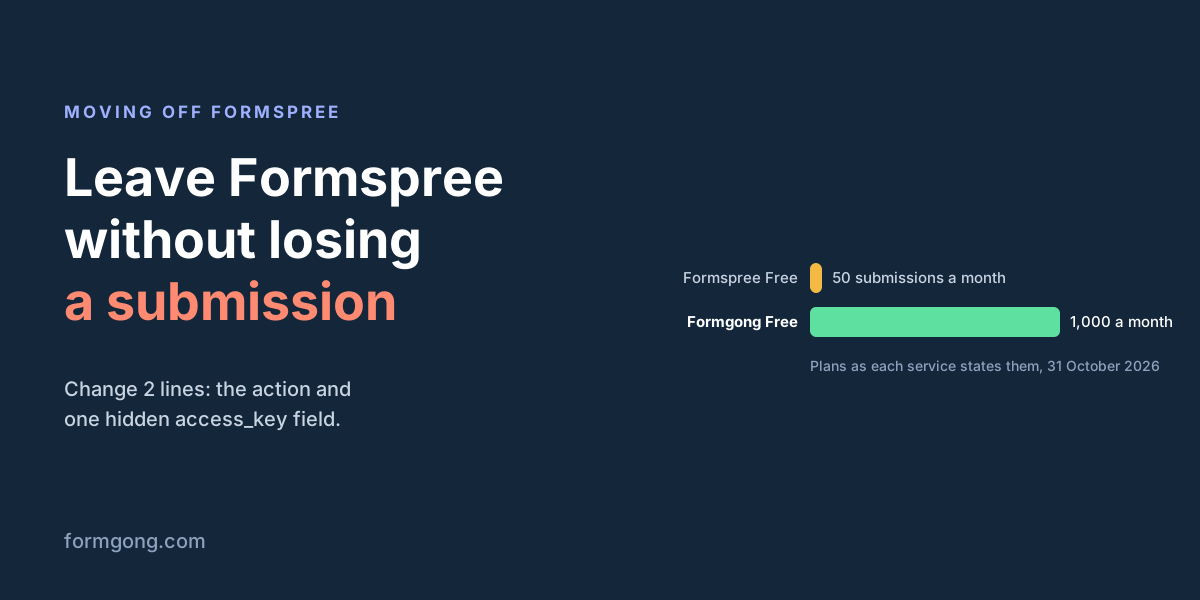
Two lines change: the action, and a new hidden access_key field. The reCAPTCHA script and its div come out. Your email, subject and _gotcha fields stay as they are.
Without JavaScript, Formgong shows its own thank-you page after a message is sent. To send people to your page instead, add _redirect with an address on your own site, or set any address in the form's settings. More on that in thank-you pages after a form.
<!-- The reCAPTCHA script and the g-recaptcha div are gone. -->
<!-- Changed: the action. New: the access_key line. Optional: _redirect. -->
<form action="https://formgong.com/submit" method="POST">
  <input type="hidden" name="access_key" value="fk_your_access_key">
  <label>Name <input name="name" required></label>
  <label>Email <input type="email" name="email" required></label>
  <label>Message <textarea name="message" required></textarea></label>
  <input type="hidden" name="subject" value="New message from the website">
  <input type="hidden" name="_redirect" value="https://www.example.com/thanks">
  <input type="text" name="_gotcha" style="display:none" tabindex="-1" autocomplete="off">
  <button type="submit">Send</button>
</form>
Before: the same form on Formspree
<script src="https://www.google.com/recaptcha/api.js" async defer></script>

<form action="https://formspree.io/f/YOUR_FORM_ID" method="POST">
  <label>Name <input name="name" required></label>
  <label>Email <input type="email" name="email" required></label>
  <label>Message <textarea name="message" required></textarea></label>
  <input type="hidden" name="subject" value="New message from the website">
  <input type="text" name="_gotcha" style="display:none">
  <div class="g-recaptcha" data-sitekey="your_site_key"></div>
  <button type="submit">Send</button>
</form>
If you used @formspree/react
@formspree/react only talks to Formspree. Its useForm("YOUR_FORM_ID") posts to formspree.io/f/… with Accept: application/json and reads a next link on success or an errors list on failure. Pointing it at another address does not work, so the package has to go.
You do not need a new package to replace it. The hook below returns the same [state, handleSubmit] pair, so your JSX hardly changes: state.submitting and state.succeeded work as before, and <ValidationError> becomes one line that shows state.error. Run npm uninstall @formspree/react afterwards. For a full component with labels, react-hook-form or TypeScript, copy one from the React or Next.js page.
"use client"; // Next.js App Router only. Delete this line in Vite or Create React App.
import { useState } from "react";

const ACCESS_KEY = "fk_your_access_key"; // the key of your Formgong form

// Same shape as Formspree's useForm: [state, handleSubmit].
function useForm() {
  const [state, setState] = useState({ submitting: false, succeeded: false, error: "" });
  async function handleSubmit(event) {
    event.preventDefault();
    const body = new FormData(event.currentTarget);
    body.set("access_key", ACCESS_KEY);
    setState({ submitting: true, succeeded: false, error: "" });
    try {
      const response = await fetch("https://formgong.com/submit", {
        method: "POST",
        headers: { Accept: "application/json" },
        body,
      });
      const result = await response.json();
      const ok = response.ok && result.success === true;
      setState({ submitting: false, succeeded: ok, error: ok ? "" : result.message || "Could not send. Please try again." });
    } catch {
      setState({ submitting: false, succeeded: false, error: "Could not send. Please try again." });
    }
  }
  return [state, handleSubmit];
}

export default function ContactForm() {
  const [state, handleSubmit] = useForm();
  if (state.succeeded) return <p>Thanks, we got your message.</p>;
  return (
    <form onSubmit={handleSubmit}>
      <input type="email" name="email" required />
      <textarea name="message" required />
      <input type="text" name="_gotcha" style={{ display: "none" }} />
      <button type="submit" disabled={state.submitting}>Send</button>
      {state.error && <p role="alert">{state.error}</p>}
    </form>
  );
}
Before: the same form with @formspree/react
import { useForm, ValidationError } from "@formspree/react";

export default function ContactForm() {
  const [state, handleSubmit] = useForm("YOUR_FORM_ID");
  if (state.succeeded) return <p>Thanks, we got your message.</p>;
  return (
    <form onSubmit={handleSubmit}>
      <input type="email" name="email" required />
      <ValidationError field="email" prefix="Email" errors={state.errors} />
      <textarea name="message" required />
      <input type="text" name="_gotcha" style={{ display: "none" }} />
      <button type="submit" disabled={state.submitting}>Send</button>
      <ValidationError errors={state.errors} />
    </form>
  );
}
If you used @formspree/ajax or your own fetch
With @formspree/ajax, the data-fs-success, data-fs-error and data-fs-submit-btn attributes stop doing anything once you remove its script. Either let the form post normally (the HTML above), or replace the script with a short fetch like the one in the next section.
If you wrote your own fetch, keep the Accept: application/json header and check response.ok: that part works the same on both services. What changes is the body. Formgong answers {"success": true} with an id and a message, or {"success": false} with a code and a message you can show the visitor. Code that waits for data.next or loops over data.errors needs that one line changed.
Honeypot and captcha
Your _gotcha field keeps working. A bot that fills it gets a normal answer, the message goes to spam, and nothing is sent to you. How honeypots catch bots, and which ones they miss, is in the honeypot field guide.
reCAPTCHA is the one thing to remove, not move. Formgong does not check reCAPTCHA tokens. If the widget stays, visitors still tick the box and the long token lands in every submission as an answer. Formgong filters spam on the server without a widget. If you want one anyway, it supports Cloudflare Turnstile with your own keys on every plan, and if you already used Turnstile with Formspree, the same site key and secret key work. Turnstile, reCAPTCHA and hCaptcha compared covers the differences.
Test, then run both for a day
Before you tell anyone, send yourself one message through the live page and check it from both ends:
- It is in the Formgong inbox, with every field you expected.
- Pressing Reply on the notification email answers the visitor, not you.
- The subject and the thank-you page are the ones you set.
- A message with the hidden
_gotchafield filled in (type into it from the browser's developer tools) lands in spam.
The free form checker reads the live page and flags a missing or placeholder access_key, a common slip when the key is pasted by hand.
Then leave the Formspree form switched on for a day. Messages from cached pages and old tabs keep arriving there, and you can still answer them. If your form sends with JavaScript, you can go one step further and send every message to both services for that day, as below, and compare the two inboxes in the evening. Remove the Formspree line the next day. Only delete the Formspree form when nothing new has reached it for a while, and after the export.
// For one day only: every message goes to both services.
// The visitor's result comes from Formgong. Delete the Formspree line after the test day.
// Expects <form id="contact-form"> with a <p role="status"></p> inside it.
const form = document.querySelector("#contact-form");
const status = form.querySelector("[role=status]");

form.addEventListener("submit", async (event) => {
  event.preventDefault();
  const toFormgong = new FormData(form);
  toFormgong.set("access_key", "fk_your_access_key");
  const send = (url, body) => fetch(url, { method: "POST", headers: { Accept: "application/json" }, body });
  const [formgong] = await Promise.allSettled([
    send("https://formgong.com/submit", toFormgong),
    send("https://formspree.io/f/YOUR_FORM_ID", new FormData(form)), // remove after the test day
  ]);
  const ok = formgong.status === "fulfilled" && formgong.value.ok;
  status.textContent = ok ? "Thanks, we got your message." : "Could not send. Please try again.";
  if (ok) form.reset();
});
Did your move go differently?
If a Formspree field, an export file or a library behaved differently from what is written here, write to support@formgong.com. We read every message and fix the article when we are wrong.
What Formgong's free plan includes
- Build the form or bring your own. The form builder takes the colours and fonts from your site's address, with no sign-up; ready form templates copy into your account; AI writes the fields from one sentence. Any hand-written HTML form works too.
- Websites with the form already connected. 28 free website templates post to Formgong out of the box.
- 250 submissions a month on unlimited forms. Spam does not count. Once a year, a busy month keeps delivering on credit until the 7th instead of stopping.
- Everywhere you work. Email to up to 3 people at once, Telegram with Reply and Handled buttons, Google Sheets, Notion, and 3 signed webhooks for Slack, Discord, Zapier, Make or n8n.
- Emails to your customers in your business's name. Formgong sends them under your business name and replies come back to you, with no email service of your own to set up: a review request to every lead, a reminder a visitor asked for, and review emails after an order with your logo and colours. People who agree can also go straight into your Mailchimp, Klaviyo, Brevo, MailerLite or Kit list. An automatic reply to each visitor is on Pro.
- No captcha needed. A server-side spam filter, a honeypot, allowed domains and a block list; add your own Turnstile key if you want one.
- Files and voice. Visitors can attach files, or record a voice message that arrives transcribed.
- Made for AI-built sites. A hosted form page and a contact button; step-by-step guides for sites built with Lovable, Bolt, v0, Replit and Base44; an MCP server lets Cursor or Claude wire the form for you.
- See what the form does. Analytics for views, starts, conversion and where each lead came from, and an alert when a form goes quiet.
- One account for the rest. Customer reviews and an AI help chat that answers visitors from your own pages, with every message in one inbox. Data is stored in the EU.
Frequently asked questions
Can I export submissions on Formspree's free plan?
Formspree's help page lists the CSV and JSON export on its Personal, Professional and Business plans, not Free (checked 31 October 2026). On Free, the notification emails you received are your copy of past messages.
Do I have to rename my form fields when I leave Formspree?
No. Formgong reads email, subject, _replyto, _subject, _next and _gotcha as they are. Only the form's action changes, plus one hidden access_key field.
Will imported Formspree submissions keep their original dates?
Yes, as long as the date column has a time zone, such as 2026-10-02T12:00:00Z; up to six decimals are fine. Imported rows are kept whatever the form's retention, on every plan, up to 10,000 per form.
Can I keep using @formspree/react with another backend?
No. The package only posts to Formspree. Replace useForm with a short fetch hook that returns the same state and handleSubmit pair, then uninstall the package.
Does Formgong check reCAPTCHA?
No. Remove the reCAPTCHA widget when you switch. Formgong filters spam on the server and supports Cloudflare Turnstile with your own keys if you want a widget.
Sources and documentation
Official references for this guide: Formspree: Exporting submissions, Formspree: Email Reply To address, Formspree: Email subject line, Formspree: Honeypot spam filtering, Formspree: Thank You redirect, Formspree: Submit forms with JavaScript (AJAX), Formspree: The Formspree React library, Formspree: Adding a custom reCAPTCHA v2 key, Formspree: Cloudflare Turnstile, Formspree: Form Submissions API, Formspree: Localization and translation, formspree-js source, Formgong HTML guide. Formgong HTML guide, where data is stored.