Why does Bootstrap show a green border on a field the server refused?
Your form uses Bootstrap's validation, the browser checks pass, the post goes to your backend, and the backend says the email address is not valid. You add is-invalid to the email field as the docs suggest. The red message appears under it, and the border around it is green. The visitor reads two opposite signals at once.
It happens because Bootstrap has two separate ways of marking fields, and they collide. We built a contact form with Bootstrap 5.3.8, ran it on 3 November 2026 in Chromium 153, Firefox 155 and WebKit 26.6, and posted it to a local copy of Formgong, a form backend that can refuse a field and say which one. The colours below are read from each browser's computed styles.
How does Bootstrap 5 form validation work?
Bootstrap only styles. The browser does the checking, through the required, type, minlength and pattern attributes, and Bootstrap's CSS paints a field red when the browser calls it :invalid and green when it is :valid. It waits until the form has the was-validated class, so nobody sees red before they have tried. The novalidate attribute turns off the browser's own bubbles so Bootstrap's messages can take their place, and a few lines of script add the class on submit and stop an invalid form.
| Case | What the visitor got |
|---|---|
| The page has just loaded | 0 of 4 messages, grey borders |
| Send pressed on the empty form, Bootstrap's starter script | No request. 4 of 4 messages, red borders |
The same, with no needs-validation class on the form | No request. 4 of 4 messages, red borders |
One .invalid-feedback wrapped in its own div | 3 of 4 messages: the wrapped one stayed hidden |
| JavaScript switched off, Send pressed on the empty form | Sent, with every field empty |
Two rows correct things you will read elsewhere. Formspree's “How to Do Bootstrap Form Validation Right” (10 October 2025) says that without the needs-validation class Bootstrap will not show the error labels or mark inputs red. It made no difference in our test. That class is only what the starter script uses to find the form, and Bootstrap's CSS looks for was-validated. The fourth row is a layout trap. Bootstrap shows a message only when it comes straight after the field in the same parent, so a message wrapped in its own div never appeared.
If you want to see the checks without Bootstrap's classes, our JavaScript form validation article walks through checkValidity() and the validity flags. To start from ready markup, the Bootstrap form generator writes a form with the labels and messages in the right places.
How do you show server errors in a Bootstrap form?
We sent the form with an email of grace@localhost. The browser's type="email" check accepts it, because a domain without a dot is allowed by the HTML rules. Formgong's email check does not, so it answered 422 with errors: [{"field": "email", "code": "email"}]. Then we showed that error three ways.
| How the error was shown | Result |
|---|---|
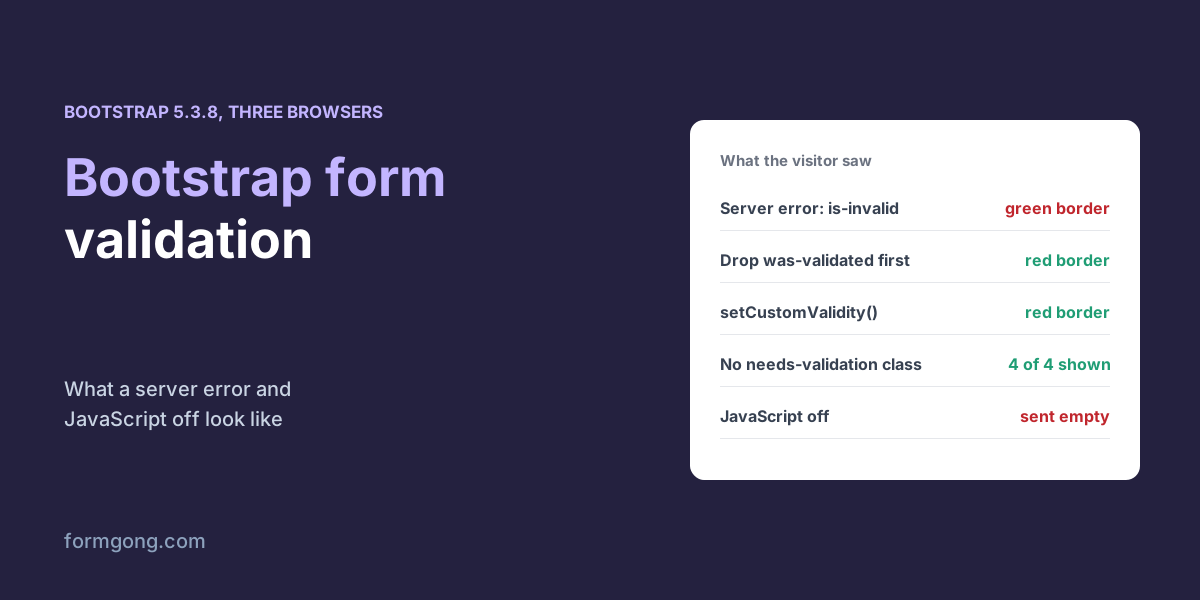
Add is-invalid, keep was-validated on the form | Message shown, but the email border green, like every other field |
Remove was-validated, then add is-invalid | Message shown, red border on the email, grey on the rest |
Keep was-validated, call setCustomValidity(message) | Message shown, red border on the email, green on the rest. Cleared as soon as the visitor typed |
The first row is the green-border bug from the top of this article. While the form has was-validated, Bootstrap's rule for a valid field is more specific than its rule for is-invalid, and the browser still thinks the field is valid, so green wins. The third row fixes it at the source. setCustomValidity() tells the browser the field is invalid, so Bootstrap's own rules paint it red and checkValidity() blocks a resend until the visitor changes it. Clear it on the next input event, as the code below does, or the field stays invalid forever.
Why would a server refuse what the browser accepted? Because the browser checks are only the first pass. Our article on server-side form validation shows nine payloads that get past the browser, and email validation in JavaScript shows how much the email checks differ.
What happens to Bootstrap validation with JavaScript off?
Nothing checks the form at all. Splitforms' guide “Bootstrap Form Validation — Native HTML + Bootstrap 5” (last reviewed 15 May 2026) says native validation still fires with JavaScript disabled and the browser blocks empty required fields. In our test it did not. The same novalidate that hides the browser's bubbles also switches off its blocking, so with JavaScript off the empty form was sent, every field blank, in 3 of 3 browsers.
You can live with that if your backend checks the fields too. Posted to Formgong with field checks on, the same empty form was refused, and the visitor was sent to an error page whose address listed the two failed fields, name and email. Without a server check, the empty message would have gone straight to your inbox.
<form id="contact" class="needs-validation" action="https://formgong.com/submit" method="POST" novalidate>
  <input type="hidden" name="access_key" value="YOUR_ACCESS_KEY">
  <div class="mb-3">
    <label for="name" class="form-label">Name</label>
    <input id="name" name="name" class="form-control" autocomplete="name" required minlength="2">
    <div class="invalid-feedback">Please enter your name.</div>
  </div>
  <div class="mb-3">
    <label for="email" class="form-label">Email</label>
    <input id="email" name="email" type="email" class="form-control" autocomplete="email" required>
    <div class="invalid-feedback">Please enter a valid email address.</div>
  </div>
  <div class="mb-3">
    <label for="message" class="form-label">Message</label>
    <textarea id="message" name="message" class="form-control" required></textarea>
    <div class="invalid-feedback">Please write a message.</div>
  </div>
  <button class="btn btn-primary">Send</button>
  <p id="status" class="mt-3" role="status"></p>
</form>

<script>
  const form = document.getElementById("contact");
  const status = document.getElementById("status");
  form.addEventListener("submit", async (event) => {
    event.preventDefault();
    form.classList.add("was-validated");
    if (!form.checkValidity()) return;          // Bootstrap shows the messages

    const response = await fetch(form.action, {
      method: "POST",
      body: new FormData(form),
      headers: { Accept: "application/json" },
    });
    const data = await response.json();
    if (response.ok) { form.reset(); form.classList.remove("was-validated"); status.textContent = "Thanks, we will reply soon."; return; }

    // 422: the server names each field it refused. Make the field
    // :invalid, so was-validated paints it red with its own message.
    for (const error of data.errors ?? []) {
      const field = form.elements[error.field];
      if (!field) continue;
      const message = error.code === "email" ? "This email address does not look right." : "Please fill this in.";
      field.nextElementSibling.textContent = message;
      field.setCustomValidity(message);
      field.addEventListener("input", () => field.setCustomValidity(""), { once: true });
    }
    status.textContent = data.message;
  });
</script>
What does Formgong add to Bootstrap validation?
The server half. Under Settings, then Protection, then Field checks, you mark a field as required or as an email, URL, number, date or phone, and Formgong refuses a post that breaks a rule with a 422 that lists each field and the reason. That list maps straight onto Bootstrap's fields, as in the code above, and the same check covers the visitor whose JavaScript never ran. Field errors from the server are not unique to us. Formspree's guide shows its server catching an email the browser let through and reporting it to the field through its React library. Splitforms' FAQ says only that is-invalid can show backend errors, which under was-validated gives the green border above. What Formgong adds is that the list comes back to a plain fetch with no library, and that a post with no JavaScript gets the same check. Formgong's checks do not cover a minimum length or a list of allowed values, so keep those rules in the browser and on your own server if they matter. The HTML forms docs list the fields Formgong reads.
Did Bootstrap validation behave differently for you?
If your Bootstrap version or layout showed something other than what we measured, write to support@formgong.com. We will run your markup and add it to the tables.
Frequently asked questions
Does Bootstrap 5 validate forms by itself?
No. The browser checks the fields; Bootstrap only colours them by :invalid and :valid once the form has the was-validated class.
Why is my is-invalid field green in Bootstrap?
Under was-validated, Bootstrap's valid style wins over is-invalid on a field the browser thinks is valid. Use setCustomValidity() instead, or remove was-validated first.
Do I need the needs-validation class?
Only if your script uses it to find the form. In our test the messages showed 4 of 4 without it, because Bootstrap's CSS keys on was-validated.
Does Bootstrap validation work with JavaScript off?
No. With novalidate on the form, an empty form was sent in all three browsers we tested. Check the fields on the server too.
Sources and documentation
Official references for this guide: Formgong: JavaScript form validation without a library, Formgong: Server-side form validation and what it catches. HTML forms, where data is stored.