The key is an address, not a password
You copy a snippet from Web3Forms, Static Forms, Splitforms or Formgong, and there is your key in plain sight: <input type="hidden" name="access_key" value="...">. It feels wrong to leave it there. It is fine.
The key does one job. It tells the service which form, and so which inbox, a submission belongs to. Formspree and Forminit do the same with a form ID in the URL. The vendors say this openly. Web3Forms' own example says of the key, "Don't worry this can be public." Splitforms' docs call it "a public identifier, not a secret."
Hiding it does not work anyway. A hidden input is in the page source. A NEXT_PUBLIC_ or VITE_ variable is written into the JavaScript the browser downloads. If the browser needs the key to send the form, anyone with a browser can read it.
What someone can do with your key
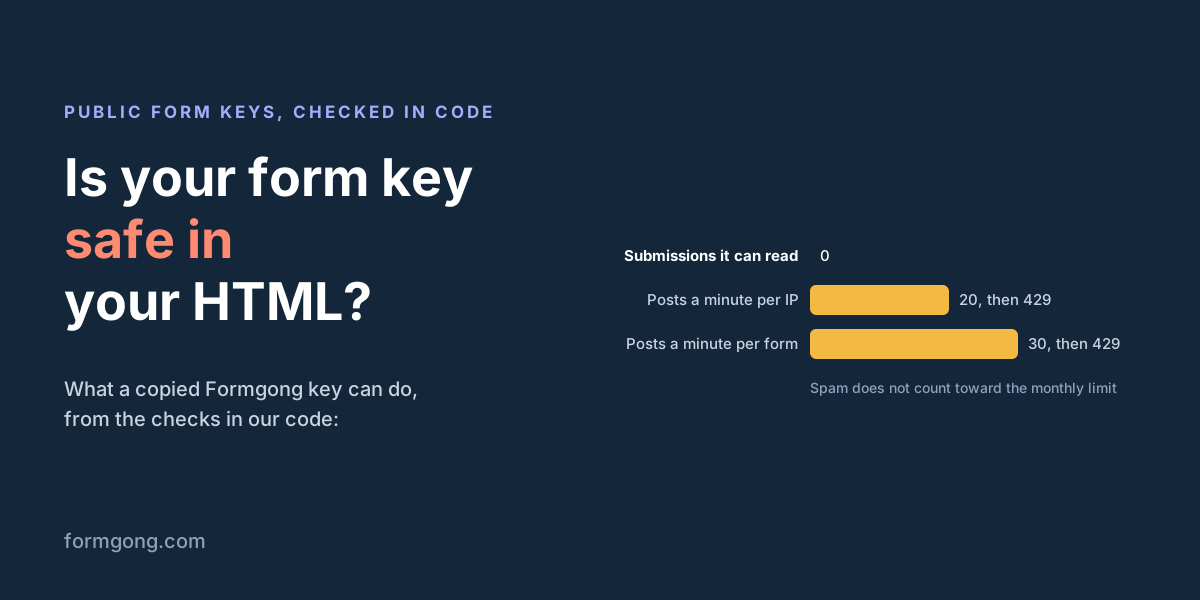
With your key, a stranger can send submissions to your form, from a script or from a copy of your form on their own page. That is the whole list. In practice that means:
- Junk in your inbox. Anything that gets past the spam checks reaches your email or Telegram like a real enquiry.
- Your monthly submissions. On most services, every accepted post counts. On Formgong, posts that land in Spam do not count, but clean-looking forged posts do. At the per-form limit of 30 a minute, a flood could use Free's 250 in about 9 minutes.
- Your real visitors blocked for a minute. A per-form limit protects your quota, and while a flood is hitting it, a real visitor in that same minute gets "too many requests" too.
What the key cannot do: read your submissions, see who receives them, change settings, add a webhook or delete anything. On Formgong those need your login or a personal API token, which is a different credential: it starts with fgp_, is shown once, is stored only as a hash, and reading submissions is a scope you have to tick separately. That token, your webhook signing secret and a captcha secret key are the things that must never be in a web page.
Why allowed domains stop browsers but not curl
Every backend in this article has some form of domain restriction. You list your site, and the service checks which page the post came from. It reads that from a header: Origin, Referer or both.
A browser fills in Origin itself, and JavaScript on a page cannot change it. So if someone copies your form onto other.example, every visitor's browser says so, and the post is refused. That part works well.
curl, Python or any server is not a browser. It sends whatever headers it is told to: curl -H "Origin: https://yoursite.com" is one line. Splitforms' docs say it directly: "Do not treat a Referer or Origin header as proof of a visitor's identity." Domain restriction stops your form being reused on other sites. It does not stop someone who writes a script against your form.
Formgong reads Origin first and falls back to Referer only when there is no Origin. A post with neither header is refused once you have set allowed domains, and so is Origin: null. Your domain covers its subdomains, so yoursite.com lets www.yoursite.com through but not yoursite.com.other.example. Add localhost to the list while you test on your own machine.
What each form backend offers against a copied key
| Service | What sits in your page | Domain restriction | Header it reads | Server-side post | Rate limit |
|---|---|---|---|---|---|
| Web3Forms | access_key in the form, "can be public" | Restrict to Domain, Pro only | Not stated | Blocked unless on a paid plan with your server's IP allowed (we got 403) | 429 documented, number not stated |
| Formspree | Form ID in the URL | Restrict to Domain, all plans; others go to spam | Referer | Accepted | 20 posts a minute per form |
| Static Forms | apiKey in the form | Domain restriction, from the Starter plan | Origin or Referer | Accepted | Not stated |
| Forminit | Form ID in the URL | Authorized Domains, plan not stated; others go to spam | "Referrers" | Accepted (public mode) | 1 per 5 seconds per IP |
| Splitforms | access_key in the form, "a public identifier" | Allowed domains, plus a strict mode that drops other origins | Origin | Accepted | 6 a minute and 20 per 15 minutes, per IP |
| Formgong | access_key in the form, public by design | Allowed domains, every plan including Free; others refused | Origin, or Referer when there is no Origin | Accepted, unless allowed domains are set | 20 a minute per IP, 30 a minute per form |
Two of them stand out. Web3Forms is the only one that refused a post from a server outright. Its docs say "Server side usage requires paid plan + server IP whitelisting," and in our test a plain curl post got 403. That stops a basic script. We could not tell what the block looks at; a browser fetch from another website got through it, so it is not a domain check. Formspree and Forminit don't refuse a post from the wrong domain: they put it in your spam folder, so you can still find it.
The rate limits differ a lot. In the same round-3 test, 30 posts in a row with a wrong key got a 429 at post 21 from Formspree and at post 7 from Splitforms, as their docs describe, and at post 10 from Static Forms' hosting firewall. The other 6 of the 9 we could test did not limit a wrong key at all. That says nothing about their real forms, since a service may count only posts to a form that exists.
What a forged request gets past, checked in the code
We did not fire forged posts at live forms. Instead we took Formgong's own check functions from its source (the domain check, the spam score, the block list, the browser-signal rule and the rate limits), ran them in Node on made-up requests, and recorded what each one decided.
| Forged request | What Formgong does |
|---|---|
| curl, no Origin, no Referer, allowed domains empty | Accepted and delivered |
| curl, no Origin, no Referer, allowed domains set | Refused, 403 |
| A browser on another website | Refused, 403 |
| Origin: null (sandboxed frame) | Refused, 403 |
| curl with Origin: https://yoursite.com | Accepted and delivered |
| curl with only a Referer from www.yoursite.com | Accepted and delivered |
| curl with Origin: https://yoursite.com.other.example | Refused, 403 |
| Faked Origin, Require browser signals on, no fg.js fields | Answered as sent, kept in Spam, not delivered, not counted |
| Four links in the message | Accepted, scored 50 of the 60 that makes spam |
| A stop word such as "seo services" | Spam |
| Sender's email domain on your block list | Spam |
| Post 21 from one IP within a minute | 429 |
| Post 31 to one form within a minute, any IPs | 429, real visitors included |
Allowed domains catch every request that tells the truth about where it comes from and none that lie. The spam score catches posts that look like spam. A carefully written forged post with a faked header and an ordinary message gets through, and it would on any backend in the table above.
Spam is not refused with an error. The sender gets the normal success answer, so a bot learns nothing, and you can still open the Spam folder and restore a real message. Only past 100 spam posts to one form in a day does the rest get a 429.
"Require browser signals" is a switch for forms that are only ever sent through Formgong's fg.js script. Posts without the script's signals go to Spam, which stops scripts that just post your field names. A script written for your form specifically can imitate those signals, so treat the switch as a filter against generic bots, not a lock.
What to turn on
For a contact form on a static site, this order covers most of it. On Formgong all of it is under the form's Settings → Protection, on every plan.
- Allowed domains. List your site, plus
localhostwhile you build. Copies of your form on other sites stop at once. - Require browser signals, if the form only ever posts through fg.js or a Formgong component. Leave it off if a server, a plugin or an app also posts to the form.
- A block list for the sender who keeps coming back: an email, a domain, a word or an IP.
- Cloudflare Turnstile, when spam keeps arriving after all that. The token has to be solved in a browser on one of your allowed domains, which is the one check a plain script cannot fake.
If your key is already being abused, replace it under Settings → General → Replace access key. You can keep the old key working for 24 hours while you update your site.
Moving the key to your own server, behind a small proxy, only moves the problem. Your proxy is now the public endpoint, and curl can post to it just as easily. It helps only if the proxy adds checks of its own. For more on the filters themselves, see stopping spam without a captcha, the honeypot field and Turnstile, reCAPTCHA and hCaptcha compared.
What a public key cannot prevent
No setting makes an open form closed. A person can type spam into your real form on your real site, and every check sees a real visitor. A headless browser can open your page and submit from there, with your Origin, real signals and sometimes a solved captcha. A flood can still fill the per-minute limit and make a real visitor wait.
What the checks do is raise the cost. Most form spam is generic: bots that find any form and post the same text everywhere. Those are stopped by the layers above. Someone who targets your form personally can get through, and at that point the defences are the rate limit, the spam folder and replacing the key.
What Formgong's free plan includes
- Build the form or bring your own. The form builder takes the colours and fonts from your site's address, with no sign-up; ready form templates copy into your account; AI writes the fields from one sentence. Any hand-written HTML form works too.
- Websites with the form already connected. 28 free website templates post to Formgong out of the box.
- 250 submissions a month on unlimited forms. Spam does not count. Once a year, a busy month keeps delivering on credit until the 7th instead of stopping.
- Everywhere you work. Email to up to 3 people at once, Telegram with Reply and Handled buttons, Google Sheets, Notion, and 3 signed webhooks for Slack, Discord, Zapier, Make or n8n.
- Emails to your customers in your business's name. Formgong sends them under your business name and replies come back to you, with no email service of your own to set up: a review request to every lead, a reminder a visitor asked for, and review emails after an order with your logo and colours. People who agree can also go straight into your Mailchimp, Klaviyo, Brevo, MailerLite or Kit list. An automatic reply to each visitor is on Pro.
- No captcha needed. A server-side spam filter, a honeypot, allowed domains and a block list; add your own Turnstile key if you want one.
- Files and voice. Visitors can attach files, or record a voice message that arrives transcribed.
- Made for AI-built sites. A hosted form page and a contact button; step-by-step guides for sites built with Lovable, Bolt, v0, Replit and Base44; an MCP server lets Cursor or Claude wire the form for you.
- See what the form does. Analytics for views, starts, conversion and where each lead came from, and an alert when a form goes quiet.
- One account for the rest. Customer reviews and an AI help chat that answers visitors from your own pages, with every message in one inbox. Data is stored in the EU.
Frequently asked questions
Can someone read my form submissions with my access key?
No. The access key only lets someone send to your form. Reading submissions needs your login or, on Formgong, a personal API token with the submissions scope, which is a separate secret that never goes in a web page.
Should I hide my form access key in an environment variable?
It does not help in frontend code. A NEXT_PUBLIC_ or VITE_ variable is written into the JavaScript the browser downloads, so the key is still visible. The key is meant to be public; protect the form with allowed domains and spam checks instead.
Does restricting my form to my domain stop spam from curl?
No. Domain restriction reads the Origin or Referer header, and curl can send any value. It stops other websites from reusing your form. Spam from scripts is stopped by the server-side spam filter, rate limits and, if needed, a captcha.
What should I do if my form access key is being abused?
Turn on allowed domains, add the sender to the block list and, if it continues, turn on Turnstile. On Formgong you can also replace the key under Settings → General and keep the old one working for 24 hours while you update your site.
Does spam from a copied key count toward my Formgong limit?
Posts that land in Spam do not count and are not delivered. A forged post that looks like a real message and passes the checks counts like any other submission.
Sources and documentation
Official references for this guide: Web3Forms: Restrict to Domain, Web3Forms docs (llms-full.txt), Web3Forms: API reference, Formspree: Restrict to Domain, Formspree: system limits, Static Forms: domain restriction, Forminit: Authorized Domains, Forminit llms.txt, Splitforms docs, Splitforms: Is a public form access key safe?, MDN: forbidden request header, Formgong contact form API test. Formgong HTML form docs, where data is stored.