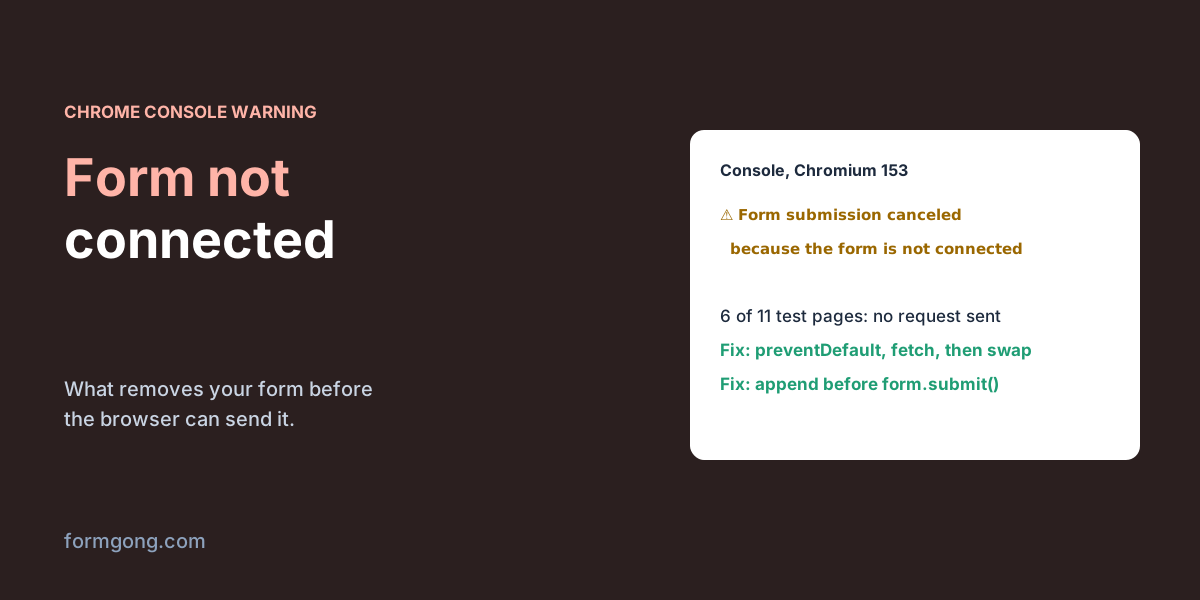
“Form submission canceled because the form is not connected”: what removes your form
The button does nothing, there is no error, only a yellow warning in the console. Something removed your form before the browser could send it. Six patterns that do it, and four that don't.
The short answer. The browser only sends a form that is still in the page. If your code builds a form and never adds it to the document, or removes or re-renders the form between the click and the send, Chrome cancels the submission and logs this warning. Add the form to the page before calling submit(), or call event.preventDefault(), send with fetch, and only then change the page.
FormgongUpdated
“Form submission canceled because the form is not connected”: what removes your form
What does the warning mean?
“Connected” is the browser's word for “still part of the page”. When a form is submitted, Chrome first checks that the form is in the document. If it isn't, Chrome drops the submission and writes Form submission canceled because the form is not connected to the console as a warning, not an error. Nothing turns red, no request goes out, and the page stays where it is.
It is not a Chrome quirk. The HTML standard says a form that isn't in a document can't be submitted. Safari's engine had a bug that let such forms through and fixed it in 2017 (WebKit bug 178099), and that bug report notes Firefox and Chrome already followed the rule. The console text differs between browsers; the wording above is Chrome's.
That is why this one is hard to spot. The visitor clicks Send, your thank-you message may even appear, and no email ever arrives. You only find out when you open the console or check the network tab and see that no POST was made.
Which code triggers it? Our test
We wrote 11 small pages and ran each one in Chromium 153 on 6 November 2026, with a local server that logged every POST. The warning appeared in 6 of the 11, each time with no request sent. Ten of the cases are below. The eleventh was a Send button placed outside any form: it did nothing and logged nothing, which is a different bug.
Chromium 153, 6 November 2026. “Sent” means our local server received the POST.
#
What the code did
Result
1
document.createElement("form"), never added to the page, then form.submit()
Warning, nothing sent
2
The same form, form.requestSubmit()
Warning, nothing sent
3
The same form added to document.body first, then submit()
Sent
4
The Send button's click handler swaps the form for a thank-you message
Warning, nothing sent
5
The form's submit handler swaps the form, without preventDefault()
Warning, nothing sent
6
Submit handler calls preventDefault(), sends with fetch, then swaps
Sent
7
Click handler re-renders the form (old form replaced by an identical new one)
Warning, nothing sent
8
Click handler removes the modal that holds the form
Warning, nothing sent
9
Click handler closes a <dialog> (the element stays in the page)
Sent
10
Removal delayed with setTimeout(…, 0)
Sent
Two things stand out. First, requestSubmit() is not a way around it: row 2 failed the same as row 1. Second, closing a native <dialog> is fine (row 9), because a closed dialog is still in the page. Removing the modal's element (row 8) is what breaks it, and many modal libraries do exactly that on close.
Cause 1: a form built in JavaScript and never added to the page
This is the classic case. Code builds a form on the fly to post somewhere, a payment page, a file download, an old jQuery pattern like $("<form>").submit(), and calls submit() without adding it to the document. The fix is one line: append the form before you submit it. You can remove it again afterwards, once the browser has started the navigation.
If you don't need the page to change at all, you don't need a form either. A FormData object built in code and sent with fetch works without any element on the page: in our test fetch posted it and the server got id=42.
Add a JavaScript form to the page before submit()
// A form built in JavaScript, for example to post to a payment page or a download.
const form = document.createElement("form");
form.method = "POST";
form.action = "/checkout";
form.append(Object.assign(document.createElement("input"), { name: "plan", value: "pro" }));

document.body.append(form); // without this line Chrome cancels the submission
form.submit();
Cause 2: the thank-you message replaces the form too early
The more common case today. A click handler on the Send button, or a submit handler that does not call preventDefault(), hides the form and shows “Thanks!”. In React, Vue, Svelte or Angular this often looks harmless: you set sent = true in the click handler and the template stops rendering the form. The framework removes the form element synchronously, before the browser gets to the actual submission, and the browser cancels it (rows 4, 5 and 7).
In Angular it usually shows up as a <button> with a (click) handler inside a <form>. A button without a type inside a form is a submit button, so the click both runs your handler and starts a real submission, and if your handler hides the form with @if or *ngIf, the submission is canceled. Give the button type="button" if it should not submit, or move the logic into (ngSubmit). We reproduced the same sequence with plain DOM code in row 7; the framework only decides when the old form disappears.
The reliable fix is to take the submission into your own hands: call event.preventDefault() in the submit handler, send the data with fetch, and change the page after the response arrives (row 6). At that point the browser has nothing left to cancel. Delaying the removal with setTimeout also worked in our test (row 10), but then the browser navigates away to the form's action and your thank-you message is never seen, so it only hides the symptom.
Send with fetch, then swap the form (HTML)
<form id="contact" action="https://formgong.com/submit" method="POST">
  <input type="hidden" name="access_key" value="fk_your_access_key">
  <label>Email <input type="email" name="email" required></label>
  <label>Message <textarea name="message" required></textarea></label>
  <button type="submit">Send</button>
</form>
<p id="thanks" hidden>Thanks, we got your message.</p>

<script>
  const form = document.getElementById("contact");
  form.addEventListener("submit", async (event) => {
    // Stop the browser's own submission first. After this line the form
    // can be removed, hidden or re-rendered without the warning.
    event.preventDefault();
    const response = await fetch(form.action, {
      method: "POST",
      body: new FormData(form),
      headers: { Accept: "application/json" },
    });
    if (response.ok) {
      form.remove();
      document.getElementById("thanks").hidden = false;
    }
  });
</script>
Cause 3: a Cancel, Back or Next button inside the form
A <button> with no type is a submit button. Put a Cancel button in a form, make its click handler close the form or navigate away, and the click does two things: your handler removes the form, then the browser tries to submit it. In our test a Cancel button without a type that replaced the form logged the warning. The same button with type="button" removed the form quietly and sent nothing, which is what a Cancel button should do. This is also the usual fix in React when a Cancel button calls navigate() or history.push().
Multi-step forms and modals hit the same thing with Next and Back buttons. Give every button that only moves between steps type="button", keep one <form> around all the steps and show or hide the steps inside it, and send only from the last step. For a native <dialog>, <form method="dialog"> is made for this: in our test its Cancel button closed the dialog, set returnValue to cancel, kept the form in the page and posted nothing.
How to find what removed the form
The quickest check is one line: log form.isConnected right before the submission. In our test it was false for a form made with createElement, true once it was appended, and false again after remove(). If it is false at the moment of the click, this article is about your bug.
To find the line that removed it, open DevTools, go to Elements, right-click the <form> and choose Break on, then Node removal. Click Send. The debugger stops on the exact line that takes the form out of the page, which is usually a state change, a modal close or an innerHTML assignment. If the debugger never stops and you still get the warning, the form was never in the page to begin with, which is cause 1.
Then check the Network tab with Preserve log on. A healthy submission shows a POST to your form's action. If there is none, the warning is your answer. If there is one and it failed, this article is not your problem: our guide to an HTML form that is not submitting goes through the server side.
How Formgong handles the thank-you step
If your form posts to Formgong, you may not need to swap anything. A plain HTML post gets a 303 redirect to a thank-you page, or to your own page if you set one, so the browser leaves the form behind the normal way. Our thank-you page guide shows both. If you want to stay on the page, send with fetch and an Accept: application/json header, as in the code above: Formgong then answers with JSON instead of a redirect, and you change the page when success is true. The snippets in our HTML forms docs do the same thing and reset the form instead of removing it.
The same Formgong account also gives you an AI help chat and a reviews widget for the same site, so the form, the chat and the reviews all report to one inbox.
Did the warning come from somewhere else?
If you hit this warning in a case that is not in our table, a specific framework, page builder or modal library, tell us at support@formgong.com. We will reproduce it and add it here.
Frequently asked questions
Is “Form submission canceled because the form is not connected” an error?
Chrome logs it as a warning, but the effect is real: the submission is dropped and no request is sent. Treat it as a bug in the page.
Does requestSubmit() avoid the warning?
No. In our test requestSubmit() on a form that was not in the page was canceled the same way as submit().
How do I submit a form created in JavaScript?
Append it to the document first, for example document.body.append(form), then call form.submit(). If you don't need a page change, send a FormData object with fetch instead.
Why does my Cancel button cause the warning?
A button without a type is a submit button, so its click also starts a submission while your handler removes the form. Give it type="button".
Why does it happen in React or Angular?
A state change in the click handler removes or re-renders the form before the browser sends it. Call event.preventDefault() in the submit handler, send with fetch, and update state after the response.