Why isn't the browser's built-in validation enough?
You add required and type="email", and the browser shows a bubble when something is missing. Then you look closer. The bubble uses the browser's wording, not yours, and it sits outside your design. A name made of three spaces passes as filled in.
You do not need a library to fix that. The browser already does the checking through the Constraint Validation API, and you only need to take over how the result is shown. We tested what that API does in Chromium 153, then ran the script below against seven filled-in forms and a local copy of Formgong's form backend, counting how many requests left the page.
What do checkValidity, reportValidity and setCustomValidity do?
Each control has a validity object with flags such as valueMissing, typeMismatch and tooShort, and the form has two methods that run every check at once. Here is what they did on our test form, which has three required fields and a required consent box.
| What we did | What happened |
|---|---|
| Empty form, page just loaded | :invalid matched all 4 required controls; :user-invalid matched 0 |
form.checkValidity() | Returned false, fired 4 invalid events, focus did not move |
form.reportValidity() | Returned false, fired 4 invalid events, moved focus to the first field |
Three spaces typed into a required field | Valid. Spaces count as filled in |
9 characters in a minlength="10" field | Invalid when typed; valid when the same text was set from a script |
setCustomValidity(), then a correct value typed | Still invalid until setCustomValidity("") cleared it |
Three rows matter most when you write your own display. checkValidity() gives you the answer without moving the visitor anywhere, so it suits your own error display. reportValidity() shows the browser's bubbles and moves focus. And a message set with setCustomValidity() sticks: if you set it when the email was wrong and never clear it, the field stays invalid after the visitor fixes it, and the form never sends. Clear it with an empty string at the start of every check, as the script does.
The minlength row is a trap for tests. The browser only reports a value as too short after a person has edited it. Set the same nine characters from a script and the field says it is valid, so a test that fills fields by assigning .value can pass while real visitors see an error.
How do you show your own error messages?
Add novalidate to the form. That switches off the bubbles but keeps all the checks, so checkValidity() still works. Then do three things in the script. Check a field when the visitor leaves it, so they hear about a mistake while it is fresh. Check again as they type, but only once the field is marked wrong, so nobody is told off for an address they have not finished. And on submit, check everything, focus the first wrong field and stop.
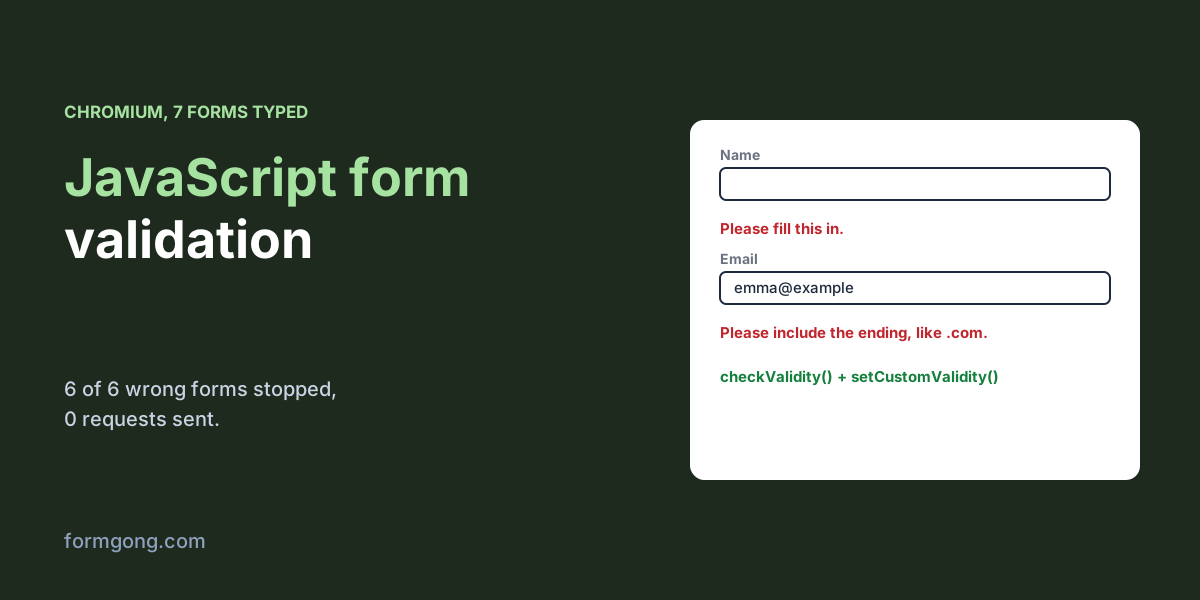
The script adds two rules the browser lacks. It trims the value before treating it as filled in, which catches the three spaces. It also asks for a dot and at least two letters at the end of an email address, because type="email" accepts emma@example. Our test of email validation in JavaScript compares this with six other checks on 33 addresses.
Each message goes into a span linked to its field with aria-describedby, and the field gets aria-invalid="true", so assistive technology can announce the problem when focus lands there. For the red border, use :user-invalid rather than :invalid. On page load :invalid matched all 4 empty fields and would have painted the whole form red before anyone typed. :user-invalid matched none until the visitor pressed Send. Our accessible contact form checklist covers labels and focus in more detail.
What happened when we ran the script?
We typed seven forms key by key, as a visitor would, and pressed Send each time.
The script stopped all 6 wrong forms with no request sent: everything empty, a name of three spaces, emma@example, emma@example.c, a message 9 characters long and an unticked consent box. Each time the message appeared under the right field and focus moved there. The seventh form was filled in correctly and was the only one that reached the server, which stored it and answered with a thank-you.
The message for a short text says how many characters the visitor has, “Please use at least 10 characters (you have 9).”, which beats the browser's default because it tells them how far off they are.
What happens when the browser checks are skipped?
Everything in the browser can be skipped. A bot posts straight to your endpoint, and an old cached copy of your script may not have today's rules. We switched the script's checks off and sent two bad forms.
Formgong answered both with 422 and a list of the fields that failed. For an invalid email and an empty message the list was [{"field":"email","code":"email"},{"field":"message","code":"required"}], and for a name of spaces it was the name alone. The script read that list and put the message under each field, the same place the browser-side message goes, in 2 cases out of 2. The server check has limits you should know: it covers required fields and the format of emails, web addresses, numbers, dates and phone numbers, but not a minimum length, so the “at least 10 characters” rule lives only in the browser. Our article on server-side form validation shows what else a server should check.
Spam is a different problem from validation. A honeypot field is a cheap first defence that people never see.
How does this work with Formgong?
Formgong is a form backend: the form posts to it with your access key, and each message reaches your email and Telegram. Under Settings, then Protection, then Field checks, you mark any field as required or as an email, URL, number, date or phone number, on every plan including Free. A post that breaks a check is refused before it is stored or counted, and the 422 answer names each field with a code, which is exactly what the script above maps onto the form. Of the two competitor guides we read on 3 November 2026, Static Forms' comparison of checkValidity() and reportValidity(), dated 13 October 2026, tells you to validate business rules on the receiving server and does not describe any check by Static Forms itself. Splitforms' JavaScript validation tutorial, dated 18 June 2026, sends the form with fetch but has no branch for an error answer. Its separate guide to server-side validation says Splitforms' servers check formats and answer with a JSON error, but neither page shows how to put that answer back under a field. If you want a finished form to start from, the HTML form generator writes one you can copy.
<form id="contact" action="https://formgong.com/submit" method="POST" novalidate>
  <input type="hidden" name="access_key" value="fk_your_access_key">

  <label for="name">Name</label>
  <input id="name" name="name" required minlength="2" autocomplete="name" aria-describedby="name-error">
  <span id="name-error" class="error" hidden></span>

  <label for="email">Email</label>
  <input id="email" name="email" type="email" required autocomplete="email" aria-describedby="email-error">
  <span id="email-error" class="error" hidden></span>

  <label for="message">Message</label>
  <textarea id="message" name="message" required minlength="10" aria-describedby="message-error"></textarea>
  <span id="message-error" class="error" hidden></span>

  <label><input id="consent" name="consent" type="checkbox" value="yes" required aria-describedby="consent-error"> You may reply to me by email</label>
  <span id="consent-error" class="error" hidden></span>

  <button type="submit">Send</button>
  <p id="status" role="status"></p>
</form>

<style>
  .error { color: #b42318; }
  /* :user-invalid waits until the visitor has interacted; :invalid is red on page load */
  input:user-invalid, textarea:user-invalid { border-color: #b42318; }
</style>

<script>
  const form = document.getElementById("contact");
  const statusLine = document.getElementById("status");
  const fields = [...form.elements].filter((el) => el.willValidate && el.type !== "submit");

  function messageFor(el) {
    const v = el.validity;
    if (v.valueMissing) return el.type === "checkbox" ? "Please tick this box." : "Please fill this in.";
    if (v.typeMismatch) return "Please enter an email like emma@example.com.";
    if (v.tooShort) return `Please use at least ${el.minLength} characters (you have ${el.value.length}).`;
    return el.validationMessage;
  }

  function show(el, message) {
    const slot = document.getElementById(el.id + "-error");
    slot.textContent = message;
    slot.hidden = !message;
    if (message) el.setAttribute("aria-invalid", "true");
    else el.removeAttribute("aria-invalid");
  }

  function check(el) {
    el.setCustomValidity(""); // clear last time's message first, or the field stays invalid
    if (el.required && el.value !== "" && el.value.trim() === "") el.setCustomValidity("Please fill this in.");
    else if (el.type === "email" && el.value && !/\.[a-z]{2,}$/i.test(el.value)) el.setCustomValidity("Please include the ending, like .com.");
    const ok = el.checkValidity();
    show(el, ok ? "" : messageFor(el));
    return ok;
  }

  for (const el of fields) {
    el.addEventListener("blur", () => check(el));
    el.addEventListener("input", () => { if (el.hasAttribute("aria-invalid")) check(el); });
  }

  const SERVER_MESSAGES = { required: "Please fill this in.", email: "Please enter an email like emma@example.com." };

  form.addEventListener("submit", async (event) => {
    event.preventDefault();
    const invalid = fields.filter((el) => !check(el));
    if (invalid.length) { invalid[0].focus(); return; }
    const button = form.querySelector("button");
    button.disabled = true;
    statusLine.textContent = "Sending…";
    try {
      const res = await fetch(form.action, { method: "POST", body: new FormData(form), headers: { Accept: "application/json" } });
      const data = await res.json().catch(() => ({}));
      if (res.ok) { form.reset(); statusLine.textContent = "Thanks, your message is on its way."; return; }
      if (res.status === 422 && Array.isArray(data.errors)) {
        for (const { field, code } of data.errors) {
          if (form.elements[field]) show(form.elements[field], SERVER_MESSAGES[code] || "Please check this field.");
        }
        form.elements[data.errors[0].field]?.focus();
        statusLine.textContent = "Please check the fields marked above.";
        return;
      }
      statusLine.textContent = data.message || "Something went wrong. Please try again.";
    } catch {
      statusLine.textContent = "We could not reach the server. Check your connection and try again.";
    } finally {
      button.disabled = false;
    }
  });
</script>
Did your validation behave differently?
If a browser handles one of these checks differently, or a screen reader skips a message, tell us at support@formgong.com. We will rerun the test with your case and update this page.
Frequently asked questions
What is the difference between checkValidity and reportValidity?
Both return true or false and fire invalid events. reportValidity also shows the browser's message bubbles and moves focus to the first wrong field.
Why does my field stay invalid after the visitor fixes it?
A message set with setCustomValidity stays until you clear it. Call setCustomValidity("") at the start of every check.
Does required stop a field filled with spaces?
No. Three spaces count as filled in. Trim the value in your script and on the server.
Should I use :invalid or :user-invalid for error styles?
Use :user-invalid. :invalid matches empty required fields as soon as the page loads, before the visitor has typed anything.
Is JavaScript validation enough on its own?
No. Bots and old scripts skip it, so the server has to check the fields again.
Sources and documentation
Official references for this guide: Formgong: HTML input types and what each one sends, Formgong: React form validation without a library, tested. HTML forms, where data is stored.