What changes when a review goes into an ad?
You have a review you love. A customer wrote that you fixed their boiler on a Sunday night, and you want it on a flyer, in a Facebook ad, or at the top of a landing page you pay to send people to. On your reviews page, it is one customer's opinion among many. In an ad, it is a claim you chose to make, and you are responsible for it as if you had said it yourself.
In the US, the rules for that are the FTC's Guides Concerning Use of Endorsements and Testimonials in Advertising, 16 CFR 255, last revised in July 2023. Everything quoted below we read on eCFR on 6 November 2026. This is a summary for small businesses, not legal advice, and a lawyer should look at anything about health, money or weight loss.
Why bother, then? Because a customer's account of what happened does a job your own claims can't. “We're fast” is what every plumber says. “Rang at eleven at night, the plumber was here in 40 minutes” is a detail the reader can picture, from someone with no reason to flatter you. That is also why the rules below exist: the reader trusts the words because they believe a real customer chose them.
Is a testimonial the same as an endorsement?
For the FTC, yes. Section 255.0(c), read on eCFR on 7 November 2026, says the Commission intends to treat endorsements and testimonials identically. Section 255.0(b) defines an endorsement as any advertising, marketing or promotional message that consumers are likely to believe reflects the opinions or experience of someone other than the advertiser. It names verbal statements, tags in social media posts and a person's name or likeness among the things that can be endorsements.
In everyday marketing the words are used a little differently: a testimonial usually means an ordinary customer's words, and an endorsement a well-known person or an expert backing the product. The same rules cover both, with extra ones for experts in section 255.3: an ad that presents someone as an expert needs that person to have the expertise claimed and to have used it in judging the product.
What kinds of testimonial ads are there?
Most testimonial ads are one of five kinds, and each has a rule that catches people.
- A quote or review in an image or text ad. The simplest kind. The quotation-marks rule below applies in full, and a screenshot of a review counts as quoting it.
- A video of a real customer. If the ad says or suggests the people in it are actual customers, section 255.2(c) says they must be, in both the sound and the picture, or the ad must disclose clearly that they are not. An actor reading a real review needs that disclosure.
- A creator or influencer post you paid for or sent a free product for. The connection must be disclosed in the post itself. One of the FTC's examples under 255.0 finds that a platform's built-in disclosure tool alone was not enough when the label was small, hard to read against the image and on screen for five seconds. Under 255.1(d), you as the advertiser can be liable for what the creator says, so tell them what they must not claim and what to disclose, and check their posts.
- A customer's own social post that you boost or reuse in an ad. Ask them first, and if you gave them anything, the disclosure goes into your ad too.
- A short case study in an ad: one customer, one result. This is where the typical results rule bites hardest, because the result is the whole message.
What do the FTC Endorsement Guides require?
Four things matter most when the endorser is an ordinary customer.
Start with the words being real. Section 255.1(a) says endorsements “must reflect the honest opinions, findings, beliefs, or experience of the endorser”. The FTC's separate rule on fake reviews, 16 CFR 465.2, makes it unlawful to write or create a testimonial that misrepresents that the person exists, that they used your product or service, or what happened to them.
Quote them exactly. Under 255.1(b), once you put the words in quotation marks, they must be the customer's exact words, and you may not present them “out of context or reworded so as to distort” what they meant. Cutting “Great plumber, shame it took three visits” down to “Great plumber” is the kind of edit that rule is about.
The customer must actually have used what you sell, and the ad can only run while that is still true. Section 255.1(c) says the endorser “must have been a bona fide user” of the product when they gave the endorsement, and that you can keep running the ad only while you have good reason to believe they still are.
Last, you need evidence for the claim itself. Under 255.2(a), an ad with customer testimonials about how well something works is read as saying it works, so you need the same evidence you would need to say it yourself. The section adds that testimonials “themselves are not competent and reliable scientific evidence”.
Do you need a typical results disclaimer?
Often, yes. Section 255.2(b) says a testimonial about a central feature of what you sell will likely be read as what customers “will generally achieve”. If you cannot show that this customer's result is typical, the ad should “clearly and conspicuously disclose the generally expected performance”, and you need evidence for that figure too.
A vague line does not do it. The FTC's own Example 1 in that section is a hair growth ad whose disclaimer reads “These testimonials do not prove our product works. You should not expect to have similar results”. The Guides say that ad is likely still deceptive unless the advertiser can show that new users typically get results like those in the testimonials. The disclosure has to say what people usually get, not just that they might not get this.
Here is how it looks for a small business. Say a dentist's ad quotes a patient: “Cracked a molar on Saturday, rang at eight on Monday, was seen by half nine.” Speed is the selling point of that ad. If most emergency patients wait until the next day, the ad needs a line such as “Most emergency patients are seen within one working day”, based on your own booking records.
What if the customer got something for it?
Then you have to say so. Section 255.5(a) covers any connection between you and the person that the audience would not expect and that might change how much weight they give the words. It names payment, free or discounted products, and “the possibility of being paid, of winning a prize”. A testimonial from someone who got a discount code for reviewing, or who entered a prize draw for leaving a review, needs that disclosed in the ad, not only on your website.
So you may pay or reward people for a testimonial, as long as you say so. What you may not do is make the reward depend on what they say. The FTC rule's 465.4, read on eCFR on 7 November 2026, makes it unlawful to offer compensation or other incentives in exchange for, or conditioned on, consumer reviews expressing a particular sentiment, positive or negative. “A free month for an honest review” is not banned by that rule, though the free month still has to be disclosed wherever you use the review; “a free month for a five-star review” is.
Friends, family and staff count too. Section 255.5(a) lists family and personal relationships among the connections, and the FTC rule's 465.5(b) requires a clear disclosure of the person's relationship to the business when you advertise a testimonial from one of your officers, managers, employees or agents and the relationship is not otherwise clear.
How should the disclosure look in an ad?
Section 255.0(f) defines “clear and conspicuous” as “difficult to miss” and easily understood by ordinary consumers, and the examples in the Guides fill in the rest. In practice that means:
- in the same form as the claim: on screen for an image or text ad, spoken for audio, both for a video with a voice-over;
- big enough and on screen long enough to be read;
- “unavoidable” in a social media or web ad, so not behind a “more” link or a hover;
- in the same language as the ad.
A small grey line at the bottom of a story that disappears after a second does not meet that. If the disclosure does not fit, the testimonial probably does not belong in that format.
Is it different in the EU?
The EU has its own rules on this. Directive 2019/2161, which we read on EUR-Lex on 6 November 2026, added two practices to the EU's list of those that are always unfair. Point 23b covers saying that reviews come from people who used or bought the product “without taking reasonable and proportionate steps to check” that they did. Point 23c covers submitting or commissioning false reviews or endorsements, or “misrepresenting consumer reviews or social endorsements, in order to promote products”. Quoting a review in a way that changes its meaning can fall under that last part. Each country's consumer law applies these, so check your own regulator's guidance as well.
Which testimonial should go in the ad?
The one that answers the doubt of the people who will see the ad. For a cold audience that has never heard of you, a quote about the problem they have (“the boiler died on a Friday night”) works better than one about how nice your staff are. For people who visited your site and left, a quote about the thing that usually stops them, such as price, waiting time or setup, is the better pick.
Look for a quote that has a detail a stranger can picture, comes from someone the audience can place, such as “Dana K., Cedar Bluff”, and is short enough to read in a few seconds. A four-star review that mentions a small problem and how you fixed it often reads as more honest than a perfect one, as long as you quote it whole. Pick quotes about things that are typical for you, so you don't need a disclaimer at all.
How to use a customer testimonial in an ad
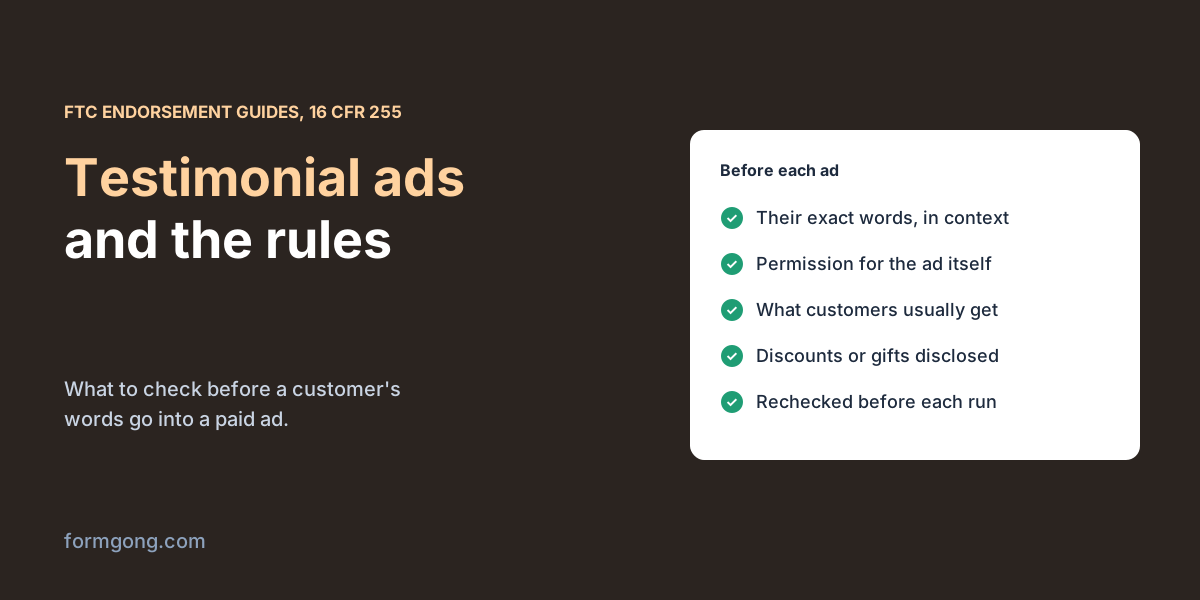
Before each ad that quotes a customer, go through these steps:
- Pick a written testimonial with a date, from someone you know was a customer: an order, a booking, an invoice.
- Ask for permission for the ad itself. Agreeing to a review on your website is not the same as agreeing to be in a paid ad. On Formgong's hosted review page, which we read on our demo shop on 6 November 2026, the line under the form says “Your name and review may appear on” the site, and that is the permission the customer gave. Write to them, say where the ad will run, and ask how they want their name shown. Keep the reply.
- Use their words as written. If you need it shorter, ask them to approve the shorter version.
- Check the claim. If the quote is about a result, decide whether it is typical and, if it is not, write the line that says what usually happens, with your records behind it.
- Add any disclosure: a discount, a free product, a prize draw, a family or staff connection.
- Write down when the ad ran and recheck before you run it again. If the customer withdraws permission, deletes their review or stops being a customer, take the ad down.
How do you test a testimonial ad?
Run it next to the ad you already have. Most ad platforms let you show two versions to the same audience and split the budget between them; change only one thing, the testimonial, and keep the picture, the offer and the button the same. Judge them on the action you want, such as calls, form submissions or purchases, not on clicks, and give each version enough days and enough results that one good afternoon does not decide it.
When you test several quotes against each other, keep a note of which customer each ad quoted and when it ran. If one of them later withdraws permission, you will know which ads to stop.
What Formgong keeps that helps with this
Formgong does not make or run ads, and it does not ask customers for ad permission on your behalf. What it does keep is the record you need for the steps above.
Every review keeps its date. A review that came through a review email after an order carries a Verified buyer label, which answers step 1. One that came from an order while you offered review coupons is labelled “Received a store coupon for reviewing” on your site, and that same connection has to go into any ad that uses it. You cannot change a reviewer's words in Formgong, so the text you copy is the text they wrote. Reviewers who left an email get a link to edit or delete their own review for a year; if a review you quoted changes or disappears, that is your signal to recheck the ad.
For a social post rather than a paid ad, Formgong can draw an image of an approved review from your own site for you to download, explained in turning a review into an Instagram post. Our article on review marketing covers the other places reviews work, and the one on the FTC fake reviews rule goes through 16 CFR 465 section by section.
Have you run an ad with a testimonial?
If you have, tell us what you had to change before it went out, or what the ad platform flagged. Write to support@formgong.com; we will add the useful parts here.
Frequently asked questions
Is testimonial advertising legal?
Yes, as long as the testimonial is a real customer's honest experience, quoted exactly, still current, and either typical or paired with a clear line saying what customers usually get.
Do I need permission to use a customer review in an ad?
Ask for it. A customer who agreed to a review on your website did not agree to appear in a paid ad, and asking first also confirms they still stand by their words.
Is “results not typical” enough of a disclaimer?
No. The FTC Endorsement Guides, 16 CFR 255.2(b), expect the ad to say what results customers generally get, and an example in that section rejects a disclaimer that only says people should not expect similar results.
Can I pay for a testimonial?
Yes, if the ad says so clearly. You may not make the payment depend on the review being positive; the FTC rule, 16 CFR 465.4, bans rewards conditioned on a particular sentiment.
Can I shorten a testimonial for an ad?
Only if it keeps its meaning. In quotation marks the words must be exact, and cutting a complaint out of a mixed review distorts it. Ask the customer to approve the shorter version.
Sources and documentation
Official references for this guide: Formgong: FTC fake reviews rule. Review labels and edits, where data is stored.