form.submit() vs requestSubmit(): what submit() skips
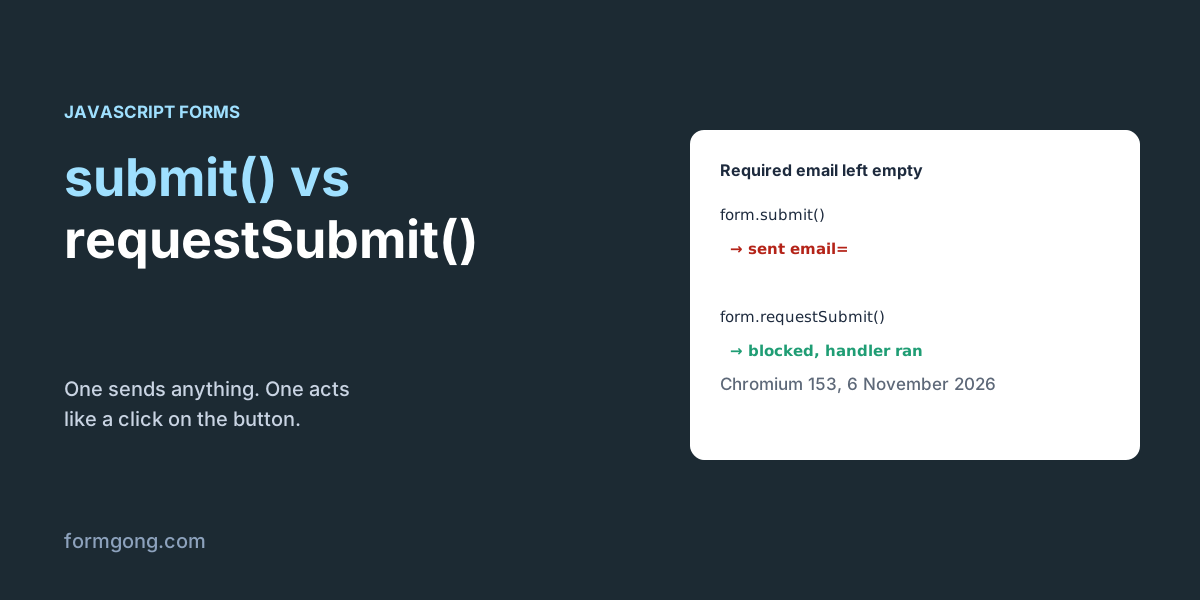
We left a required email empty and called form.submit(). The form went out with email= and no warning. requestSubmit() stopped it, ran our handler and sent the right button.
The short answer. form.requestSubmit() behaves like a click on the submit button: the browser checks required fields, fires the submit event so your handler runs, and can include a button's value. form.submit() does none of that; it sends the form as it is, straight away. Use requestSubmit() whenever your own code starts a submission, and keep submit() for forms you build in code and want sent without checks.
FormgongUpdated
form.submit() vs requestSubmit(): what submit() skips
What is the difference between submit() and requestSubmit()?
form.submit() is the old, blunt method. It sends whatever is in the form, without asking the browser to validate it and without firing a submit event. form.requestSubmit() was added later to do what a person does when they click Send, so everything you hung on the form's submit event still happens.
On 6 November 2026 we ran both against a local server in Chromium 153 and recorded what was sent:
Chromium 153, 6 November 2026.
form.submit()
form.requestSubmit()
Required field left empty
Sent anyway (email=)
Blocked, the browser showed its message
Your submit event listener
Skipped: the page navigated
Ran, so preventDefault() and fetch worked
Which button's name and value
None
None, or the one you pass: requestSubmit(save) sent action=save
A field named submit in the form
TypeError: f.submit is not a function
Worked
Form removed from the page
Canceled, with a console warning
Canceled, with a console warning
The first row is the one that causes real damage. Our form had <input type="email" name="email" required> left empty, and submit() sent it as email= with no message to the visitor. This is how invisible captcha code often lets empty forms through: the captcha callback calls form.submit(). Our article on invisible reCAPTCHA shows that case.
requestSubmit() also respects the settings a click would. When the form has novalidate, it sent the empty field just as submit() did. When you pass a button, that button's formaction, formmethod and formnovalidate apply: a form set to GET /post went out as a POST to /other because the button we passed said so, and a “Save draft” button with formnovalidate sent the form with the required field still empty.
Why does form.submit() skip my submit handler?
Because it was designed to. The submit event exists so a page can check or stop a submission that the visitor started. submit() is your own code, so the browser assumes you already did whatever you wanted to do.
That matters when your sending logic lives in the handler. In our test a handler that called preventDefault() and sent with fetch never ran after submit(): the browser did a normal post and left the page. The same form with requestSubmit() ran the handler, and fetch got its 200 while the visitor stayed on the page.
How do you send the value of a specific button?
Pass the button to requestSubmit(). With two buttons named action, requestSubmit(saveButton) sent action=save and fired the submit event with event.submitter set to that button. Neither submit() nor requestSubmit() without an argument sent any button value, and without an argument event.submitter was null.
The argument has to be a submit button inside that form. Chromium threw an error for anything else, and the text tells you which mistake you made:
“Inside” includes a button placed elsewhere on the page with form="order" pointing at the form. requestSubmit() accepted such a button in our test and sent its value.
A button that is not part of the form at all: NotFoundError: Failed to execute 'requestSubmit' on 'HTMLFormElement': The specified element is not owned by this form element.
An input that is not a submit button: TypeError: Failed to execute 'requestSubmit' on 'HTMLFormElement': The specified element is not a submit button.
If you send with fetch, pass the submitter on to new FormData(form, event.submitter) as in the code below, otherwise the button's value is lost on the way. If the buttons have different formaction values, read them with event.submitter.getAttribute("formaction"). The formAction property is a trap: on a button without the attribute it returned the page's own URL, not the form's action.
Two buttons, one handler, requestSubmit from code (HTML)
<form id="order" action="https://formgong.com/submit" method="POST">
  <input type="hidden" name="access_key" value="fk_your_access_key">
  <label>Email <input type="email" name="email" required></label>
  <button type="submit" name="intent" value="order">Order</button>
  <button type="submit" name="intent" value="quote" id="quote">Ask for a quote</button>
</form>

<script>
  const form = document.getElementById("order");

  // One place that sends the form, however it was started.
  form.addEventListener("submit", async (event) => {
    event.preventDefault();
    const data = new FormData(form, event.submitter); // keeps intent=order or intent=quote
    const response = await fetch(form.action, {
      method: "POST", body: data, headers: { Accept: "application/json" },
    });
    if (response.ok) form.reset();
  });

  // Somewhere else, for example after a captcha or a "Save and continue" link:
  // validates, fires the submit event above, and sends intent=quote.
  function sendAsQuote() {
    form.requestSubmit(document.getElementById("quote"));
  }
</script>
“submit is not a function” and “requestSubmit is not a function”
The first one has a single cause in practice: a field in the form is named submit, often the button itself, <button name="submit">. A form exposes its fields as properties, so form.submit now points to that button instead of the method. Chromium said TypeError: f.submit is not a function. Rename the field, or call requestSubmit(), which still worked in the same form. If you can't rename it and need the plain method, borrow it from the prototype: HTMLFormElement.prototype.submit.call(form) sent the form in our test.
“requestSubmit is not a function” usually means the variable is not a form element. A jQuery object is the common one: use $("#order")[0].requestSubmit() to reach the element inside it. It can also mean an old browser. MDN's compatibility data lists requestSubmit() from Chrome 76, Edge 79, Firefox 75 and Safari 16; if you support older Safari versions, check that typeof form.requestSubmit === "function" and fall back to clicking the submit button with button.click(), which also validates and fires the event.
Calling submit() or requestSubmit() inside the submit handler
A common pattern is: stop the submission, run an async check (a captcha, a duplicate email lookup), then send the form for real. If that last step is form.submit(), it works once, because submit() fires no event. In our test the form went out a single time, but without the clicked button's intent=order. If the last step is requestSubmit(), it fires the submit event again, your handler stops it again, and so on: our handler ran 20 times before the counter we added stopped it. Either guard it with a flag, or skip both and send with fetch from the handler, which is what the code above does.
Validation runs before the submit event, so with requestSubmit() you don't need to call reportValidity() first, and you should set any “Sending…” message inside the handler, not before the call: an invalid form never reaches the handler. The opposite case is a plain button with a click handler that sends with fetch. Nothing validates there, so call form.reportValidity() first. In our test it returned false and showed “Please fill out this field.” on the empty email.
Two more ways to send by accident: a <button> without a type inside a form is a submit button, so “Show password” or “Add row” buttons need type="button"; and Enter in a text field submits the form with the first submit button as event.submitter, as our Enter key test shows.
When is form.submit() still the right call?
When there is nothing to check and no handler to run. The usual case is a form you build in JavaScript only to make the browser do a POST, such as a redirect to a payment page with a few hidden values. Add that form to the page first: both methods refused to send a form that was not in the document, and Chrome logged “Form submission canceled because the form is not connected”.
Everywhere else, prefer requestSubmit(). It keeps one path for every way a form can be sent, the button, the Enter key and your own code, so validation and tracking can't be skipped by accident.
What Formgong receives in each case
Formgong answers according to what the request asks for. When your handler sends with fetch and Accept: application/json, you get JSON with success and can show your own message. When the browser posts the form itself, which is what submit() does, Formgong redirects with a 303 to its thank-you page or to the page you set. So if you expected JSON and the visitor landed on a thank-you page instead, something called submit() and bypassed your handler.
Server-side field checks work in both cases. Under Settings, then Protection, then Field checks you can mark the email as required, and Formgong refuses the empty post that submit() let through. The same account adds a help chat and a reviews widget to the site, so you can keep all three on one dashboard.
Seen a different result?
If submit() or requestSubmit() behaved differently in your browser or framework, tell us at support@formgong.com. We will rerun the test and add your case.
Frequently asked questions
Does form.submit() validate the form?
No. It skips required, type and pattern checks. In our test it sent an empty required email field.
Does form.submit() trigger the submit event?
No. Your submit listeners don't run. requestSubmit() fires the event, so they do.
Why do I get “form.submit is not a function”?
A field in the form is named submit and hides the method. Rename it or use requestSubmit().
Does requestSubmit() use the button's formaction?
Yes, when you pass the button: requestSubmit(button) applies its formaction, formmethod and formnovalidate and sends its name and value.
Should I use requestSubmit() or submit()?
Use requestSubmit() when your code sends a form a person filled in. Use submit() only for forms you build in code that need no checks.