What does the browser console say?
Elfsight's install code is two lines: a script, platform.js from elfsightcdn.com, and a div whose class carries the widget's ID. The script reads the ID, asks Elfsight's server for that widget and draws it inside the div. When the widget is missing, the console and the Network tab usually tell you which step failed, so open DevTools on the live page before you touch the code. This is what we saw on our test page, plus the cases Elfsight's help centre describes:
| What you see | Likely cause | Fix |
|---|---|---|
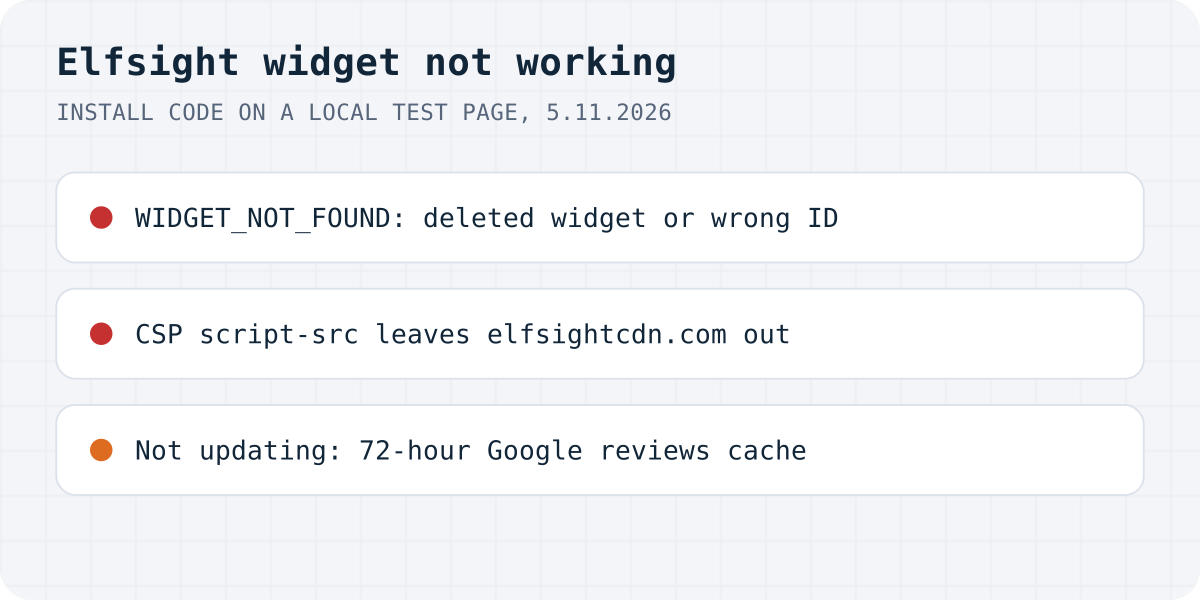
WIDGET_NOT_FOUND in the console | The widget was deleted, or the ID in the code is wrong | Copy the code again; Elfsight support can restore a deleted widget |
| “violates the following Content Security Policy directive” | Your site's CSP leaves Elfsight out | Allow *.elfsight.com and *.elfsightcdn.com |
ERR_BLOCKED_BY_CLIENT for platform.js | An ad blocker or privacy extension | Test in a private window, then whitelist *.elfsight.com |
| No error and no request to Elfsight at all | The code is missing or commented out | Search the page's Elements for “elfsight” |
| Gone for visitors, a message only you can see | The monthly view limit is used up | Wait for the refresh date or upgrade |
| Gone for everyone, crossed-out eye in the dashboard | Hide from Website is on | Show on Website in the three-dots menu |
| Shows only after you reload the page | The site loads content with AJAX, or is a single-page app | Put platform.js in the page's head |
| New Google reviews missing | The widget's 72-hour review cache | Wait; contact Elfsight after 72 hours |
| Demo reviews, or your edits are not live | Changes were not published | Click Publish in the widget editor |
Did you hit the monthly view limit?
If the widget worked for weeks and then disappeared, with no error and nothing changed on your side, look at the view counter first. Elfsight's article on its view limit counts a view “each time someone loads the page with your widget”. The limit is per month and applies to the whole app, not to one widget: two Google Reviews widgets, or one widget on ten pages, use up the same count. Past it, Elfsight deactivates the widget, and its help centre says visitors then see nothing, as though it was never installed.
You may be the only one who sees any sign of it. Elfsight says it sends several emails before the deactivation, and if you are logged in to Elfsight in the same browser, you see a deactivation message where the widget used to be. The widget comes back by itself on the next refresh date, or at once if you upgrade. The Views tab in the top right corner of each app shows how many views are left, the days until the reset and a forecast. Your own visits count too, unless you stay logged in to Elfsight on the browser and device where you work on the site.
We worked out how fast the free views run out, and which review widgets have no such limit, in Elfsight reviews widget not showing? Check the view limit.
Is the widget hidden or deleted?
Elfsight's own checklist for a widget that does not display starts in the dashboard. Every widget has a Hide from Website option. A hidden widget has a crossed-out eye icon next to it, and Show on Website in the three-dots menu brings it back.
A deleted widget is gone from the dashboard, and Elfsight says the console then shows WIDGET_NOT_FOUND. We got exactly that message with a made-up ID: platform.js loaded, asked core.service.elfsight.com for the widget, received WIDGET_NOT_FOUND and logged it as an error from eapps.Platform. So the same message also turns up when the ID has a typo, or when the code was copied from another account or an older widget. If you can't find the widget in your dashboard, Elfsight says its support team can restore it.
Is the install code still on the page?
Open DevTools on the published page, go to the Elements tab, press Ctrl+F (Cmd+F on a Mac) and search for elfsight. Elfsight suggests this check because the code can be removed by accident or during a site update. If the search finds the code between <!-- and -->, it is commented out; delete the comment marks.
Commented-out code is the quiet case. On our test page it sent no request to Elfsight and printed nothing in the console, so a clean console does not prove the widget is installed. Search the page your visitors open, not the editor's preview.
Is the script blocked?
When the code is there and the widget still does not appear, Elfsight points at browser extensions and at your site's Content Security Policy. We tested both.
With an ad-blocker-style block on Elfsight's domain, Chrome logged net::ERR_BLOCKED_BY_CLIENT for platform.js and the div stayed empty. Open the site in a private window with extensions off. If the widget shows there, Elfsight's advice is to turn the extension off for your site or to whitelist *.elfsight.com in it. You can do that for yourself, not for your visitors, so some people with ad blockers will not see the widget whatever you do.
With script-src 'self' 'unsafe-inline' on the page, Chrome refused the script before any request left the browser: “Loading the script 'https://elfsightcdn.com/platform.js' violates the following Content Security Policy directive”. Elfsight's fix is to allow scripts from *.elfsight.com and *.elfsightcdn.com. Merge those into the policy you already have rather than replacing it. If you never set a CSP yourself, a security plugin, your CDN or your host may be sending one: in the Network tab, click the page itself and look for content-security-policy under Response Headers.
Elfsight's article lists only the script sources. If your policy also limits connect-src, img-src or frame-src, the widget can get past the script check and fail at the next one. The console names the directive in each error, so fix them one at a time.
Content-Security-Policy:
  script-src 'self' *.elfsight.com *.elfsightcdn.com
Does it show only after you reload the page?
Elfsight has a help article for this one. Its widgets load after the rest of the page, so they don't slow it down, and on sites that load content with AJAX that can keep the platform from starting at all. The fix Elfsight gives is to move the first line of the install code, the platform.js script, into the page's <head> and leave the div where it is. On Squarespace that means Code Injection, Header. For single-page apps, Elfsight says this fix will not work and asks you to contact its support team for a different install method.
A widget added late is not the problem by itself. On our test page we inserted the widget's div four seconds after the page had loaded, with platform.js already running, and the platform noticed it and requested the widget for the new ID. What Elfsight describes is the platform never starting, so the head fix is the first thing to try.
Why is the Elfsight widget not updating?
There are two different problems behind “not updating”: new Google reviews that do not appear, and your own changes that do not appear.
For the Google Reviews widget, Elfsight's help centre says the widget checks your Google source for new reviews every 72 hours and shows reviews from its cache in between. A review posted this morning can take up to three days to appear. The cache sits on Elfsight's side, so pasting the code again will not bring it sooner. Elfsight asks you to contact support if a review is still missing after 72 hours, and says support can check whether a shorter cache interval is available for your source.
Two settings keep reviews out for good. Elfsight says the widget initially collects up to 100 of your most recent Google reviews, so older ones may never appear. Filters such as a minimum rating or “Show reviews only with text” hide the rest; they are under Settings, Filters.
If your design changes are not on the site, or the widget shows reviews of a business that isn't yours, the changes were not published. New widgets show demo reviews until you add your business and click Publish in the editor. After publishing, clear your browser cache and reload before you decide it did not work.
Popup or chat widget not appearing?
For Popup, Age Verification, Spinning Wheel and floating chat layouts, Elfsight's checklist adds the widget's own display rules. In the Settings tab, check that the page you are on is in the Pages list, that your device type is enabled, that you match the Visitors setting (new or returning), and that the Date and Time schedule covers now. A popup also needs at least one trigger. With every trigger off, it never opens.
How this works with Formgong
Formgong's review widget has no view limit on any plan, so it stays on your pages however busy the month gets. Approved reviews are served from a cache that lasts 60 seconds, so a review you approve is on your site about a minute later.
Setup is one div and one script tag. Put the div in the page before the script tag, and if your site sets a Content-Security-Policy, add https://formgong.com to script-src, connect-src, img-src and media-src. The Check step on the Widget tab looks for the widget on your published page and tells you what it found, and Review widget not showing goes through each case.
The reviews come from your own customers: a review link, a form on your site or an email after each order, with photo, video and voice reviews on the free plan. You approve each one before it shows, or pick a publishing mode. Reviews you already have in Judge.me, Yotpo, Loox, WooCommerce, Etsy or a CSV file can be imported.
The same Formgong account also runs contact forms that email you and post to Telegram, an AI help chat that answers visitors from your own pages, and free website templates with the form already connected.
Still not showing?
Which line did your console show, or was it the view limit after all? Write to support@formgong.com and tell us what you see. If it is a case we have not covered, we will check it and add it here.
Frequently asked questions
Why is my Elfsight widget not working?
Open the browser console. WIDGET_NOT_FOUND means the widget was deleted or the ID in the code is wrong; a Content Security Policy error or ERR_BLOCKED_BY_CLIENT means the script was blocked. No error usually means the monthly view limit or Hide from Website.
Why is my Elfsight Google Reviews widget not updating?
Elfsight's help centre says the Google Reviews widget checks for new reviews every 72 hours and shows cached reviews in between. If a review is still missing after 72 hours, Elfsight asks you to contact support. The widget also collects only up to 100 of your most recent reviews at first.
Why does my Elfsight widget show only after a page refresh?
Elfsight says sites that load content with AJAX can keep its platform from starting. Move the platform.js line of the install code into the page's head and leave the div where it is. For single-page apps, Elfsight asks you to contact its support.
Which domains does Elfsight need in a Content Security Policy?
Elfsight's help centre lists *.elfsight.com and *.elfsightcdn.com for scripts. If your policy limits other directives too, the console names the next one that blocks the widget.
Sources and documentation
Official references for this guide: Elfsight: Why my widget isn't displayed on my website, Elfsight: View limit, everything you need to know, Elfsight: Why my widget has been deactivated, Elfsight: Why my widget doesn't display until page refresh, Elfsight: Why my Google Reviews widget doesn't update, Elfsight: Troubleshooting issues with your Google Reviews widget. Review widget not showing, where data is stored.