Contact Form 7 has no webhook setting
You want each message from your Contact Form 7 form to go somewhere besides your inbox: a Zap, a Make scenario, an n8n workflow, a CRM, or a script of your own. Contact Form 7 can only send email, so the webhook has to come from outside it. You either install a plugin that adds a Webhook tab to every form, or you add a small piece of PHP that runs each time a form is sent.
On 10 November 2026 we tried both on a throwaway WordPress 7.1.3 with Contact Form 7 6.2.5. The plugin was CF7 to Webhook 5.1.0, which had more than 30,000 active installs that day, far ahead of any other CF7 webhook plugin on WordPress.org. The other end was a small server of ours that writes down every request exactly as it arrives. We could make it answer normally, answer with an error, take 30 seconds, or vanish, so we saw what your endpoint receives and also what your visitor and you see when that endpoint has a bad day.
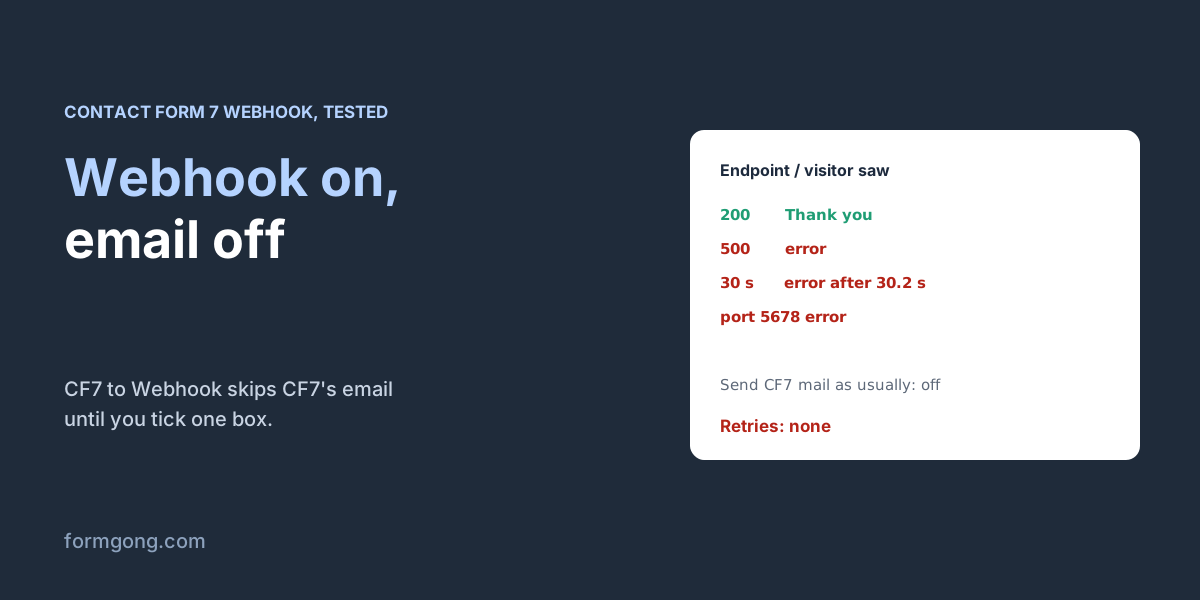
Both ways delivered the fields cleanly. Where they part is what happens when something goes wrong. The plugin stopped Contact Form 7's own email until we ticked a box, and it told visitors their message had failed whenever the endpoint did, even after the message had been emailed. The PHP version never bothered the visitor, but it only told the server's error log. Neither one sends the request again if the first try fails.
Setting up CF7 to Webhook
Install CF7 to Webhook from Plugins → Add New and activate it. Open your form under Contact → Contact Forms and you'll find a new Webhook tab next to Mail. Tick “Send to Webhook”, paste the address your automation tool gave you into “Webhook URL” and save. In Zapier that is the URL of a Catch Hook trigger, in Make a custom webhook, and in n8n the Webhook node's production URL. One URL per line sends the same submission to several places.
Before you save, look a little further down the same tab at “Send CF7 mail as usually”. It is off by default, and while it is off the plugin tells Contact Form 7 to skip its email. On our test site, the first message sent with the webhook switched on reached the endpoint, and nobody got an email at all. If email is how you find out about new messages today, tick that box.
Then send one real test from the live page in a private window, not from the form editor. Zapier, Make and n8n all show the sample they caught, and that sample is what you map fields from in the next step.
What your endpoint receives
This is the request CF7 to Webhook sent for our test form, which had a name, an email, a phone number, a checkbox group, a drop-down, a message and a file upload. The headers and body are as our server logged them; we only added line breaks to the JSON.
POST /ok HTTP/1.1
Host: hooks.capture.test
User-Agent: WordPress/7.1.3; http://olive-bakery.test:18211
Content-Type: application/json; charset=UTF-8

{
  "your-name": "Emily Carter",
  "your-email": "emily.carter@example.com",
  "your-phone": "+1 555 0100",
  "interests": ["Cakes", "Coffee"],
  "pickup": "Saturday",
  "your-message": "Hi, can I order a lemon cake for 12 people? \"Happy birthday, Zo\u00eb\" on top.",
  "cake-photo": "http:\/\/olive-bakery.test:18211\/wp-content\/uploads\/cf7-to-webhook-uploads\/5\/7dec8c746a1da3a191320e706acef346\/cake-photo-wp-hooktest-cake.txt"
}
The keys are the names in your form tags, your-name and your-email, not the labels your visitors see. That is what you'll map in Zapier or match in your own code. If you'd like cleaner keys, the plugin reads a webhook: option on the tag, so [email* your-email webhook:email] arrives as email while the Mail tab keeps working with [your-email]. A checkbox group always arrives as a JSON array, even with one box ticked, and a drop-down arrives as a plain string. The \u00eb and \/ are ordinary JSON escapes, and any JSON parser turns them back into ë and /.
Some things you might expect aren't there. There's no form name, page address or date unless you add Contact Form 7's special mail tags, such as [_url] or [_date], to the plugin's Special Mail Tags box. There's no signature either. The only hint of who sent the request is the User-Agent with your site's address, and anyone can type that.
The file came through as a link. The plugin copied the upload into wp-content/uploads/cf7-to-webhook-uploads/ and sent a link to the copy. We opened that link without logging in and the file downloaded. Nothing in the plugin deletes these copies: after our tests the folder held 13 of them, one for every submission, including the ones whose webhook failed. The folder names are long and random, so nobody will stumble on them, but each link works for whoever has it, and it travels through every service your webhook passes through. If people send you CVs or ID scans, clear that folder regularly, or tick “Send content”, which by the plugin's code sends the file itself as base64 instead of a link.
When the endpoint fails, your visitor sees an error
CF7 to Webhook makes its request while the visitor waits for the form's answer, right after Contact Form 7 has sent its email, and it waits up to 30 seconds for your endpoint. Here is what that looked like when we broke the endpoint in different ways.
| What we did to the endpoint | What the visitor saw | What the site owner got | Did the webhook arrive? |
|---|---|---|---|
| Answered normally | “Thank you for your message. It has been sent.” | The form email | Yes |
| Answered 500 | “There was an error trying to send your message. Please try again later.” | The form email and an error email: “Webhook returned a error code.” | Yes, and it was refused |
| Took 30 seconds to answer | The same error, after 30.2 seconds of waiting | The form email and “cURL error 28: Operation timed out after 30002 milliseconds with 0 bytes received” | Yes, but the plugin gave up |
| URL on port 5678, n8n's default | The same error | The form email and “A valid URL was not provided.” | No |
| Host name that doesn't resolve | The same error | The form email and “A valid URL was not provided.” | No |
| Endpoint fine, but the site's own email broken | The same error | Nothing | No |
Whenever the request failed, the visitor read that their message hadn't gone through, although in four of those five cases you had already received it by email. A visitor who believes the error sends the form again, and you get the same enquiry twice, in your inbox and later in your CRM. If you'd rather your visitors always see the thank-you message, the plugin has a filter for that, shown below. With it in place, our endpoint answered 500, the visitor read “Thank you for your message. It has been sent.”, and the error email still came. That email is now your only sign that something broke, so make sure it goes to an address you read. It goes to the site's admin email unless you change the Notification field under Errors.
Read it closely when you're debugging. The subject reads “[Your site] Webhook Error on Form #5 - Order enquiry”, and the body has the URL, the error, the full request including the visitor's message, and your endpoint's answer. The three errors we saw mean different things. “Webhook returned a error code.” means your endpoint answered with something other than 200, 201, 202, 204 or 205, which you can change under Success Codes. “cURL error 28” means it didn't answer within 30 seconds. “A valid URL was not provided.” comes from WordPress itself, before any request is made, and it covers more than typos.
The plugin sends through WordPress's “safe” request function, which refuses addresses on private networks, such as localhost, 192.168.x.x or a Docker container on the same machine, any port other than 80, 443 and 8080, and host names that don't resolve. n8n listens on port 5678 by default, so a self-hosted n8n URL like https://n8n.example.com:5678/webhook/… fails with that message. Put n8n behind a normal HTTPS address on port 443. For a trusted host on your own network, the plugin's FAQ shows the http_request_host_is_external filter that lets WordPress reach it.
On a site whose email is already flaky, it gets worse. CF7 to Webhook only runs after Contact Form 7 reports the email as sent. When we switched off the test site's mail server, Contact Form 7 showed its error and the webhook never left. So if you hoped the webhook would be your backup for unreliable email, this plugin can't be it. Fix the email first, as in our guide to WordPress contact forms not sending email, or use the PHP version below, which doesn't depend on it.
<?php
// wp-content/mu-plugins/cf7-webhook-quiet.php
// CF7 to Webhook: show the visitor the normal thank-you even when the webhook fails.
// The plugin still emails you the error.
add_filter( 'ctz_trigger_webhook_error_message', '__return_empty_string' );
Without a plugin: a 20-line hook
If you can put a file on the server, this does the same job and fails more politely. Save it as wp-content/mu-plugins/cf7-webhook.php, creating the mu-plugins folder if it isn't there, and change the URL. WordPress runs everything in that folder on every request, so there's nothing to activate, and a theme update can't remove it.
It hooks wpcf7_before_send_mail, which Contact Form 7 runs after it has validated the form and checked it for spam, and before it sends the email. With our mail server switched off, this version still delivered the webhook, while the same code on wpcf7_mail_sent sent nothing. A message Contact Form 7 flagged as spam, which we triggered with WordPress's Disallowed Comment Keys list, never reached the hook at all.
The body it sent was nearly the same as the plugin's:
{
  "your-name": "Emily Carter",
  "your-email": "emily.carter@example.com",
  "your-phone": "+1 555 0100",
  "interests": ["Cakes", "Coffee"],
  "pickup": ["Saturday"],
  "your-message": "Hi, can I order a lemon cake for 12 people? \"Happy birthday, Zo\u00eb\" on top.",
  "cake-photo": "eacbdc5fd928fd0f6768aad1a786623ce4015d96571026a4bd1000a4ee88afcf",
  "form": "Order enquiry",
  "page": "http:\/\/olive-bakery.test:18211\/contact\/"
}
Two things differed. The drop-down arrived as an array, ["Saturday"], because that is how Contact Form 7 stores it. And the file field arrived as a long hash, Contact Form 7's fingerprint of the upload, not as the file. Contact Form 7 deletes uploads once its email is sent, so forwarding a file means reading it from $submission->uploaded_files() inside this hook and sending or storing it there. We didn't test that part.
When we broke the endpoint, the visitor saw “Thank you for your message. It has been sent.” every time, and the email went out every time. The only trace was a line in PHP's error log: CF7 webhook failed: 500, or cURL error 28: Operation timed out after 5002 milliseconds with 0 bytes received, or cURL error 7: Failed to connect to … port 80 after 2 ms: Could not connect to server. With a 30-second endpoint the visitor waited 5.17 seconds, because the code gives up after 5. Keep that timeout short, since every second is a second your visitor watches a spinner.
You'll find advice to add 'blocking' => false so the visitor doesn't wait. On our server it didn't help: the form still took as long as the timeout, and you lose the answer that tells you whether the request worked. This version also has no URL check, so port 5678 and private addresses worked fine. That's convenient for a self-hosted n8n, and a reason to hard-code the URL rather than read it from anything a visitor can change.
<?php
// wp-content/mu-plugins/cf7-webhook.php
// Sends every Contact Form 7 submission to a URL as JSON, before CF7 sends its email.
add_action( 'wpcf7_before_send_mail', function ( $contact_form ) {
	$submission = WPCF7_Submission::get_instance();
	if ( ! $submission ) {
		return;
	}
	$data         = $submission->get_posted_data();
	$data['form'] = $contact_form->title();
	$data['page'] = $submission->get_meta( 'url' );

	$response = wp_remote_post( 'https://hooks.example.com/contact-form', array(
		'headers' => array( 'Content-Type' => 'application/json' ),
		'body'    => wp_json_encode( $data ),
		'timeout' => 5,
	) );
	if ( is_wp_error( $response ) || wp_remote_retrieve_response_code( $response ) >= 300 ) {
		error_log( 'CF7 webhook failed: ' . ( is_wp_error( $response )
			? $response->get_error_message() : wp_remote_retrieve_response_code( $response ) ) );
	}
} );
Make sure the request came from your site
Neither way signs the request, so anyone who finds the URL can post fake “submissions” to it. A Zapier or Make URL is long and hard to guess, which is usually enough for a newsletter sign-up. For your own endpoint, or anything that creates records in a CRM, add a long random value as a header and have the receiving side refuse requests without it.
In CF7 to Webhook, headers go in the Headers box under Advanced settings, one per line, like X-Api-Key: 6f1c…. In the PHP version, add it to the headers array. Pick the name with care if you use the plugin, because its error email prints every request header and hides only a few by name: Authorization, X-Api-Key, Api-Key, X-Auth-Token and Cookie. A secret in a header called anything else ends up in plain text in your inbox the first time the endpoint fails.
A shared header proves the sender knows the secret. It doesn't protect the body. If you need that, or you're receiving from a service that signs its webhooks, our guide to verifying a form webhook signature shows the check.
Nothing is sent again
We looked through the plugin's code and ran both versions against a dead endpoint: neither tries a second time. A webhook that fails because your endpoint was down for a deploy, or because Zapier had a slow minute, is gone as far as the webhook is concerned. The message itself survives in the form email, if you kept it switched on, and in the plugin's error email, which carries the full request body, so you can re-send it by hand. Contact Form 7 keeps no copy of its own; its companion plugin Flamingo stores every message in WordPress if you want one. Our guide to form webhooks that fail covers the receiving side: answering fast, returning 2xx only when you've stored the data, and spotting duplicates.
If you'd rather have retries and a copy of every message
You can also keep Contact Form 7 for the form and let a form backend do the delivery. With Formgong, you point the same PHP hook at https://formgong.com/submit, add one line, $data['access_key'] = 'fk_your_access_key';, with your form's key, and send the header Accept: application/json. Formgong keeps every submission in an inbox, emails you, and sends its own webhook to Zapier, Make, n8n or your endpoint. Those requests carry an X-Signature header, and a failed one is tried up to five times over about 40 minutes. The payload and the signature check are in the webhook docs.
We sent three test submissions this way from the test site. The hook above got 200 with {"success":true,…} in under a second, and the message was in the inbox, not flagged as spam. CF7 to Webhook works too, with its Body field. Our first try had "interests": "[interests]" in quotes; the plugin pastes a checkbox group as a list, so the quotes broke the JSON, the plugin quietly sent it as plain text, and Formgong refused it with 415. Without the quotes, "interests": [interests], it went through. The plugin's own help text says the same about checkbox fields, in small print.
Two form settings matter for posts that come from your server rather than a browser. With Turnstile switched on for the form, they fail, because a server has no Turnstile token to send. With allowed domains set, send an Origin header with your site's address. The Formgong plugin for WordPress also gives you a form block and a shortcode if you'd rather not keep Contact Form 7 at all.
What did yours send?
If your endpoint got something different from what we saw, or you hit an error we didn't, write to support@formgong.com with the plugin version and the error line. When it's a case we haven't covered, we set it up on a test site and add it to this page.
Frequently asked questions
Does Contact Form 7 have a webhook option?
No. Contact Form 7 only sends email. You add a webhook with a plugin such as CF7 to Webhook, which puts a Webhook tab on each form, or with a few lines of PHP on the wpcf7_before_send_mail hook that post the fields with wp_remote_post.
Why did my Contact Form 7 emails stop after I added a webhook?
CF7 to Webhook's “Send CF7 mail as usually” setting is off by default, and while it's off the plugin tells Contact Form 7 to skip its email. Tick it in the form's Webhook tab. In our test the webhook arrived and no email was sent until we did.
Why does my form say “There was an error trying to send your message” after adding a webhook?
CF7 to Webhook shows that message whenever the webhook fails: an error answer, no answer within 30 seconds, or a URL WordPress refuses. The email has usually gone out already. The plugin's error email to the site admin names the cause.
Why won't CF7 to Webhook send to my n8n or localhost URL?
It sends through WordPress's safe request function, which rejects private addresses and ports other than 80, 443 and 8080, with the error “A valid URL was not provided.” n8n's default port is 5678. Use an HTTPS address on port 443, or allow a trusted host with the http_request_host_is_external filter.
Does CF7 to Webhook retry failed webhooks?
No. It makes one request and, if that fails, emails the site admin the error and the full request. The PHP hook in this article doesn't retry either. Keep the form email on, or a copy in Flamingo, so a failed webhook doesn't cost you the message.
Sources and documentation
Official references for this guide: Formgong: form webhook fails, Formgong: verify a form webhook signature, Formgong: WordPress contact form not sending email. Webhooks, where data is stored.