Best WordPress contact form plugin: 10 free plugins by the numbers
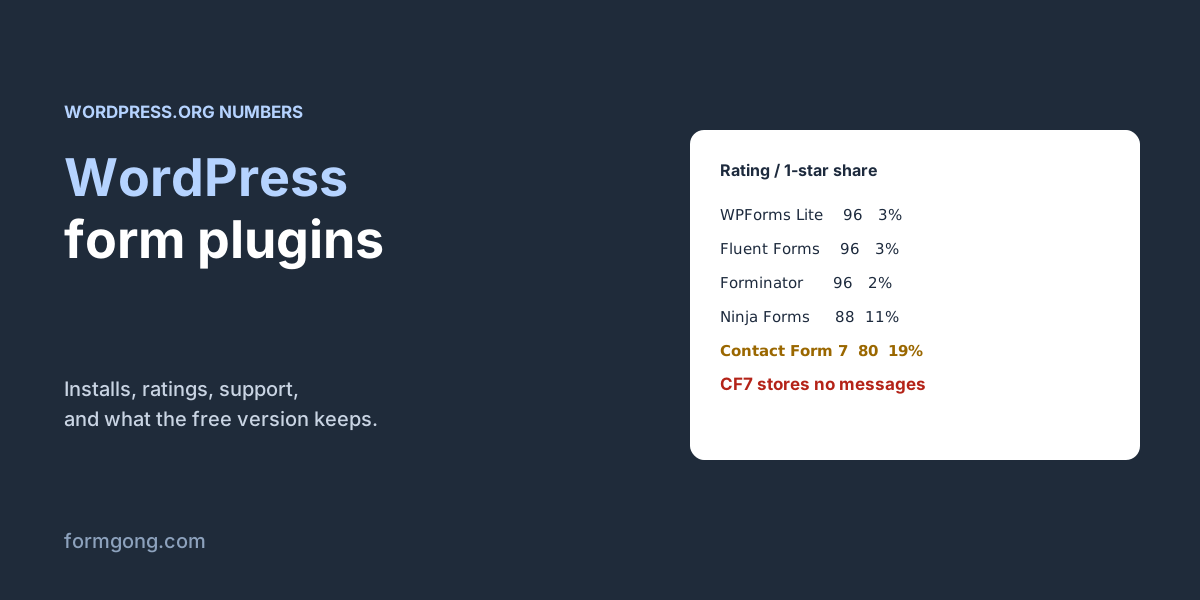
Contact Form 7 has the most installs, 10 million, but 19% of its ratings are one star and it keeps no copy of your messages. We read the numbers for ten free plugins.
The short answer. For most sites, WPForms Lite or Fluent Forms: both are rated 96 out of 100 on WordPress.org, from many ratings, and their teams resolved 14 of 19 and 9 of 9 support threads in the last two months. Pick Forminator or Ninja Forms if you want submissions saved in WordPress for free, and Forminator if you also need file uploads without paying. Contact Form 7 has the most installs, but it keeps no copy of messages without a second plugin and now asks for PHP 8.3.
Formgong
Best WordPress contact form plugin: 10 free plugins by the numbers
The numbers, from WordPress.org
We read the WordPress.org plugin directory for the ten most installed free contact form plugins on 6 November 2026. Every figure below comes from the directory's public data, so you can check it on each plugin's page. We make Formgong, which is not a WordPress plugin; it is a form backend that a WordPress form can post to, and we come back to it at the end.
WordPress.org plugin directory, read on 6 November 2026. Rating out of 100 with the number of ratings in brackets; one-star column is the share of those ratings; PHP is the minimum the current version asks for; support is threads marked resolved in the last two months.
Plugin
Active installs
Rating
1-star
Last update
Min. PHP
Support resolved
Contact Form 7
10,000,000+
80 / 100 (2,186)
408 (19%)
29 Oct
8.3
27 of 86
WPForms Lite
5,000,000+
96 / 100 (14,389)
367 (3%)
5 Nov
7.2
14 of 19
Jetpack (forms are one module)
3,000,000+
74 / 100 (2,409)
584 (24%)
3 Nov
7.4
56 of 63
Fluent Forms
800,000+
96 / 100 (808)
22 (3%)
2 Nov
7.4
9 of 9
Forminator
600,000+
96 / 100 (2,147)
45 (2%)
2 Nov
7.4
52 of 69
Ninja Forms
500,000+
88 / 100 (1,398)
150 (11%)
2 Nov
7.4
6 of 10
MetForm (needs Elementor)
500,000+
94 / 100 (509)
27 (5%)
2 Nov
7.4
3 of 5
Formidable Forms
300,000+
96 / 100 (1,389)
54 (4%)
16 Oct
7.0
1 of 1
Everest Forms
90,000+
98 / 100 (375)
8 (2%)
5 Nov
7.2
1 of 1
HappyForms
20,000+
88 / 100 (433)
51 (12%)
5 Oct
7.0
0 of 1
Gravity Forms is missing because it isn't in the WordPress.org directory, so there are no public installs or ratings to compare. Our Gravity Forms alternative article covers it separately.
How to read the table
Installs tell you what is safe, not what is good. Contact Form 7's 10 million installs mean it works with almost every theme and that answers to most questions already exist online. They don't mean people like it: of its 2,186 ratings, 408, or 19%, are one star. WPForms Lite has a third of the installs and 14,389 ratings, of which 367, under 3%, are one star.
Look at the number of ratings behind the score. Everest Forms has the highest score, 98 out of 100, from 375 ratings. That's a good sign, but a much smaller sample than WPForms' 14,389.
Support resolved is a rough signal. It counts forum threads the plugin team marked resolved in the last two months. Fluent Forms resolved 9 of 9 and WPForms 14 of 19. Contact Form 7 resolved 27 of 86. That partly reflects how many people use it, but it also tells you how likely you are to get an answer in the free forum.
Check the PHP line before you update. The current Contact Form 7 asks for PHP 8.3; all the others accept 7.0 to 7.4. If your host still runs an older PHP, WordPress won't install the update.
What do the free versions keep and include?
We read each plugin's description on WordPress.org for the three things people most often find missing after setup.
Copies of messages. Contact Form 7 only sends an email. Its own companion plugin, Flamingo, describes Contact Form 7 as a plugin “which doesn't store submitted messages”, so if the email is lost, the message is gone unless you install Flamingo too. Ninja Forms says “Every submission is saved to your WordPress database.” Forminator says it “stores and organizes submissions”. Fluent Forms lists exporting and filtering entries among its free features.
File uploads. Free in Forminator, whose field list includes file upload. Paid or an add-on in WPForms (“Pro, which comes with … file uploads”), Fluent Forms (listed under the Pro version) and Ninja Forms (“add-ons rather than part of the free plugin”).
Logic and payments. Showing a field only for some answers is free in Fluent Forms, which lists “smart conditional logic” among its free features, and in Forminator. WPForms Lite lists conditional logic and multi-page forms under Pro, and Ninja Forms sells conditional logic and multi-step forms as add-ons. For taking money, Forminator says Stripe and PayPal “come included” with “no Pro upgrade required”, and Fluent Forms added payment fields for free users in version 6.0. Contact Form 7's description mentions neither.
Spam protection. All of them offer something. WPForms, Forminator, Fluent Forms and Ninja Forms name Cloudflare Turnstile alongside reCAPTCHA and hCaptcha; Ninja Forms and Forminator also mention a honeypot and Akismet. Jetpack uses Akismet for form responses. Check Akismet's terms before relying on it: its plans page offers the personal plan “for personal sites” and points commercial sites to a paid plan, so a business site shouldn't run on the personal one. If you use reCAPTCHA, read our comparison of Turnstile, reCAPTCHA and hCaptcha first; they differ in what they load and what they ask of visitors. Our test of spam protection without a captcha shows what a honeypot alone catches.
What about GDPR?
A contact form plugin is not compliant or non-compliant by itself; what you do with the messages is. Two things are worth checking in the plugin. First, where the messages end up: a plugin that saves entries, like Ninja Forms or Forminator, puts personal data in your WordPress database, so you need to be able to find a person's messages and delete them when asked, and to delete old ones you no longer need. Second, whether it gives you a consent field for when you need one: Fluent Forms has a “GDPR Agreement” field and Forminator lists “GDPR-friendly opt-ins”. For an ordinary contact form, a short notice under the form saying what you do with the message is usually the part people forget. Our article on which forms need what under GDPR has texts you can copy.
Which plugin should you pick?
For a simple contact form on a business site, WPForms Lite or Fluent Forms: high scores from many ratings, active support, and a drag-and-drop editor. If having every message stored in WordPress matters, and it should, because email gets lost, Ninja Forms and Forminator do it in the free version. Forminator is also the one to try if you need an upload field without paying.
Contact Form 7 still makes sense when you like writing the form's markup by hand, or when a theme or plugin you rely on is built around it. Add Flamingo for stored copies, and see our Contact Form 7 vs WPForms comparison and the fix for “There was an error trying to send your message”. If you already build pages with Elementor, MetForm works inside it.
Setting any of them up takes the same three steps: install the plugin from the Plugins screen, build the form from one of its templates, and put it on a page with the plugin's block or shortcode. Then send yourself a test message from the live page, because that is where the mail problem below shows up.
The problem no plugin solves on its own
Every one of these plugins hands the email to WordPress, and WordPress sends it through your host. That is where most “the form says sent but nothing arrives” reports come from: the host's mail server is not trusted by Gmail or Outlook, or it isn't allowed to send for your domain. The usual fix is an SMTP plugin or a mail service on top of the form plugin. Our guides to WPForms not sending email and contact form emails going to spam walk through it.
When you don't need a plugin at all
If the site needs one contact form, you can skip the plugin. A WordPress page can hold a plain HTML form in a Custom HTML block, and the form can post to a form backend that stores each message and sends it to you. Formgong works this way. It keeps every submission, emails it from its own mail setup instead of your host's, can send it to Telegram as well, and filters spam with a hidden field and server checks. The free plan covers 250 submissions a month and three recipients. You get the form code from our free form builder, which copies your site's colours and font. Our guide to a WordPress contact form without a plugin has the steps.
What you give up is the drag-and-drop editor inside WordPress: you edit the form as HTML or rebuild it in the form builder. If your site has many forms that editors change every week, a plugin from the table fits better. The same Formgong account also adds an AI help chat and a reviews widget, which on WordPress otherwise means two more plugins.
Which one do you use?
If you have run one of these plugins for a while, tell us at support@formgong.com what you liked and what broke. We read every reply and will add what we learn to this page when we update the numbers.
Frequently asked questions
What is the best free contact form plugin for WordPress?
WPForms Lite and Fluent Forms both score 96 out of 100 on WordPress.org, from 14,389 and 808 ratings. Choose Forminator or Ninja Forms if you want submissions stored in WordPress for free.
Does Contact Form 7 save submissions?
No. It only sends an email. Its companion plugin Flamingo stores the messages in WordPress.
Which WordPress form plugin has free file uploads?
Of the plugins we read, Forminator includes a file upload field in the free version. WPForms, Fluent Forms and Ninja Forms put uploads in a paid version or add-on.
Can I add a contact form to WordPress without a plugin?
Yes. Paste an HTML form into a Custom HTML block and post it to a form backend such as Formgong, which stores and emails each submission.