Why do dropdown answers go missing?
A customer picks three extras from your order form, and the email shows one. Another skips the size dropdown, and you get “Small” because it was the first option. A third never sees your gift wrap question, and the answer is not just blank but missing altogether. None of these is a bug in the browser. Each one follows from how a <select> turns into data when the form is sent.
We built one form with every common dropdown variant, chose options in Chromium with the mouse, holding Ctrl for several choices as a person does, and posted it to a local copy of Formgong's form backend. Then we sent the same form to PHP and through fetch, because that is where multiple choices usually get lost.
What does a dropdown send?
The rule is short. The browser sends name=value for the selected option. If the option has no value attribute, its text is sent instead, with extra spaces tidied. A disabled option is never sent, and an <optgroup> label is only a heading on screen.
| Case | What was sent |
|---|---|
| Nothing touched, no placeholder | The first option, size=s |
Nothing touched, placeholder with value="" | colour=, an empty answer |
Nothing touched, placeholder disabled selected | Nothing: the name was missing from the request |
| Options without a value attribute | The option's text with the spaces and line break tidied: Starter kit |
| Required, empty placeholder, nothing chosen | Blocked: “Please select an item in the list.” |
Required, placeholder with value="none", nothing chosen | Not blocked: glaze=none was sent |
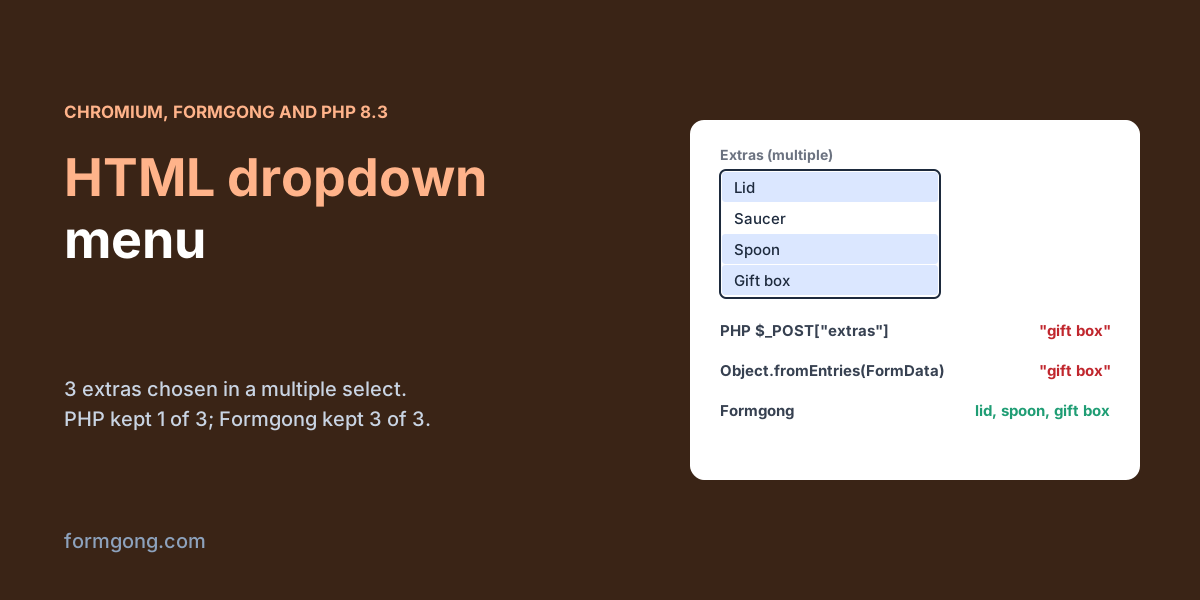
| Multiple, 3 options chosen | extras=lid&extras=spoon&extras=gift+box; Formgong stored “lid, spoon, gift box” |
| Multiple, required, nothing chosen | Blocked by the browser |
| Multiple, nothing chosen, not required | Nothing: the name was missing from the request |
| Input with a datalist, a city not in the list typed | Sent as typed: city=Manchester |
| Option value changed in the page, then chosen | Sent and stored: xxl-free-upgrade |
Two rows matter most. A dropdown with no placeholder always sends something, so a visitor who skipped it looks exactly like one who chose the first option. And a placeholder marked disabled selected sends nothing at all, so the field disappears from the request. If your server or email template expects every field to be present, that one can surprise you. Give every option a short, stable value, so you can rename “Small” on screen later without breaking your spreadsheet.
How do you make someone choose?
Add required and make the first option a placeholder with an empty value, <option value="">Choose a size</option>. In our test that blocked the form with “Please select an item in the list.” until a real choice was made.
The empty value is what makes it work. Our second required dropdown had a placeholder with value="none", and the browser treated “Choose a glaze” as a perfectly good answer and sent glaze=none. Required only refuses the placeholder when its value is empty. Our checklist for an accessible contact form explains why the placeholder should not replace a visible label.
What happens when people can choose several options?
With multiple, the browser sends the same name once for each choice: extras=lid&extras=spoon&extras=gift+box. What arrives depends entirely on the code that reads it.
| Receiver | What it kept |
|---|---|
Formgong, name="extras" | “lid, spoon, gift box”, 3 of 3 |
Formgong, name="addons[]" | “lid, saucer” under the name addons[], 2 of 2 |
PHP 8.3, name="extras" | “gift box”, 1 of 3: only the last choice |
PHP 8.3, name="addons[]" | ["lid","saucer"], 2 of 2 |
fetch, JSON from Object.fromEntries(new FormData(form)) | “gift box”, 1 of 3 |
fetch, the FormData itself | “lid, spoon, gift box”, 3 of 3 |
fetch, JSON with data.getAll("extras") as an array | “lid, spoon, gift box”, 3 of 3 |
PHP keeps only the last value of a repeated name unless the name ends in [], which is why so many tutorials tell you to write name="extras[]". That advice is about PHP, not HTML. The same trap appears in JavaScript, where Object.fromEntries(new FormData(form)), the usual way to turn a form into JSON, kept 1 of 3 choices. Send the FormData itself, or build the array with getAll(). Our article on the form action attribute covers when to post the form directly and when to use fetch.
A multiple select is also hard to use. Many people do not know about Ctrl-click, and on a laptop trackpad it is fiddly. For up to seven or eight options, a group of checkboxes with the same name sends exactly the same data and everyone knows how to use it.
Can visitors send a value that is not in the list?
Yes. A dropdown limits what people can click, not what reaches your server. We changed one option's value in the page, chose it and sent the form, and size=xxl-free-upgrade arrived and was stored. A script posting to your endpoint does not need the page at all. If an answer affects a price, a stock count or who gets the message, check it against your own list on the server before you act on it. Our guide to sending an HTML form to a database covers that server side.
How does Formgong handle dropdowns?
The code below is a dropdown set you can paste into a form that posts to Formgong, a form backend that sends each submission to your email and Telegram. If you would rather click than type, the HTML form generator builds the whole form with selects included.
Multiple choices are where Formgong behaves differently from a typical PHP script. It joins a repeated name into one answer, “lid, spoon, gift box”, so you do not need [] in the name, and it does the same for a JSON array, so the email, the CSV and the webhook all show every choice. Neither of the two competitor guides we read on 3 November 2026 covers this. Formspree's guide to select and custom dropdown menus does not mention multiple, and the Static Forms dropdown guide, dated 11 May 2026, deals only with single-value dropdowns. Two limits on our side are worth knowing. Because choices are joined with a comma and a space, an option value that itself contains “, ” cannot be told apart afterwards, so keep commas out of values. And Formgong does not check that an answer is one of your options. Field checks cover required fields, emails, URLs, numbers, dates and phone numbers, not lists. The HTML forms docs list the fields Formgong reads.
<label for="size">Size</label>
<select id="size" name="size" required>
  <option value="">Choose a size</option>
  <option value="s">Small</option>
  <option value="m">Medium</option>
  <option value="l">Large</option>
</select>

<label for="delivery">Delivery</label>
<select id="delivery" name="delivery">
  <optgroup label="UK">
    <option value="uk-standard">Standard</option>
    <option value="uk-next">Next day</option>
  </optgroup>
</select>

<!-- Several answers: one name, sent once per choice. Values without commas. -->
<label for="extras">Extras (hold Ctrl or Cmd to pick more than one)</label>
<select id="extras" name="extras" multiple size="4">
  <option value="lid">Lid</option>
  <option value="saucer">Saucer</option>
  <option value="spoon">Spoon</option>
  <option value="gift-box">Gift box</option>
</select>

<script>
  // Sending with fetch? Send the FormData itself, not Object.fromEntries(data),
  // which keeps only the last of several choices.
  // fetch("https://formgong.com/submit", { method: "POST", body: new FormData(form) });
</script>
Did a dropdown answer go missing for you?
If your selects arrive differently from what this test showed, in another browser or through another framework, write to support@formgong.com. We will run your case and add it to the tables above.
Frequently asked questions
How do I make a dropdown in an HTML form?
Use a select element with a name and one option per choice, each with its own value. The browser sends name=value for the chosen option.
How do I make a dropdown required?
Add required to the select and make the first option a placeholder with value="". A placeholder with any other value counts as an answer.
Why does only one value arrive from a multiple select?
The browser sends one pair per choice. PHP keeps only the last unless the name ends in [], and Object.fromEntries does the same in JavaScript.
Can a visitor submit a value that is not in my dropdown?
Yes, by editing the page or posting directly. Check important answers against your own list on the server.
Sources and documentation
Official references for this guide: Formgong: HTML form action attribute explained, Formgong: How do HTML forms work? The HTTP request. HTML forms, where data is stored.