What a review QR code is
A review QR code is a link printed as a square. A customer points the phone camera at it, taps the link that appears, and lands where they can write a review. Nothing more is stored in it than the link, so the code is only as good as the link you put in.
That is where most review codes go wrong. If the code holds your Google Maps address, the customer lands on a map with your opening hours and has to find the review button alone. Put in the link that opens the review box. Our guide to getting a Google review link tests which link formats do that on a phone, and the free Google review link generator builds one from your Place ID. This article picks up once you have the link.
Making the code
From Google itself. Google's help page says you can create the link or a QR code in your Business Profile under Read reviews, then Get more reviews. It also says the QR code “can only be generated on a computer browser, not on mobile devices.” You save it by right-clicking the image. Google's own suggestions for where to use it are receipts, thank-you emails, the end of a chat, and a printed code in your store.
Without the Business Profile login. Paste your Place ID, a long Google Maps address or a g.page review link into our generator. You get the review link and a QR code to download as an SVG file. An SVG is drawn from shapes, not pixels, so it stays sharp when a print shop blows it up to poster size. The tool needs no account and does not store what you paste.
For your own review page. If you collect reviews on your own site with Formgong, your review page lives at formgong.com/review/ plus your site's key, and its QR code is under the link on the first setup step, ready to download as an SVG. Add a location (a shop, a branch, a city) under Settings, Stores, and that location gets its own review link and a QR code you can download. Every review that comes in through it is tagged with the location, and the dashboard compares locations by number of reviews, average rating and how often you replied to the low ones. The Free plan includes 10 locations.
How link length changes the code
A QR code grows with the link inside it. Denso Wave, the company that invented QR codes, explains that versions run from 1 (21 by 21 squares) to 40 (177 by 177), each step adding four squares per side. More squares in the same printed width means smaller squares, and small squares are what phone cameras struggle with.
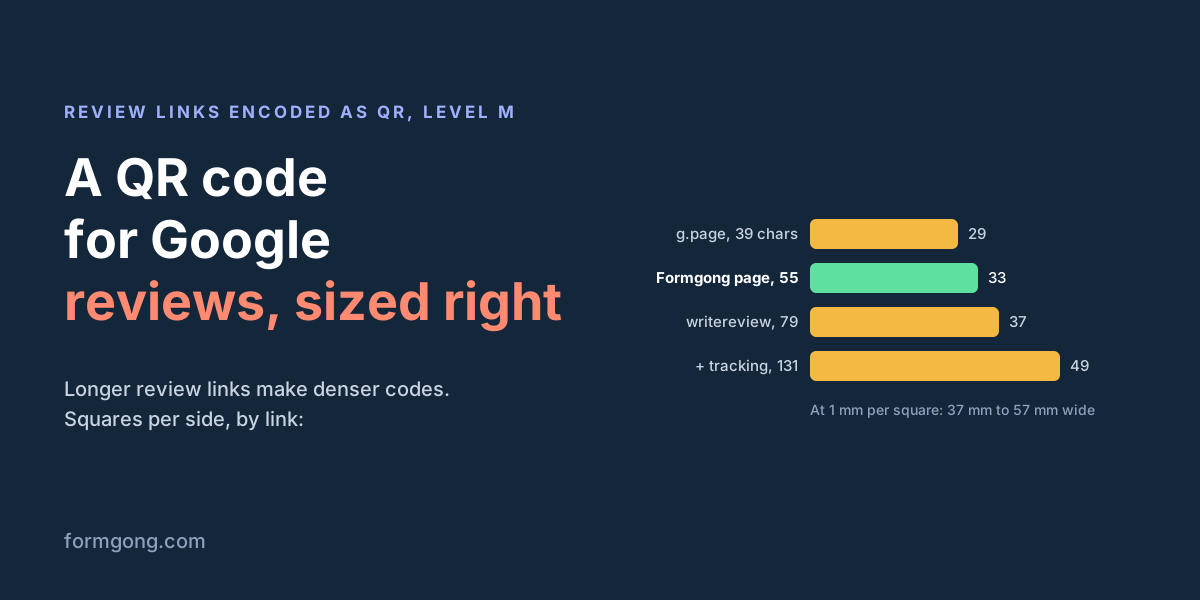
We ran five real-shaped review links through the encoder behind our generator, which uses error correction level M, and measured what came out. Then we decoded every code with Apple's Vision barcode reader on a Mac, and each one gave back its link exactly.
| Link | Characters | QR version | Squares per side | Width at 1 mm a square | Width at 0.5 mm a square | Square size in a 2 cm code |
|---|---|---|---|---|---|---|
Google's g.page/r/…/review link | 39 | 3 | 29 | 37 mm | 18.5 mm | 0.54 mm |
Formgong review page, formgong.com/review/fk_… | 55 | 4 | 33 | 41 mm | 20.5 mm | 0.49 mm |
search.google.com/local/writereview?placeid= + Place ID | 79 | 5 | 37 | 45 mm | 22.5 mm | 0.44 mm |
Formgong review page for one location (?location=…) | 101 | 6 | 41 | 49 mm | 24.5 mm | 0.41 mm |
The writereview link with three utm_ tags added | 131 | 8 | 49 | 57 mm | 28.5 mm | 0.35 mm |
Two things follow. Google's g.page link makes the smallest code of the five, so use it if you have the Business Profile login. And tracking tags cost you: adding three utm_ tags to the writereview link took it from 37 to 49 squares a side, so at 2 cm each square shrinks from 0.44 mm to 0.35 mm. If you want to know how many people scanned, counting new reviews per location or per week is usually enough.
How big to print it
No single minimum fits every place, because size depends on distance. Bitly's guide to QR sizes gives the two numbers most printers work with: a code “should be at least 2 cm x 2 cm,” and “the QR Code distance-to-size ratio is about 10:1.” So a code scanned from 50 cm should be about 5 cm wide. These are rules of thumb from a QR vendor, not a standard, so use them as the floor.
| Where | Scanned from about | Print it at least |
|---|---|---|
| Card in the delivery box | 20–30 cm, in the hand | 2.5–3 cm |
| Receipt | 20–30 cm, in the hand | 2–2.5 cm (see the printer note below) |
| Counter stand next to the till | 40–50 cm | 4–5 cm |
| Table tent in a café | 60–80 cm, across the table | 6–8 cm |
| Door or window sign | 1.5–2 m | 15–20 cm |
A note on receipt printers. Denso Wave sizes codes from the printer's resolution: each square should be a whole number of printer dots, and its worked example uses four dots per square. A receipt printer at 203 dots per inch (check yours on its spec sheet) prints four dots as 0.5 mm. At that size the 79-character writereview code is 22.5 mm wide with its margin and the g.page code 18.5 mm. On a narrow receipt, the shorter link is the one that fits.
The same whole-number rule matters when you export a picture for a menu or a flyer. In our test, the 45-square code rendered at 45 and 90 pixels decoded, but at 60 pixels, where each square was 1.33 pixels and came out blurred, the reader found nothing. Export at a whole number of pixels per square, or use the SVG.
Margin, damage and contrast
Leave the margin. Denso Wave's page on code area says it plainly: “QR Code requires a four-module wide margin at all sides of a symbol.” A module is one square. Our SVG files already include that margin as white space, so do not crop it off in a design tool or set the code flush against a border or a photo. In our test, Apple's reader still decoded a code with no margin, even laid over a busy black-and-white pattern. That is one reader on a clean image. A customer's phone at an angle under shop lights has less to go on, and the margin costs you a few millimetres.
Know how much damage it takes. A QR code repeats its data so a scanner can rebuild what is smudged or covered. Denso Wave lists four levels of this error correction: L restores about 7% of the code, M about 15%, Q about 25% and H about 30%, with M the most common. Our encoder uses M. When we covered the centre of a code with a white square over 10% of its area, it still decoded. At 20% it did not. So a logo pasted in the middle of a level-M code is a real risk. If you want a logo, make the code at level H in a tool that offers it, keep the logo small, and test it as hard as any other print.
Keep it dark on light. Black squares on white paper are what every scanner is built for. Apple's reader handled grey on light grey and white on black in our test, but those were perfect images, and not every scanner app works like Apple's. On glossy stock, laminate or a shop window, glare can wash out part of the code, so print on matte paper or check it under the lights where it will hang.
Testing it before you print a hundred
EmbedSocial's guide to review QR codes gives the right advice here: before you print, “test whether or not the QR code works as intended.” Do it on the printed proof, not on the screen:
- Scan it with an iPhone camera and with an Android phone, from the distance a customer will stand.
- Check that it opens the review box for your business, not your Maps page or someone else's.
- Try it once on a phone that is not signed in to Google. Google's help page says customers must be signed in to leave a review, so they will see a sign-in step first. Better you see it than a customer at the till.
- Scan it again after the print shop has trimmed it. A guillotine can take the margin off.
Some QR tools sell “dynamic” codes. Trustindex describes its review codes as “changeable at any time without needing to reprint the code”. That works because the code holds the vendor's address, which then forwards to your review page. A code that holds your review link directly, as Google's and ours do, needs no account to keep working. Reprint it only if the link itself changes.
What not to do with a review QR code
Do not send only happy customers to Google. A common setup puts a “How did we do?” page behind the code: four or five stars and the customer is sent to Google, one to three and they get a private form instead. This is called review gating. Google's Maps content policy says merchants must not “selectively solicit positive reviews from customers.” In the US, the FTC's Endorsement Guides tell businesses not to distort what customers think when they ask for reviews (16 CFR 255.2(d)), and FTC staff answer that asking only customers you think will be happy “would be misleading if it substantially skews the favorability of the reviews.” Some vendors still frame it as normal: Trustindex's QR guide tells you to “ask satisfied customers to scan the QR code”. Show the code to everyone.
Do not pay for the scan. A sign that says “Scan, review us and get 10% off” breaks Google's rules even if every review is welcome. Google's help page calls offering incentives such as “free or discounted goods or services” for reviews “strictly prohibited.” EmbedSocial's guide to Google review QR codes suggests that “a small incentive” will encourage people. Do not copy that for Google. Where a reward can be allowed, on your own site and the same for every rating, is covered in Can you offer a discount for a review?
Do not stand over the customer. Google's policy also says merchants “should not require or pressure users” to review while on the premises, and should not ask staff to collect a quota of reviews. A code on the counter is fine, and Google suggests it. Handing the customer your tablet, or waiting while they type, is not.
This is a summary of public rules, not legal advice.
If you also want reviews on your own site
A Google code builds your Google rating. If you sell online, you may also want reviews on your product pages, where shoppers decide. That is what Formgong Reviews does. The review page behind your Formgong code shows one row of stars, 1 to 5, and a text box, the same for every customer. There is no branch that sends happy customers elsewhere. You approve reviews before they appear, or let them publish straight away, and the review widget shows them on your site.
With locations you can print a different code for each shop, counter or market stall, and see which one brings reviews. Approved reviews can also go to Google Shopping as product ratings through a Merchant Center feed. That is separate from your Business Profile stars, which only Google reviews feed.
Did your code scan?
If you printed a review code and it failed somewhere, on a receipt, behind glass, under a café's lights, tell us what happened at support@formgong.com. We will test the case and add it here.
What Formgong Reviews includes for free
- Unlimited review sites and reviews. Text, photo, video and voice reviews on Free.
- A widget with no view limit. The review widget, carousel, badge and stars in product lists load as often as your pages do.
- Review emails in your store's name. Sent after each order with your logo and colours, replies to you, no email service to set up; buyers can rate inside Gmail without leaving the email, and get one reminder (how it works).
- Bring your old reviews. Import from Judge.me, Yotpo, Loox, Shopify Product Reviews, WooCommerce, Etsy or a CSV.
- You decide what shows. Approve each review or choose a publishing mode, reply in public or in private, and let shoppers ask the author a question.
- Google. A Merchant Center review feed, and product rating markup through the WordPress plugin.
- Reviews from your form. People who filled in your contact form can get a review request automatically.
- One account for the rest. Contact forms with Telegram and Google Sheets, an AI help chat, and free website templates.
Frequently asked questions
How do I make a QR code for Google reviews?
On a computer, open your Business Profile, choose Read reviews, then Get more reviews, and save the QR code. Google says this works only in a computer browser. Without the login, paste your Place ID into a Google review link generator that also makes a QR code.
What size should a review QR code be?
At least 2 cm wide, and about one tenth of the scanning distance: 4–5 cm on a counter, 6–8 cm on a table tent, 15–20 cm on a door. Include a blank margin of four squares on every side.
Can I put my logo in the middle of the QR code?
Only on a code made with high error correction (level H), and only a small logo. On a level M code, covering 10% of the centre still scanned in our test, but covering 20% did not.
Can the QR code send only happy customers to Google?
No. Google's Maps policy forbids selectively asking for positive reviews, and FTC staff say asking only customers likely to be happy can be misleading. Send every customer to the same review page.
Do I need a dynamic QR code for reviews?
No. A static code that holds your review link works for as long as the link does. A dynamic code holds the vendor's address and forwards from there, which lets you change the target but depends on that vendor.
Sources and documentation
Official references for this guide: Google Business Profile Help: Create a Google link or QR code to request reviews, Google Business Profile Help: Tips to get more reviews, Google Maps: User contributed content policy, Denso Wave: Error correction feature, Denso Wave: Point for determining the code area, Denso Wave: Information capacity and versions, Bitly: What's the minimum size for a QR code?, FTC: Endorsement Guides, what people are asking, 16 CFR Part 255, Endorsement Guides. Google review link generator, where data is stored.