What the message means
Your page called fetch() and, instead of a response, got an error with no detail. In plain words, “Failed to fetch” means the request did not come back with an answer this page is allowed to see. Either nothing answered, or something answered and the browser refused to hand it over.
It does not mean the server returned an error. A 404 or a 500 is still an answer, and fetch() resolves normally with response.ok set to false. MDN lists what makes fetch() throw a TypeError instead: a bad URL, a blocked request, or “a network error (for example, because the device does not have connectivity).” Browsers keep the details out of your script on purpose, because telling a page exactly why a cross-site request failed would let it probe other people's networks.
Three browsers, three wordings
The same failure reads differently depending on where it happened. Chrome, Edge, Opera and other Chromium browsers say TypeError: Failed to fetch. Firefox says TypeError: NetworkError when attempting to fetch resource. Safari and every browser on an iPhone use WebKit, which says TypeError: Load failed. If a user's bug report shows one of these and yours shows another, it can still be the same problem.
We broke one request eight ways
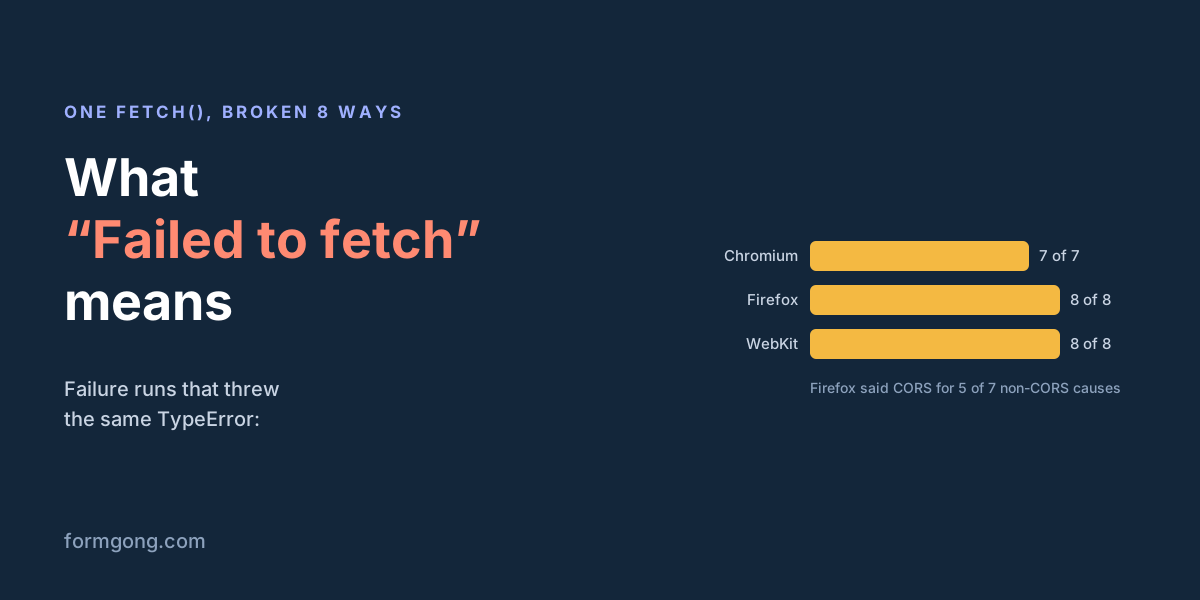
To see how much the message hides, we wrote one ordinary fetch() POST and broke it on purpose eight different ways, on local test servers, in all three browser engines. Every one of the 23 failure runs we could measure threw a TypeError with the browser's usual message. In the script, a closed port looked exactly like a missing domain or an ad blocker.
| Cause | Chromium: TypeError: Failed to fetch | Firefox: TypeError: NetworkError when attempting to fetch resource. | Safari's engine: TypeError: Load failed |
|---|---|---|---|
| The other server sends no CORS header | “blocked by CORS policy: No 'Access-Control-Allow-Origin' header” | “CORS header ‘Access-Control-Allow-Origin’ missing” | “Origin … is not allowed by Access-Control-Allow-Origin. Status code: 200” |
| Nothing listens on that port | net::ERR_CONNECTION_REFUSED | “CORS request did not succeed” | “Could not connect to localhost: Connection refused” |
| The domain does not exist | net::ERR_NAME_NOT_RESOLVED | “CORS request did not succeed” | “Error resolving … Name or service not known” |
| The server closes the connection without answering | net::ERR_EMPTY_RESPONSE | “CORS request did not succeed” | “Connection terminated unexpectedly” |
| The browser is offline | net::ERR_INTERNET_DISCONNECTED | “CORS request did not succeed” | “WebKit encountered an internal error” |
| An https:// page calls an http:// address | Not measured (see the note) | “Blocked loading mixed active content” | “requested insecure content … This content was blocked” |
| The page's Content-Security-Policy forbids it | “violates the following Content Security Policy directive” | “The page’s settings blocked the loading of a resource (connect-src)” | “Refused to connect … connect-src directive” |
| An extension blocks the request | net::ERR_BLOCKED_BY_CLIENT | “CORS request did not succeed” | Nothing |
The console line beside the error is the useful part. Chromium names the cause in almost every case, often with a net::ERR_ code you can search for. WebKit describes it in words. Firefox behaves differently. For 5 of the 7 causes that had nothing to do with CORS, its console said “CORS request did not succeed”. That sends many Firefox users looking for a CORS fix when the real problem is a dead server or a typo in the domain. In Firefox, read “did not succeed” as “the request never got an answer”.
A note on the mixed-content row: in our Chromium run the test harness relaxed certificate checks, and the request went through with a warning, so we left that cell out rather than guess. Firefox and WebKit both blocked it.
A timeout is a different error
If your code stops the request after a while with AbortSignal.timeout(), you do not get “Failed to fetch”. In our test, Chromium threw TimeoutError: signal timed out, Firefox threw TimeoutError: The operation timed out. and WebKit threw AbortError: Fetch is aborted. So if you see “Failed to fetch” on a slow request, something else ended it, usually the server or a proxy closing the connection.
Your code can tell the cases apart. An HTTP error comes back as a response; only “no answer” lands in catch:
try {
  const response = await fetch(url, { method: "POST", body: new FormData(form) });
  if (!response.ok) {
    // The server answered. This is an HTTP error (404, 422, 500...), not "Failed to fetch".
    console.error("Server said", response.status, await response.text());
  }
} catch (error) {
  // No answer the page may read. The real reason is only in the Console and Network tabs.
  console.error(error.name, error.message); // TypeError, "Failed to fetch"
}
Finding the cause in under a minute
Open the developer tools before you repeat the action. The Console tab shows the line from the table above. The Network tab shows the request itself: a row in red with a status of (failed) and a reason such as net::ERR_NAME_NOT_RESOLVED, or a CORS error, or (blocked:csp). Click it, and check the full URL first, because a missing https:// or a typo in the domain causes more of these than anything else.
If the Network tab shows the request went out and came back with a status but the console complains about CORS, the server answered without the header that lets your site read the reply. That is a server setting, and only the server's owner can fix it. If the row says blocked and you have an ad blocker or privacy extension, try a private window with extensions off. If it fails only for some visitors, think about networks you do not control: office firewalls, VPNs and school filters block requests to domains they do not know.
When it happens on a contact form
Contact forms hit this more than most code, because the form posts to another service's domain and every cause in the table can apply. Our step-by-step fix list for that case is in Contact form “Failed to fetch”. If your form sends to a Supabase function, the same message has its own guide: Failed to send a request to the Edge Function.
A form backend can only remove the causes on its side. Formgong's /submit endpoint answers the browser's CORS check for any site, so a form on your domain can post to it with fetch(); we checked the answer on 1 November 2026. If you want only your own sites to be able to post, add them under allowed domains, which is on every plan. The causes on the visitor's side, such as an offline phone or an extension, no backend can fix, which is why a plain HTML form that falls back to a normal page submit is the safest choice.
Seen a cause we missed?
If you hit “Failed to fetch” from a cause that is not in our table, send the console line to support@formgong.com. We will reproduce it and add a row.
What Formgong's free plan includes
- Build the form or bring your own. The form builder takes the colours and fonts from your site's address, with no sign-up; ready form templates copy into your account; AI writes the fields from one sentence. Any hand-written HTML form works too.
- Websites with the form already connected. 28 free website templates post to Formgong out of the box.
- 250 submissions a month on unlimited forms. Spam does not count. Once a year, a busy month keeps delivering on credit until the 7th instead of stopping.
- Everywhere you work. Email to up to 3 people at once, Telegram with Reply and Handled buttons, Google Sheets, Notion, and 3 signed webhooks for Slack, Discord, Zapier, Make or n8n.
- Emails to your customers in your business's name. Formgong sends them under your business name and replies come back to you, with no email service of your own to set up: a review request to every lead, a reminder a visitor asked for, and review emails after an order with your logo and colours. People who agree can also go straight into your Mailchimp, Klaviyo, Brevo, MailerLite or Kit list. An automatic reply to each visitor is on Pro.
- No captcha needed. A server-side spam filter, a honeypot, allowed domains and a block list; add your own Turnstile key if you want one.
- Files and voice. Visitors can attach files, or record a voice message that arrives transcribed.
- Made for AI-built sites. A hosted form page and a contact button; step-by-step guides for sites built with Lovable, Bolt, v0, Replit and Base44; an MCP server lets Cursor or Claude wire the form for you.
- See what the form does. Analytics for views, starts, conversion and where each lead came from, and an alert when a form goes quiet.
- One account for the rest. Customer reviews and an AI help chat that answers visitors from your own pages, with every message in one inbox. Data is stored in the EU.
Frequently asked questions
What does “Failed to fetch” mean?
The browser's fetch() call got no response the page is allowed to read. The server was unreachable, the connection broke, or the browser blocked the request because of CORS, a security policy, mixed content or an extension.
Is “Failed to fetch” a server error?
Not by itself. A 404 or 500 is a normal response and does not throw. “Failed to fetch” means no usable answer came back, so check the Console and Network tabs for the reason.
What is the Firefox version of “Failed to fetch”?
Firefox says “NetworkError when attempting to fetch resource.” and Safari says “Load failed”. In our test Firefox also logged “CORS request did not succeed” for 5 of 7 causes that had nothing to do with CORS.
How do I find the real cause?
Open the developer tools, repeat the request and read the Console line and the failed row in the Network tab. They name the cause, such as a CORS block, a missing domain or a blocked request.
Sources and documentation
Official references for this guide: MDN: Window.fetch() exceptions, MDN: Using the Fetch API, MDN: Reason: CORS request did not succeed, MDN: AbortSignal.timeout(). Add a form to an HTML site, where data is stored.