We pointed htmx's hx-post at a form backend on another origin, in three browsers and two htmx versions, and logged what left the page and what arrived.
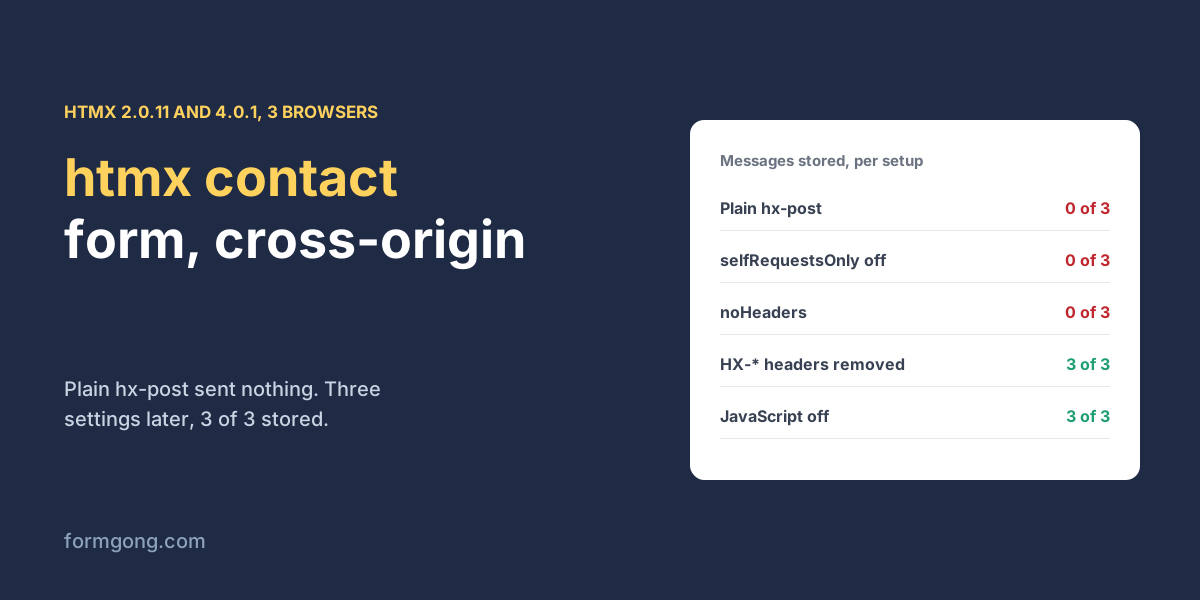
The short answer. htmx will not send a form to another domain until you allow it and drop its own headers. In our test on 3 November 2026 with htmx 2.0.11, a plain hx-post to a form backend sent 0 requests in 3 of 3 browsers, and switching off selfRequestsOnly still failed the browser's CORS check on htmx's HX-* headers. Removing those headers and asking for JSON got the message stored in 3 of 3 browsers with htmx 2 and 4.
Formgong
htmx contact form that sends to another domain
Why does my htmx contact form do nothing when I press Send?
You add hx-post pointing at a form backend, press Send, and nothing happens. No request in the Network tab, no error on the page, and the form does not fall back to a normal post either, because htmx has already taken over the submit. The only clue is a line in the console.
htmx is built for talking to your own server, which sits on the same origin as your page. A hosted form backend sits on another one. We built a contact form, served it from one origin and pointed it at a local copy of Formgong's backend on another, then tried every setup in between in Chromium, Firefox and WebKit. We used htmx 2.0.11, the current release on npm, and 4.0.1, the next major version.
What happens when htmx posts to another origin?
A contact form on one origin posting with htmx to Formgong's backend on another, in Chromium, Firefox and WebKit, 3 November 2026. “3 of 3” is one try per browser; each line ran twice with the same result.
Setup
What happened
htmx 2.0.11, plain hx-post
No request at all; htmx logs htmx:invalidPath. Stored 0 of 3
+ selfRequestsOnly = false
Browser blocks it: HX-Request and friends are not allowed headers. Stored 0 of 3
+ hx-request='{"noHeaders":true}'
Sent as text/plain, refused as an unsupported type. Stored 0 of 3
+ HX-* headers removed, JSON asked for
200, “Thanks” shown. Stored 3 of 3
Same, with a bad email
422, the backend's message shown: “Please check: email.”
Same, JavaScript off
The browser posts the form itself and lands on the thank-you page. Stored 3 of 3
htmx 4.0.1, plain hx-post
fetch refuses in same-origin mode. Stored 0 of 3
+ mode = "cors"
Blocked on the HX-* headers. Stored 0 of 3
+ HX-* headers removed, JSON asked for
200, “Thanks” shown; bad email shows the 422 message. Stored 3 of 3
Three separate things stop the request, one after the other. First, htmx 2 has a setting called selfRequestsOnly that is on by default, and with it htmx refuses any URL outside your own origin before sending anything. Second, once you switch it off, htmx adds its own headers, such as HX-Request and HX-Current-URL. A browser has to ask the other server first whether it accepts those headers, and a form backend that lists only Content-Type and Accept, as ours does, says no. Third, htmx's noHeaders option looks like the cure but drops every header, including the content type, so a normal form body goes out as text/plain. Our backend refused that as an unsupported type.
htmx 4 behaves the same way with different names. It sends with fetch in same-origin mode unless you set htmx.config.mode = "cors", and it adds one header, HX-Request-Type, after the usual place where you would remove the others.
How do you make an htmx contact form work with a form backend?
Keep the form a normal HTML form with a real action, and let htmx enhance it. Allow requests to other origins and remove the HX-* headers before the request goes out. Then ask for JSON with the Accept header. Both Content-Type and Accept are on the list every browser lets through without asking, so there is no extra check. hx-swap="none" stops htmx from pasting the JSON answer into your page, and a small listener shows a sentence instead.
With that setup our message was stored in 3 of 3 browsers. With a bad email the backend answered 422, and the page showed its own text, “Please check: email.”, instead of a generic error. With JavaScript switched off, the browser posted the form itself and the visitor landed on a thank-you page. If you are new to the fetch side of this, JavaScript FormData covers what a form body contains, and contact form failed to fetch lists the other reasons a request to another origin can fail.
// htmx 2: allow a request to another origin at all.
htmx.config.selfRequestsOnly = false;

// Drop htmx's HX-* headers, which another origin refuses in the CORS check,
// and ask for JSON. The Content-Type header stays, so the body is still read.
document.addEventListener("htmx:configRequest", (event) => {
  for (const name of Object.keys(event.detail.headers)) {
    if (name.startsWith("HX-")) delete event.detail.headers[name];
  }
  event.detail.headers["Accept"] = "application/json";
});

document.addEventListener("htmx:afterRequest", (event) => {
  const form = event.detail.elt;
  const status = document.querySelector("#status");
  let data = {};
  try { data = JSON.parse(event.detail.xhr.responseText); } catch {}
  if (event.detail.successful && data.success) {
    form.reset();
    status.textContent = "Thanks, your message is on its way.";
  } else {
    status.textContent = data.message || "Could not reach the form service. Your message is still in the form.";
  }
});
The same script for htmx 4
contact-htmx4.js
// htmx 4: fetch runs in same-origin mode unless you change it.
htmx.config.mode = "cors";

// htmx 4 adds HX-Request-Type after htmx:config:request, so clean up here.
document.addEventListener("htmx:before:request", (event) => {
  const headers = event.detail.ctx.request.headers;
  for (const name of Object.keys(headers)) if (name.startsWith("HX-")) delete headers[name];
  headers["Accept"] = "application/json";
});

document.addEventListener("htmx:after:request", (event) => {
  const ctx = event.detail.ctx;
  let data = {};
  try { data = JSON.parse(ctx.text); } catch {}
  const ok = ctx.response && ctx.response.status < 400 && data.success;
  if (ok) ctx.sourceElement.reset();
  document.querySelector("#status").textContent = ok
    ? "Thanks, your message is on its way."
    : data.message || "Could not reach the form service. Your message is still in the form.";
});
Do the htmx samples in other guides work?
Not as published, in our runs. We took the two htmx samples we found for hosted form backends and ran them against our own endpoint with our key, not against the services they were written for. Splitforms' guide (16 July 2026) pins htmx 2.0.4; Static Forms' guide (13 September 2026) pins 2.0.10. Neither sets selfRequestsOnly, and both sent 0 requests in 3 of 3 browsers. That part does not depend on the backend, because htmx stops before anything leaves the page and the visitor sees nothing happen.
With that one setting added, the results split. The Splitforms sample still carries htmx's headers; against our endpoint the browser blocked it, and the page showed its “Something went wrong” message. Splitforms' own endpoint answered our preflight check with the same two allowed headers on 3 November 2026. The Static Forms sample uses noHeaders with multipart encoding, which keeps a valid content type, and it was stored in 3 of 3 browsers. The page still said “We could not reach the form service”, and that part is our backend's doing. Without the Accept header our endpoint answers a non-JSON post with a redirect to its thank-you page, and that page does not allow reading from another origin. Static Forms' guide says its endpoint returns JSON to scripts. We did not test their service; on ours, use the script above.
What does the visitor see if htmx never loads?
A thank-you page, if the form has a real action. That is the one place we found Formgong ahead of the two guides. With JavaScript off, our form posted on its own and the backend sent the browser to its hosted thank-you page in 3 of 3 browsers, with nothing extra in the form. Splitforms' guide adds a hidden redirect field for this case and warns that without it the browser shows the raw JSON answer. We are behind in one way, which is why the script above exists. Our endpoint accepts only the Content-Type and Accept headers from another origin, so htmx's default headers fail against it. To send the visitor to your own page instead, see a thank-you page after form submission; the HTML forms docs list every field Formgong reads.
Did your htmx form fail in another way?
If your htmx version or browser behaves differently from this table, write to support@formgong.com with the form. We will run it the same way and add the line.
Frequently asked questions
Why does htmx not send my form to another domain?
htmx 2 has selfRequestsOnly on by default and refuses other origins before sending. Set htmx.config.selfRequestsOnly = false.
Why does htmx fail the CORS check?
It adds HX-* headers, and a server on another origin must allow them. Remove them in htmx:configRequest if the server does not.
Does noHeaders fix htmx CORS errors?
Only with multipart encoding. With the default encoding it also drops the content type, and the body goes out as text/plain.
Does htmx 4 send to other origins?
Not by default. It uses fetch in same-origin mode; set htmx.config.mode = "cors" and remove the HX-* headers.