See it working
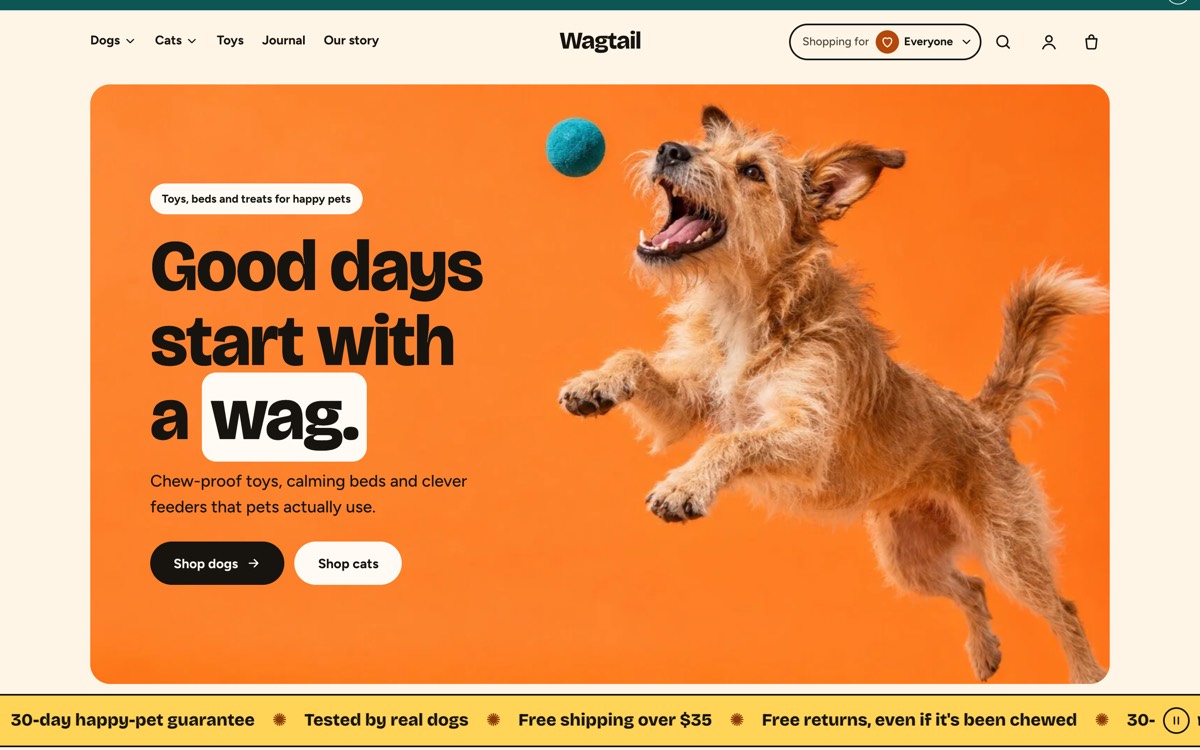
The demo is a copy of a real Shopify development store on our own domain, so it opens without a password. Cart and checkout there are only a demo.
Get this template
Shopify
An Online Store 2.0 theme, for any Shopify plan with an online store.
Download Scamper-1.1.1.zip Shopify demo
- Download Scamper-1.1.1.zip. Don't unzip it.
- In Shopify admin, open Online Store → Themes → Add theme → Upload zip file, and choose the file.
- Optional: to get contact messages in Formgong, click Customize, open Theme settings → Formgong and paste a free key from formgong.com/new. Without a key the theme uses Shopify's own contact form.
- Add your products, photos and menus in the theme editor. Shopify never copies them with a theme, so it starts with placeholders. Publish when you're ready.
Developers can start from the source instead: curl -LO https://downloads.formgong.com/scamper-shopify-theme/v1.1.1/Scamper-1.1.1.zip && unzip Scamper-1.1.1.zip -d scamper
Use with AI
A prompt for ChatGPT, Claude, v0, Lovable or Bolt that builds a site in Scamper's style: the sections in order, the colours, the fonts, the motion and a contact form that sends to Formgong.
Build a website for a pet store (a static site in the style of the Scamper Shopify theme, not a Shopify theme) in the style of the free "Scamper" template (live demo: https://wagtail.shopify.formgong.com).
Write plain HTML, CSS and a little vanilla JavaScript in one index.html, unless this tool builds in its own stack (v0, Lovable and Bolt use React): then keep the same sections, look and form logic.
Use my business name and details where I give them. Where a section needs photos, names, prices, reviews or other copy I haven't given, use neutral placeholder images (CSS gradients or inline SVG, sized for the layout) and short placeholder text that is clearly marked for me to replace.

Sections, top to bottom:
1. Header with a "Shopping for" picker (dogs, cats) and the menu.
2. Image banner: a dog leaping for a ball on an orange background.
3. A scrolling text strip.
4. Collection tiles: "Who are we shopping for today?"
5. Bestsellers this week: a moving product strip with tabs for several collections and a pause button.
6. Image with text.
7. One featured product.
8. Build a starter set: three products added with one button; the total updates as items are unticked.
9. Testimonials: "Tails are wagging. Here's proof."
10. Newsletter: "10% off your first order."
11. Footer.

Colours (define them as CSS variables):
- Background (cream): #FFF5E6
- Ink: #17140F
- Muted text: #4A4339
- Peach surface: #FFE3CC
- Orange block: #FC8228
- Teal block: #0C5754
- Yellow (buttons on teal): #FFD457
- Off-white: #FFFBF4
- Rust accent: #B4470A

Fonts (Google Fonts): Bricolage Grotesque (extra bold) for headings, Figtree for text.

Motion and hover:
- Colour-block product cards show a second image on hover, with a quick add button.
- Short animations: sections rise and pop in, the banner image moves with a light parallax, the strip moves until paused.
- Scroll effects in plain CSS that stop for visitors who ask for reduced motion.
- Wrap every animation in @media (prefers-reduced-motion: no-preference), so visitors who ask for less motion get the final state.
- Hide content for reveal animations only from JavaScript (add a class such as js to <html> first and hide only under it), so every section is visible without JavaScript.

Contact form, sent to Formgong (a hosted form backend, no server code):
- Contact form on its own page: name, email, phone, message. Product buttons link to my shop or open this form. Use these name attributes: name, email, phone, message.
- The form is <form action="https://formgong.com/submit" method="POST"> with <input type="hidden" name="access_key" value="fk_your_access_key"> and <input type="hidden" name="_lang" value="en">. I will replace fk_your_access_key with my own key from https://formgong.com/new. The key is public and safe in the page.
- Add a honeypot: a text input named botcheck, hidden with CSS (position:absolute; width:1px; height:1px; overflow:hidden; clip-path:inset(50%)), with tabindex="-1" and autocomplete="off".
- Submit with fetch: POST https://formgong.com/submit, body new FormData(form), header Accept: application/json. Disable the button while it sends.
- Show the thank-you message only when the JSON response has success === true. On anything else (an error response, a non-2xx status, a network error) show the error message, keep what the visitor typed and enable the button again.
- Keep the name attributes exactly as listed: Formgong stores each value under its field name.
- Without JavaScript the plain form POST must still work: Formgong then shows its own thank-you page. To send visitors to my own page instead, add <input type="hidden" name="_redirect" value="https://example.com/thanks/"> (I will put my real URL there).
- Do not add a backend, API route, server action, database or email library.

Accessibility: a visible label on every field, a visible focus style, alt text on images, and text contrast of at least 4.5:1.
- Copy the prompt and paste it into the AI tool. Add your business name, services and contact details at the end.
- Create a free form at formgong.com/new and copy its access key. It starts with
fk_and is safe to put in a web page. Replacefk_your_access_keyin the code the tool writes. - Send a test message and check that it reaches your Formgong inbox. The page should say thanks only after the server answers
success: true.
What is inside
- Shopping for: shoppers pick who they shop for, say dogs or cats, and collection links and product lists show those products first. It runs on product tags, so no app is needed.
- Shop the set: pick up to three products and customers add all of them with one button; the total updates as they untick items.
- A moving product strip with tabs for several collections and a pause button, and color-block product cards with a second image on hover and quick add.
- Every page type: product page with variant buttons and swatches, collections with filters and sorting, predictive search, a mega menu, a cart drawer or cart page, blog, contact, gift card and password pages.
- Checked: Theme Check with zero offenses, accessibility 100 in 24 of 24 Lighthouse runs, and scroll effects in plain CSS that stop for visitors who ask for reduced motion.
- Contact form: Shopify's own contact form out of the box, or paste a free Formgong access key in Theme settings → Formgong and messages go to a Formgong inbox, Telegram and email.
- Not included: the demo's products and photos. Your store shows placeholders until you add your own.
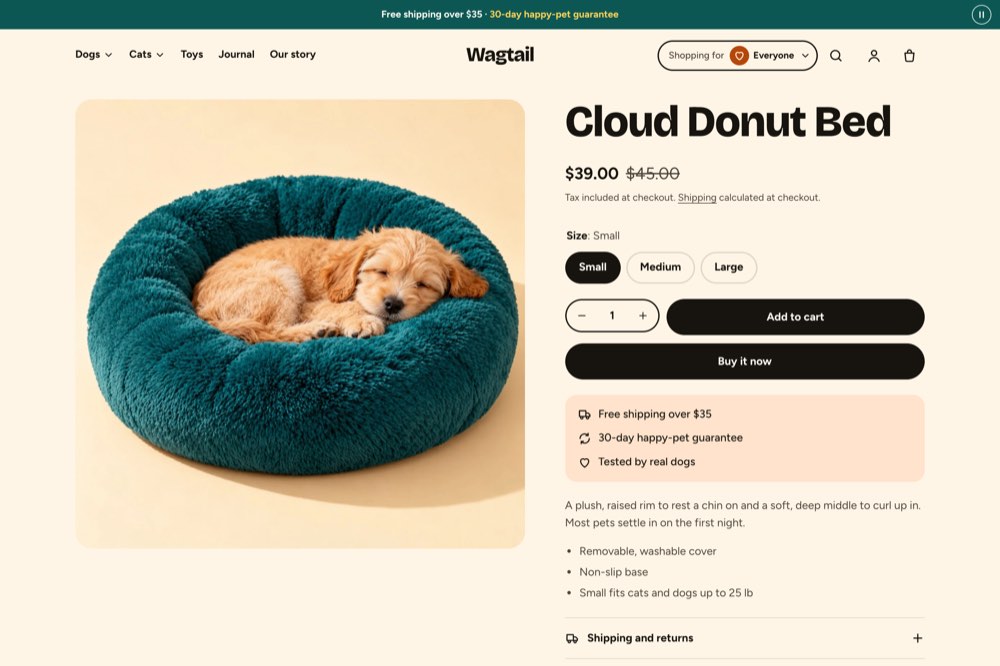
A guide to every setting and section is in the Scamper documentation. Questions go to Scamper support.
Questions
Is Scamper really free?
Yes. Install it on any number of Shopify stores, yours or your clients', and change anything. The one thing you can't do is sell or publish Scamper, or a changed copy of it, as a theme of your own.
Why doesn't my store look like the demo?
Shopify installs the theme only, never another store's products, photos, menus or pages. Add your products and pick images in the theme editor; until then the sections show placeholders.
Does it work on every Shopify plan?
It works on any plan that includes the online store. Some parts depend on your store settings: the country and language selectors appear only when you sell in more than one market or language.
Does Scamper use Formgong for its forms?
Only if you want it to. Out of the box the contact form is Shopify's own and messages go to your store's email. Paste a free Formgong access key in Theme settings → Formgong and the contact form sends to Formgong instead: an inbox, Telegram and an email for each message. The newsletter signup always uses Shopify's own form, so subscribers stay in Shopify admin.
Sources
Checked on 15.10.2026 against these public pages: Shopify Help Center: adding themes.