Lattice Estate: a home builder
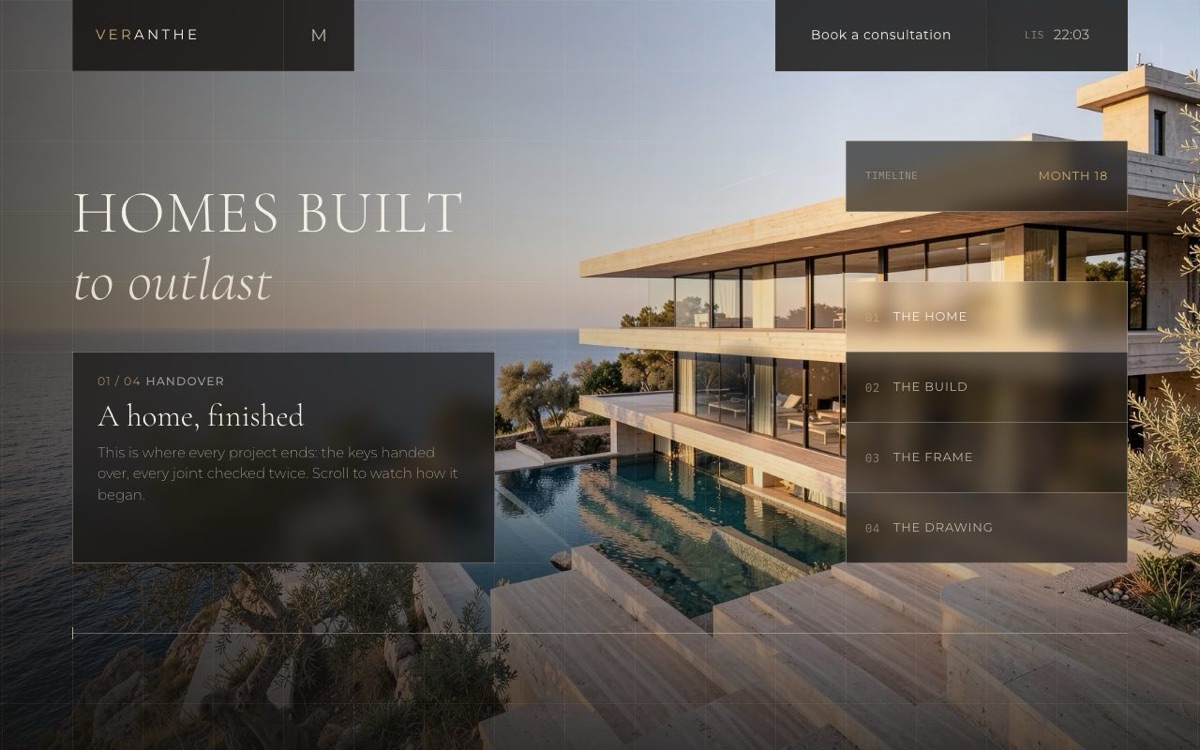
One page that tells a build backwards: as you scroll, a finished villa turns into the shell, the concrete frame and finally the first drawing. It is the clearest way we know to show a buyer that you handle the whole job. The consultation form asks for a budget band, so you can sort enquiries before the first call. Replace the five images with photos of your own build taken from one spot, so the stages line up. More on the Lattice Estate page.
Craftline: a renovation or repair contractor
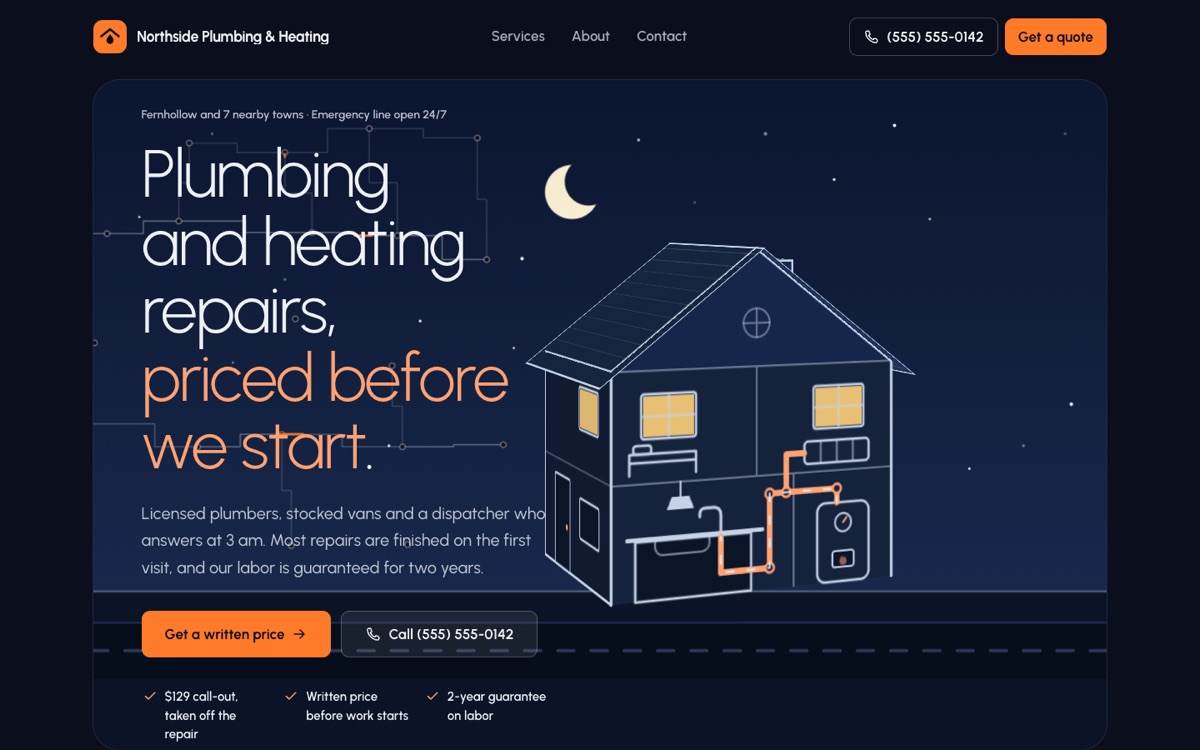
A multi-page site: a page for each service, an about page, and a contact page with a quote form. The demo is a plumbing firm, but in the Astro version every service is a Markdown file, so a renovation, roofing or extension contractor changes the list and the text, not the layout. It is the only one of the three that also comes as Astro source. More on the Craftline page.
Lattice Atelier: windows, doors and joinery
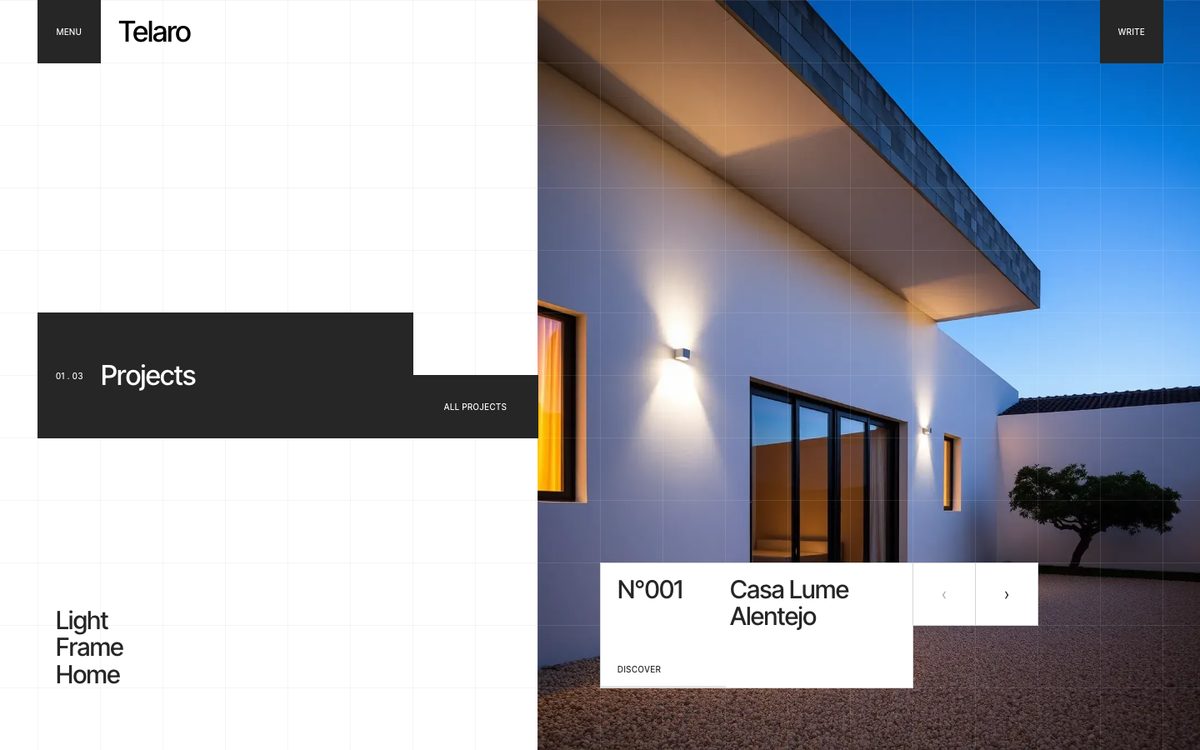
A split hero where scrolling changes the project and every label rolls in letter by letter, collections shown as rows, workshop addresses with opening hours, and an enquiry form with a project type. It fits a maker or installer of windows, doors, kitchens or stairs who sells on finished work rather than a list of services. More on the Lattice Atelier page.
What homeowners look for on a builder's site
- Finished jobs, with a place and a year. Your own photos, not stock. Lattice Estate and Lattice Atelier come with generated images and Craftline with drawings; replace them before launch.
- Licence and insurance, said plainly. Many people check both before they call. Put your licence number and insurer on the about page or in the footer.
- The area you cover. A list of towns or a distance saves you calls from too far away.
- How a job starts. Site visit, written quote, start date. Three short lines are enough.
- A quote form that asks for enough to plan a visit. Type of job, address or area, rough timing and a phone number. Add the inputs you miss to the form in the HTML; Formgong keeps every field the form sends, so a new one needs no setup.
What Formgong adds to the template
- A form that says thanks only when it should. Every form here posts to Formgong and shows success only when the server answers
success: true; anything else shows an error. In our test of 105 forms on AI-built sites, 27 showed "Message sent" and sent nothing (the study). - Messages where you will see them. Each submission is emailed to you as it arrives, on the free plan too, with Telegram alerts if you want them. From there it can go on to Slack, Google Sheets, Notion, Zapier or n8n.
- An AI help chat. One script tag adds a chat that answers visitors from your own pages and passes the conversation to you when it can't (how it works).
- Reviews. Collect star reviews through Formgong, approve them, and show them on the site with the review widget.
- MIT license. The HTML templates are MIT-licensed: use them for yourself or for clients, change anything, drop the footer credit.
How to download and publish it
- Create a free form at formgong.com/new and copy its access key. It starts with fk_ and is public by design.
- Download the template's zip and replace fk_your_access_key with your key in every .html file. Craftline also has https://example.com to replace with your site address.
- Upload the folder to a static host such as Cloudflare Pages, Netlify or GitHub Pages.
- Send one test request from the live site and check that it arrives.
Tell us what's missing
We add templates one kind of business at a time. If yours isn't covered, or one of these gets something wrong about how your work is bought, write to support@formgong.com and tell us what you'd change. We pick the next templates from what people ask for there.
Questions
Is there a template for a commercial or civil contractor?
Not yet. Lattice Estate comes closest: swap the villa for one of your own projects, photographed at the same stages.
How do I use photos of my own build in Lattice Estate?
Replace the five files in img/ with your own and keep the file names. Take the construction stages from the same spot so the story lines up.
Can I put these on WordPress?
Yes. All three have a WordPress version with the same look and a working Formgong form. The download link is on each template's page.
Can I use these templates for a client?
Yes. Under the MIT license you can build client sites with them and change whatever you like. Keep the license file in the project.
Sources
Checked on 16.10.2026 against these public pages: Lattice Estate on GitHub, Craftline on GitHub, Lattice Atelier on GitHub, MIT License (Open Source Initiative).