Scamper: a Shopify theme with a real cart
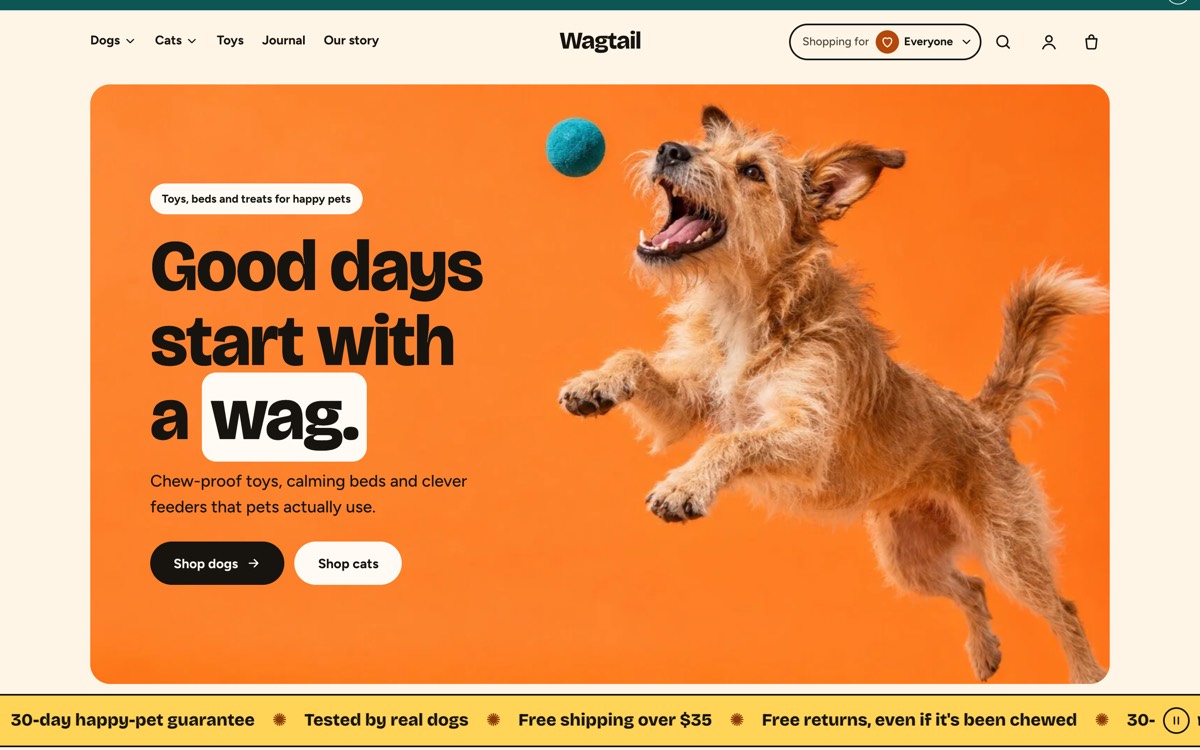
An Online Store 2.0 theme with product pages, collections with filters and sorting, predictive search, a mega menu and a cart drawer. Its own idea is a Shopping for picker: shoppers choose, say, dogs or cats, and collections show those products first. It was made for a pet store but suits any small product brand, and it passes Theme Check with zero offenses. The contact form is Shopify's own unless you paste a Formgong key in Theme settings. Use it free on any number of stores; just don't resell it as a theme. More on the Scamper page.
Stilla: a clothing store in HTML, also as a Shopify theme
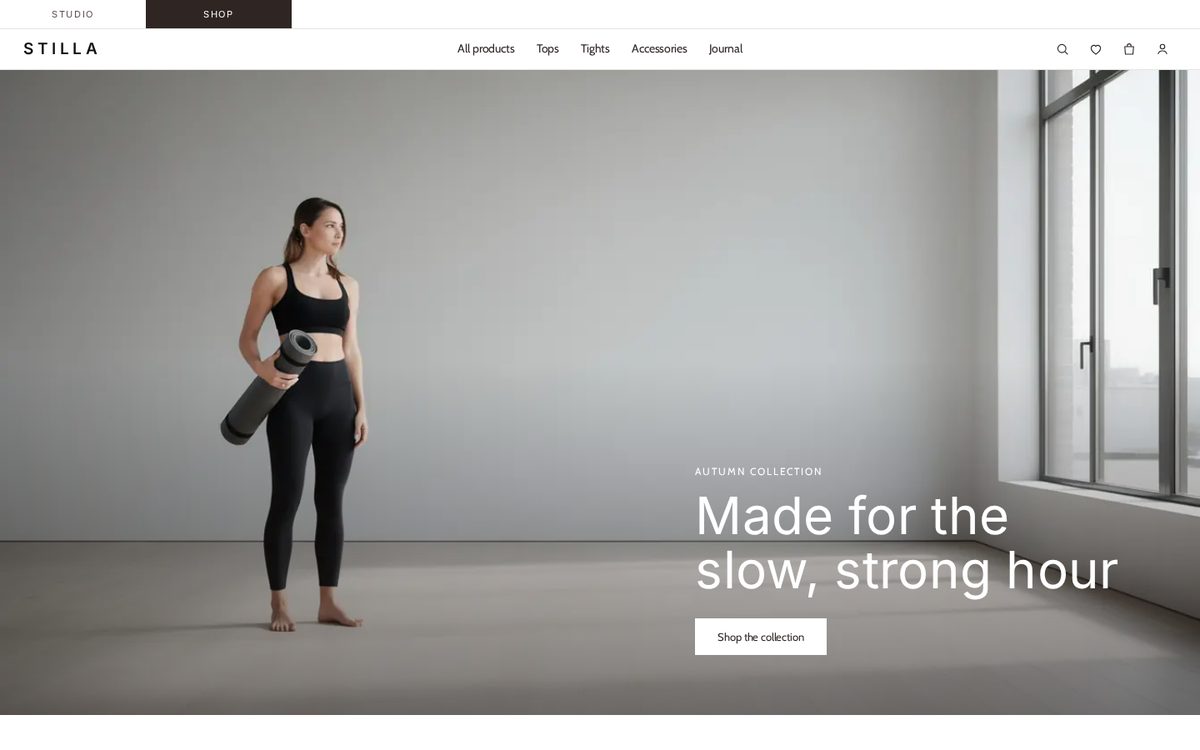
A calm, photo-led store: a hero photo, a catalogue that filters by category, colour and size and sorts by price without reloading, and twelve product pages with a gallery and colour and size pickers. Every product page has a size question form that sends the product name with the message. In the HTML version the bag is a demo screen, which is fine if your checkout lives elsewhere or you want to launch the look first. For a working cart, take the Shopify version. More on the Stilla page.
Ocra: a small shop that takes orders by message
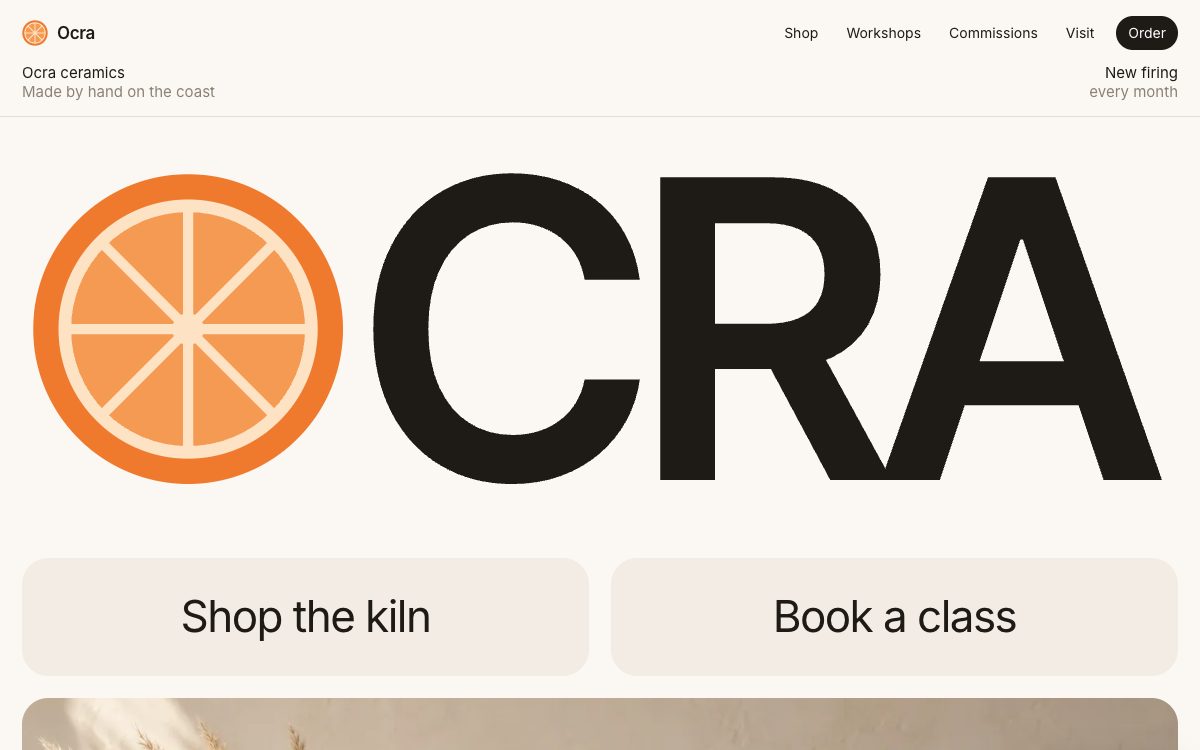
For a maker who doesn't need a cart: ceramics, cakes, flowers, made-to-order pieces. Product cards with price tags lead to an order form with that piece already picked, and there are forms for classes, commissions with photos, wholesale and feedback. You reply with shipping and a payment link from your own payment provider. More on the Ocra page.
What a small online shop needs before launch
- A checkout you trust. Shopify, a payment link from your payment provider, or orders by message. Decide this before you pick a design.
- Shipping and returns near the price. Shoppers look for both on the product page, not in the footer.
- Your own product photos. The demo photos were generated for the templates and show nothing you sell; Scamper installs with placeholders until you add products.
- A way to ask before buying. Stilla's size question, Ocra's order form or a help chat. Questions about fit, delivery and stock come before the first order.
- Reviews next to the product. Collect them after delivery and show them on the product page, not on a separate page nobody opens.
What Formgong adds to the template
- A form that says thanks only when it should. The HTML templates post to Formgong and shows success only when the server answers
success: true; anything else shows an error. In our test of 105 forms on AI-built sites, 27 showed "Message sent" and sent nothing (the study). - Messages where you will see them. Each submission is emailed to you as it arrives, on the free plan too, with Telegram alerts if you want them. From there it can go on to Slack, Google Sheets, Notion, Zapier or n8n.
- An AI help chat. One script tag adds a chat that answers visitors from your own pages and passes the conversation to you when it can't (how it works).
- Reviews. Collect star reviews through Formgong, approve them, and show them on the site with the review widget.
- MIT license. The HTML templates are MIT-licensed: use them for yourself or for clients, change anything, drop the footer credit. Scamper is free too, but not MIT: you can't resell it as a theme.
How to download and publish it
- Shopify: download the theme zip without unzipping it, then in Shopify admin open Online Store → Themes → Add theme → Upload zip file.
- HTML: create a free form at formgong.com/new, copy its access key and replace every fk_your_access_key in the .html files with it.
- Upload the HTML folder to a static host such as Cloudflare Pages or Netlify, and link each product to your checkout or to the order form.
- Place one test order or send one test message and check that it arrives.
Tell us what's missing
We add templates one kind of business at a time. If yours isn't covered, or one of these gets something wrong about how your work is bought, write to support@formgong.com and tell us what you'd change. We pick the next templates from what people ask for there.
Questions
Can I sell with a free HTML template?
Not by itself: a static site has no checkout. Link the buy buttons to a payment link or another shop, or take orders through a form and send a payment link back.
Does Formgong take payments?
No. Formgong runs the forms, reviews and the help chat. Payments stay with Shopify or your payment provider.
Is Scamper really free?
Yes. Install it on any number of Shopify stores, yours or your clients', and change anything. The one thing you can't do is sell or publish Scamper, or a changed copy of it, as a theme of your own.
Which one is quickest to launch?
Scamper if you already have a Shopify store: upload the zip, add products, publish. Ocra if you sell a handful of things by message: one HTML file and your access key.
Sources
Checked on 16.10.2026 against these public pages: Ocra on GitHub, MIT License (Open Source Initiative).