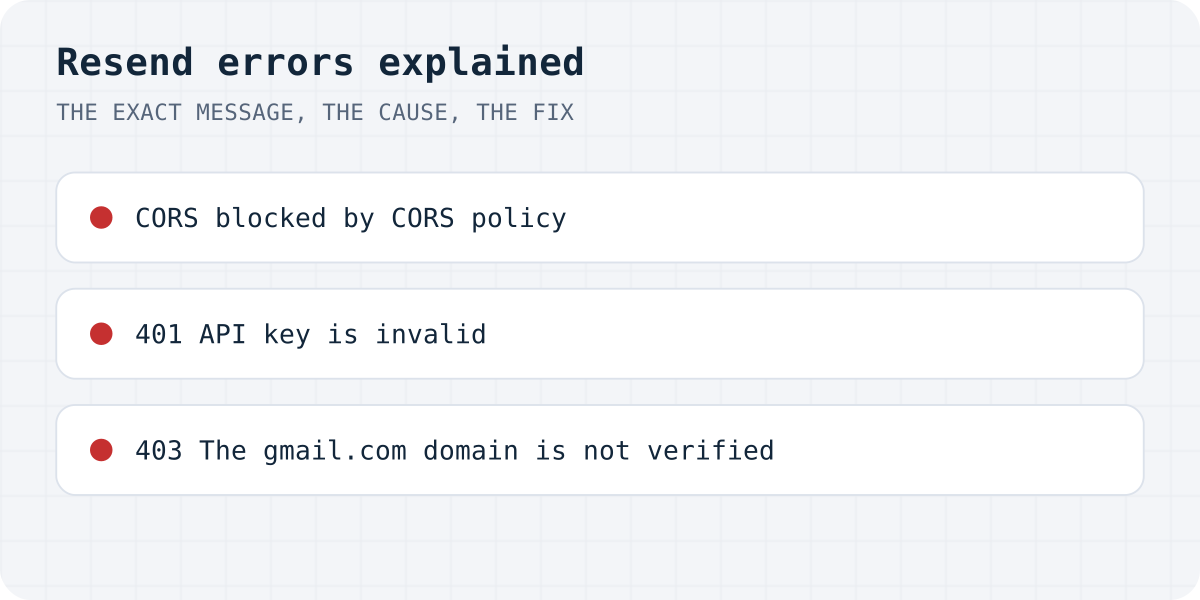
The errors at a glance
Checked on 09.10.2026. The first three rows were reproduced against the live API with a fake key; the last two are from Resend's error reference.
| Where you see it | Message | Cause | Fix |
|---|---|---|---|
| Browser console | has been blocked by CORS policy: Response to preflight request doesn't pass access control check | Your page calls api.resend.com from the browser | Call Resend from a server or edge function |
| 401 | Missing API Key | No Authorization header, usually an unset secret | Set RESEND_API_KEY where the function runs |
| 401 | API key is invalid | Wrong, deleted or mistyped key | Create a new key in Resend and update the secret |
| 403 | The gmail.com domain is not verified. Please, add and verify your domain. | from uses a domain you have not verified (Gmail can never be) | Verify your own domain and send from it |
| 403 | You can only send testing emails to your own email address | You send with the test sender before verifying a domain | Verify a domain, then change from |
“Blocked by CORS policy”: Resend cannot be called from the browser
This is the error AI builders run into most, because the generated code often puts the Resend call straight into the form component. In Chrome it reads:
Access to fetch at 'https://api.resend.com/emails' from origin '…' has been blocked by CORS policy: Response to preflight request doesn't pass access control check: No 'Access-Control-Allow-Origin' header is present on the requested resource.
We sent the same request from a test page. Resend answers the browser's preflight with 401 and no CORS header, so the browser never sends the email and your code sees only TypeError: Failed to fetch. That is deliberate: the request needs your secret API key, and a key in page code can be read by anyone.
The fix is not a CORS setting. Move the call into a server function (a Supabase Edge Function in Lovable and Bolt projects, a route handler in Next.js) and let the page call that function. The function below does it and adds the CORS headers your page needs to reach the function itself, as Supabase documents.
// supabase/functions/contact/index.ts (Supabase Edge Function, Deno)
import { corsHeaders } from "npm:@supabase/supabase-js@^2/cors";

Deno.serve(async (req) => {
  if (req.method === "OPTIONS") return Response.json({ ok: true }, { headers: corsHeaders });

  const { name, email, message } = await req.json();
  const res = await fetch("https://api.resend.com/emails", {
    method: "POST",
    headers: {
      Authorization: `Bearer ${Deno.env.get("RESEND_API_KEY")}`, // a secret, never in the browser
      "Content-Type": "application/json",
    },
    body: JSON.stringify({
      from: "Website <hello@yourdomain.com>", // an address on a domain you verified in Resend
      to: ["you@yourdomain.com"],
      reply_to: email, // the visitor, so Reply goes to them
      subject: `New message from ${name}`,
      text: message,
    }),
  });
  const body = await res.json();
  if (!res.ok) return Response.json({ error: body.message }, { status: res.status, headers: corsHeaders });
  return Response.json({ ok: true }, { headers: corsHeaders });
});
401 “Missing API Key” or “API key is invalid”
Resend answers {"message":"Missing API Key","name":"missing_api_key","statusCode":401} when the Authorization header is missing, and {"message":"API key is invalid","name":"validation_error","statusCode":401} when the key is wrong. Both came back exactly like this from the live API.
“Missing” almost always means the secret is not set where the function runs: in Supabase, add RESEND_API_KEY under Edge Functions secrets, not in a .env file of the frontend. “Invalid” means the key was deleted, rotated or pasted with a stray character; create a new one in Resend and replace the secret.
403 “The gmail.com domain is not verified”
Resend sends mail only from domains you have proved you own. When the from address is you@gmail.com, the answer is that Gmail's domain is not verified, and it never can be, because you cannot add DNS records to gmail.com.
- In Resend, add your own domain (for example
yourdomain.com) and add the DNS records it shows. - Wait until the domain is marked verified.
- Send from an address on it, such as
Website <hello@yourdomain.com>. - Put the visitor's email in
reply_to, so pressing Reply in your inbox answers them.
Your Gmail can still be the recipient: only the sender has to be on your domain.
403 “You can only send testing emails to your own email address”
Before you verify a domain, Resend lets you send only to the address of your own Resend account. It is a test mode, not a bug. That is why a form “works” when you try it and silently fails for real visitors: messages to anyone else are refused.
The fix is the same as above: verify a domain and change from. Our Lovable email guide walks through where these errors appear in Lovable's logs.
Or skip the email pipeline
A contact form does not need its own Resend account, domain verification and edge function. A form backend receives the post and sends the notification for you, so none of the errors above can happen. With Formgong the form posts to https://formgong.com/submit with a public access key; the free plan takes 300 submissions a month, with Telegram alerts at once and email. See the HTML guide.
Keep Resend when you also send other email from your app, such as receipts or password resets; then the setup above is worth doing once.
Frequently asked questions
Can I send from my Gmail address with Resend?
No. Resend only sends from domains you verified, and you cannot verify gmail.com. Send from an address on your own domain and put your Gmail as the recipient or in reply_to.
Why does Resend work for me but not for my visitors?
Without a verified domain, Resend sends only to your own account address (“You can only send testing emails”). Verify a domain and change the from address.
How do I fix the Resend CORS error?
Do not call api.resend.com from the browser. Call it from a server or a Supabase Edge Function that keeps the API key as a secret, and let your page call that function.
Where do I put the Resend API key in Lovable or Bolt?
In the backend's secrets (Supabase Edge Function secrets), as RESEND_API_KEY. Never in the frontend code or a VITE_ variable, because the browser would expose it.
Sources and documentation
Official references for this guide: Resend: API errors, Resend: Verified domains, Supabase: CORS for Edge Functions, Stack Overflow: How do I get gmail.com domain verified?. HTML contact form, where data is stored.
Read this article as Markdown