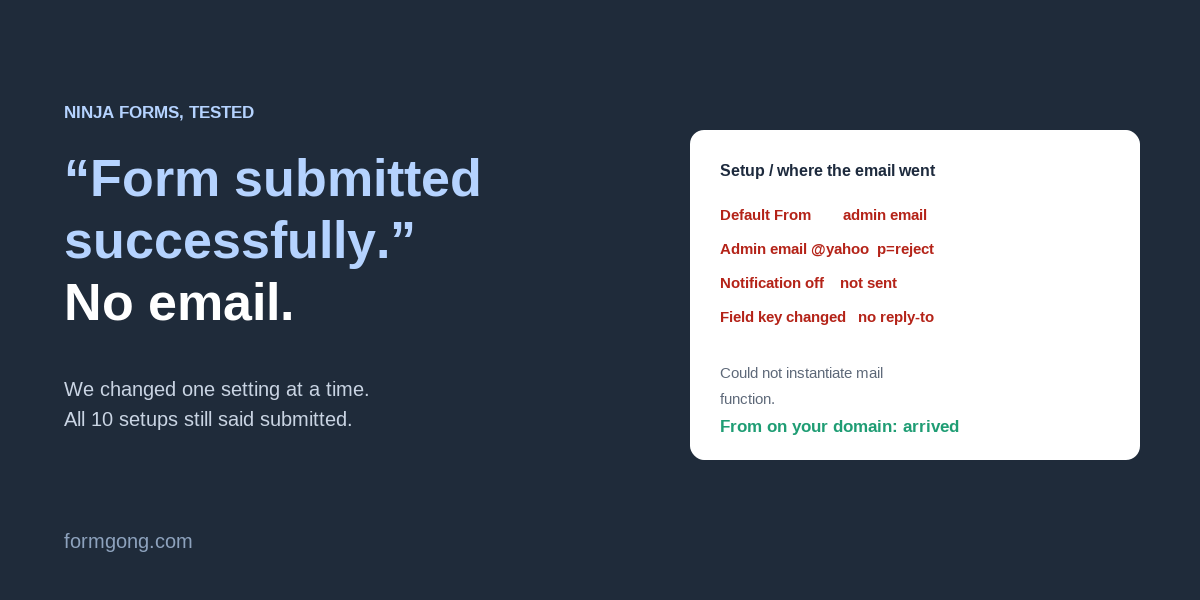
The form says submitted. Where did the email go?
Ninja Forms shows its success message whatever happens to the email. The code that sends it carries the note “Only show errors to Administrators”, and in our test even a total mail failure produced no message on the page at all.
On 21 November 2026 we set up a throwaway WordPress 7.1.3 with Ninja Forms 3.16.1 and its default “Contact Me” form, and sent WordPress mail to a test mailbox that keeps every header. Then we changed one setting at a time and submitted the same message the way the form's own script does. The visitor saw a success message in all ten setups.
| What we set up | What the visitor saw | What happened to your notification |
|---|---|---|
| The default form, nothing changed | “Form submitted successfully. A confirmation email was sent to emily.carter@example.com.” | Sent to the WordPress admin address, From that same address |
| WordPress admin email on Yahoo | The same | Sent From the Yahoo address by your server, which Yahoo asks receivers to reject |
| From Address set to the visitor's email | The same | Sent with the visitor's address as the sender |
| Email Notification switched off | The same | Not sent; only the visitor's confirmation went out |
| The email field's key changed | “…A confirmation email was sent to {field:email}.” | Sent without a reply address; the visitor's confirmation failed |
| To holds a name, not an address | The same as the first row | Not sent: “You must provide at least one recipient email address.” |
| No mail server on the host | The same as the first row | Neither email sent: “Could not instantiate mail function.” |
| From Address on the site's domain | The same as the first row | Sent the way it should be |
| Subject left empty | The same as the first row | Sent, with an empty subject |
| A cached page with an old security token | Nothing at first; the form retried by itself, then the same as the first row | Sent after the retry |
The checks below follow the order we'd use on a real site: the actions first, because six of the seven problems were there, then the mail path, then the two things that turned out not to be causes.
What the default form sends
Open Ninja Forms → Dashboard, edit the form and click Emails & Actions. A new “Contact Me” form has four actions, all switched on: Record Submission, Email Confirmation, Email Notification and Success Message. These are the email settings that matter:
Email Notification To: {system:admin_email} Reply To: {field:email} From Address: (empty)
Email Confirmation To: {field:email} Reply To: (empty) From Address: (empty)
Success Message "Form submitted successfully. A confirmation email was sent to {field:email}."Is your email sent From the admin address?
The From Address field is empty in the default form, and then Ninja Forms fills in the WordPress admin email itself: the line in its email code reads $from_address = get_bloginfo('admin_email');. On our test site both emails left as Olive Bakery <owner@olive-bakery.test>.
That works when the admin email is on your site's domain. Many small sites use a Gmail or Yahoo address there, and then your web server sends mail From that address, which it isn't allowed to do. We set the admin email to a Yahoo address and both emails went out From it. We read the providers' DMARC records on 21 November 2026: Yahoo asks every receiver to reject such mail (p=reject), iCloud asks for spam (p=quarantine), Gmail and Outlook ask for nothing on their main domains. So the same setup can work for a Gmail owner and fail silently for a Yahoo one.
Put an address on your domain in From
The From Address field is hidden until you switch on Developer Mode under Ninja Forms → Settings; its own documentation says so. Turn it on, open the Email Notification, set From Address to something like wordpress@your-site.com, then switch Developer Mode off again. With that set, our notification left from the site's address and kept the visitor in Reply-To. The other way to fix it is the SMTP setup further down, which can force one From address for every plugin.
Don't put {field:email} in From. We tried it: the notification went out with the visitor's address as the sender, and that runs into the same DMARC rules as the Yahoo case, only now it depends on each visitor's mail provider.
Is the notification going to the right address, and is it on?
The notification goes to {system:admin_email}, the Administration Email Address under Settings → General. If that is an old developer's or agency's mailbox, the email arrives and nobody reads it. Put your own address in To, or several separated by commas.
To must hold real addresses or merge tags. We typed a name there instead, “Olive Bakery owner”. WordPress refused the email with “You must provide at least one recipient email address.”, and the visitor still saw the full success message. Ninja Forms' own troubleshooting guide warns that anything other than an address or a merge tag “will cause email to fail”; our test shows the failure is silent.
Also look at the switch on the Email Notification row. We turned it off: the visitor still got “Form submitted successfully” and their confirmation email, and the site owner got nothing. Every action has the same switch, so a click in the wrong row is easy to miss.
Did you change the email field's key?
Merge tags point at a field's key, not its label. The default form's email field has the key email, and three places use it: Reply To of the notification, To of the confirmation, and the success message. We changed only the key, to email_address, and submitted again.
The notification still arrived, but without a reply address, so pressing Reply would have written to your own site. The visitor's confirmation failed with “You must provide at least one recipient email address.” And the success message printed the tag as it was: “A confirmation email was sent to {field:email}.” If you see that sentence on your form, a key has changed. Pick the tags again from the merge tag list next to each setting, which always shows the current keys.
Look in Submissions before anything else on the server
The default form keeps a copy of every message with its Record Submission action. On our test site the submissions were saved in every setup, including the one where no email could leave. Go to Ninja Forms → Submissions and pick the form. If the messages are there and the emails aren't, the form works and only the email is broken; if they are missing too, check that the Record Submission action is still on.
No mail server, or mail that ends in spam
We removed the mail setup from the test site, the way some hosts switch PHP's mail off. WordPress logged “Could not instantiate mail function.” for both emails, and the visitor read that a confirmation email had been sent. Nothing on the page changed.
When the email does leave, the receiving mailbox decides. WordPress doesn't sign mail itself: none of the emails in our ten setups carried a DKIM signature, and unsigned mail from a server your domain hasn't listed is the first thing Gmail and Outlook filter. Both problems have one fix: send through a mail service that signs for your domain, with an SMTP plugin. Our guide to a WordPress contact form not sending email shows how to log the real error and set up SMTP. On our test site, the same server with no mail of its own delivered both Ninja Forms emails once WordPress mail was handed to a mail server, the way an SMTP plugin does it, with no change to the form.
Two things that turned out not to be the cause
An empty subject. Ninja Forms' guide says every email needs a subject “or the email will fail”. In our test the notification with an empty subject was sent and arrived, subject line blank. A subject still helps people find the email, but it isn't why yours is missing.
Page caching. We sent the form with an old security token, as a cached page would. Ninja Forms answered with a fresh token instead of a success message, and its script on the page uses that answer to submit again by itself. With the new token the form went through and both emails were sent. So a caching plugin alone didn't stop the email in our test.
Keep the message even when email fails
Ninja Forms' Submissions screen already keeps your messages, but nobody is told when a new one lands there. If your email keeps breaking, a form that doesn't depend on your host's mail is the steadier route. The Formgong plugin for WordPress adds a form block and a shortcode, and the form posts to Formgong instead of going through your host's mail. Each submission lands in a web inbox first, then goes out by email and, if you want, to Telegram or Google Sheets. If an email bounces, the message is still in the inbox.
Whichever you use, send a test from the live page after every change to the form, and once in a while after that. A changed admin email or a moved site breaks the email without any sign on the form.
Where did yours stop?
If your Ninja Forms email went missing for a reason we didn't cover, tell us what the Email Notification said and what you found in the log: support@formgong.com. We'll test it and add it here.
Frequently asked questions
Why does Ninja Forms say the form was submitted when I got no email?
Ninja Forms shows its success message whatever happens to the email; its code shows send errors only to administrators. In our test it said “Form submitted successfully” when the email failed for lack of a mail server, when To held a name instead of an address, and when the Email Notification was switched off.
What From address does Ninja Forms use?
When From Address is empty, as it is in a new form, Ninja Forms sends from the WordPress admin email under Settings → General. If that is a Gmail or Yahoo address, set From Address to an address on your own domain; the field appears after you turn on Developer Mode in Ninja Forms → Settings.
Where does Ninja Forms send the notification by default?
To {system:admin_email}, the Administration Email Address in WordPress. Change To in the Email Notification action under Emails & Actions.
Why does my Ninja Forms success message show {field:email}?
The email field's key no longer matches the merge tag. In our test, changing the key also removed the reply address from your notification and made the visitor's confirmation fail. Pick the tag again from the merge tag list.
Sources and documentation
Official references for this guide: Formgong: WordPress contact form not sending email, Formgong: Contact Form 7 not sending email, Formgong: WPForms not sending email. WordPress, where data is stored.
Related guides
- Lovable form submissions to email and Telegram
- HTML contact form without a backend: a working example
- How to send website form submissions to Telegram
- Contact form not sending email? Check where it stops
- Managing website leads in Telegram without a CRM
- Form backend for Lovable, Bolt, v0, Cursor
- Telegram bot for a contact form: build or skip?
- GDPR form backend: 7 checks before you choose
- Lovable form not sending email? 6 fixes
- Netlify Forms not working? React and Bolt fixes
- Stop contact form spam without a CAPTCHA
- GitHub Pages contact form: a working setup
- Mailto Form in HTML: Why It Fails and What to Use
- HTML form to Google Sheets: 2 free methods
- Webflow form submission limit: what to do at 50
- Turnstile vs reCAPTCHA vs hCaptcha for forms
- Contact Form 7 and Elementor forms to Telegram
- Squarespace contact form not sending email?
- Shopify contact form: where do messages go?
- Google Form to Telegram: free Apps Script way
- Wix contact form not sending email? Fixes
- EU / GDPR Formspree alternatives compared
- HTML form action attribute explained
- How do HTML forms work? The HTTP request
- Types of Injection Attacks on Web Forms (2026)
- Indirect Prompt Injection in MCP
- MCP Rug Pull Attack: Detect Tool Changes
- Form without a backend: 7 ways that work
- Thank-you page after form submission (HTML)
- Indirect Prompt Injection Examples (2023–2026)
- Indirect Prompt Injection via Email
- What Is Tool Poisoning in MCP?
- WordPress contact form without a plugin
- Send email from frontend JavaScript
- How to Prevent Indirect Prompt Injection
- Honeypot Form Field: How to Add One That Works
- Contact Form with File Upload (HTML, No PHP)
- Angular contact form without a backend
- Send form submissions to Slack or Discord without Zapier
- Verify a form webhook signature (HMAC-SHA256)
- Contact forms that send nothing: 793 AI-built sites tested
- v0 contact form that actually sends: 3 ways
- How we tested AI-built contact forms, and 12 bugs we hit
- Cloudflare vs Netlify free plan: hosting that never pauses
- EmailJS 412 “Gmail_API: Invalid grant”: reconnect Gmail
- Resend “You can only send testing emails”: verify a domain
- Supabase Edge Function blocked by CORS policy: 3 causes
- Formspree “Form not found” and other errors: fixes
- Web3Forms errors: “Invalid access key” and 403 explained
- How to add customer reviews to your website for free
- Getform not working? “This form has been deleted” and more
- Next.js contact form not working? 6 errors, reproduced
- Webflow form not sending email? What to check, tested
- FormSubmit not working? “This form needs Activation” fix
- Contact form “TypeError: Failed to fetch”: causes and fixes
- WooCommerce product enquiry form
- Contact Form 7 vs WPForms
- Gravity Forms alternative free
- WordPress contact form block
- 535-5.7.8 Username and Password not accepted (Gmail)
- 535 5.7.3 Authentication unsuccessful: Office 365 SMTP
- Nodemailer “Missing credentials for "PLAIN"”: the fix
- Nodemailer “Greeting never received”: port 465 fix
- Nodemailer SSL “wrong version number”: the port fix
- Nodemailer “self-signed certificate in certificate chain”
- Nodemailer ECONNREFUSED 127.0.0.1:587: missing SMTP host
- SendGrid “authorization grant is invalid”: 401 fix
- Mailgun 401 Forbidden: why the API rejects your key
- “Edge Function returned a non-2xx status code”: the fix
- Next.js “Body exceeded 1 MB limit”: Server Action fix
- Unexpected token '<', "<!DOCTYPE "... is not valid JSON
- “TypeError: Body is unusable”: body has already been read
- Turnstile “timeout-or-duplicate” and other siteverify errors
- Turnstile vs hCaptcha vs reCAPTCHA: speed and size tested
- Judge.me reviews not showing on Shopify: how to fix it
- Judge.me review carousel not showing: how to fix it
- Yotpo reviews not showing on Shopify? Check the app embed
- Loox reviews not showing on product page: how to fix
- Shopify reviews not showing: what to check first
- How to show reviews on Shopify
- GDPR for website forms: what each type of form needs
- WooCommerce reviews not showing: how to fix it
- Stamped.io reviews not showing on Shopify: how to fix it
- Etsy reviews not showing: why and what to do
- Trustpilot widget not loading: how to fix TrustBox
- Yotpo problems in 2026: what merchants report
- Contact Form 7 “error trying to send your message” fix
- Elementor form “Your submission failed because of an error”
- Framer form not sending email or not working: what to check
- Carrd contact form not working: plans, spam and errors
- Google review link not working: what customers see and why
- tawk.to widget not showing on your website: causes and fixes
- How to add questions and answers to your product page
- “Failed to send a request to the Edge Function”: fixes
- Next.js “Failed to find Server Action”: what it means
- Brevo “unauthorized: Key not found” 401: the fix
- Amazon SES “Email address is not verified”: the fix
- Shopify contact form not working: how to fix it
- Judge.me alternative for WooCommerce after the 2025 shutdown
- Free WooCommerce review plugins compared on the free version
- WooCommerce review reminder emails without a paid plugin
- Add Voice Recording to a Website Form
- Contact Form 7 spam: how to stop it
- WPForms not sending email: how to fix it
- Contact form emails going to spam: how to fix it
- HTML form not submitting: how to fix it
- Contact form not working: how to find the fault
- Webflow form spam: how to stop it
- Website form to Notion: how to set it up
- Website form to WhatsApp: what works and what does not
- What 1-star reviews say about AI support chatbots
- Which free form backend gives you the most submissions?
- Elfsight reviews widget not showing? Check the view limit
- Next.js contact form backend vs Server Actions
- Review stars not showing in Google search results
- How to stop duplicate form submissions
- How to see which form leads came from ChatGPT
- What happens when a form webhook fails
- When to send a review request email after an order
- How to collect video testimonials for free
- Add contact form sign-ups to Mailchimp or Klaviyo
- How to migrate from Formspree without losing submissions
- How to get a Google review link for your business
- What is a headless form backend?
- Is it safe to put a form access key in your HTML?
- AI chatbot that answers only from your website
- Minified React error #441 in Next.js
- Squarespace product reviews after Judge.me
- Accessible contact form checklist for WCAG 2.2
- How to ask a client for a testimonial by email
- How to respond to negative reviews, with examples
- 429 Too Many Requests on a contact form
- MCP server for forms in Cursor and Claude
- Can you offer a discount for a review?
- Do EU stores have to say if reviews are verified?
- Webflow form backend options compared
- How to add review schema JSON-LD to a product page
- How to turn a customer review into an Instagram post
- How to make a QR code for Google reviews
- Live chat or chatbot for a small business website
- Why people abandon your contact form halfway
- Which form backend do AI assistants pick? 54 answers
- PHP mail() not sending email, even when it returns true
- What “Failed to fetch” means, tested in three browsers
- 405 Method Not Allowed when you submit a form
- Send a contact form to more than one email address
- What is review syndication, and who needs it?
- How to save HTML form data to a database
- NetworkError when attempting to fetch resource
- Send product reviews to Google Merchant Center
- PHPMailer not working on a live server
- AI review reply generator: does it help?
- React 19 contact form with useActionState
- Astro Actions or a form backend?
- Is no-reply@wixsiteautomations.com legit?
- Where to find the Judge.me review widget code
- AI review summaries: what shoppers actually see
- Photo reviews for WooCommerce, and the GPS inside them
- Review request email templates you can copy
- Reviews in AI search: what ChatGPT and Perplexity cite
- Lead capture form with UTM tracking, built and tested
- Form design best practices, with our own form data
- Client intake form template with file upload
- What is social proof? Meaning and examples
- What is user-generated content (UGC)?
- Benefits of negative reviews for your store
- How to get your first reviews as a new store
- How to use customer reviews in your marketing
- How to get more customer reviews
- React form validation without a library, tested
- jQuery submit form with validation
- reCAPTCHA v3 setup with the server score check
- Shopify social proof that shoppers can check
- HTML file input: accept, multiple, capture and size checks
- How to add hCaptcha to a form, with the server check
- How to add invisible reCAPTCHA to a form
- Bug report form template with browser details
- What the FTC fake reviews rule bans for online stores
- How to show reviews on your homepage
- Do reviews increase sales? What the studies show
- HTML input types and what each one sends
- HTML textarea, tested in a real form
- HTML dropdown menu in a form, tested
- Do reviews help SEO? What Google says and shows
- How to add a review carousel people can read
- Product review examples that help shoppers decide
- Which trust badges actually mean something
- Customer satisfaction survey with CSAT and NPS
- JavaScript FormData and what fetch actually sends
- JavaScript form validation without a library
- Server-side form validation and what it catches
- Email validation in JavaScript, tested on 33 addresses
- Zod form validation with FormData, tested
- Store reviews vs product reviews
- How to send review requests through Klaviyo
- How to tag customer reviews by topic and mood
- Custom review form questions worth asking
- Online reputation management for small businesses
- HTML radio button groups and what they send
- HTML label tag and what screen readers hear
- HTML autocomplete attribute, tested with Chrome autofill
- HTML fieldset and legend, and what disabled leaves out
- HTML button tag and what a form button sends
- Vite contact form that still works after the build
- How to test a contact form, end to end
- How to embed a Google Form, and what it loads
- Customer feedback questions that get real answers
- How to convert a file to base64 in JavaScript
- FilePond with a form backend, and when to skip it
- Bootstrap form validation and server errors
- Tailwind form validation, tested in three browsers
- Donation form in HTML, and where the payment goes
- How to ask for a review in person or by text
- Which review sites matter for your business
- What are customer reviews, and which kinds count
- Online review statistics, checked at the source
- Best review app for Shopify and WooCommerce
- Why Gmail sends your self-hosted mail to spam
- htmx contact form that sends to another domain
- AI form builders tested, from prompt to sent form
- Headless WordPress forms with Contact Form 7, tested
- React Hook Form watch vs useWatch, and what gets sent
- Elfsight widget not working? It vanishes when views run out
- Jotform not sending emails? Check Jotform's bounce list
- Typeform not working? A white box means a blocked script
- Positive review response examples that don't sound copied
- How to remove a Google review when you can't delete it
- Google reviews not showing up? 8 causes to check in order
- Is buying Google reviews illegal? Even a review swap counts
- Which reviews can you hide? A review moderation checklist
- Average star rating: what 4.8 from 5 reviews means
- Reviews on a product page: where and how many to show
- SaaS testimonials: 3 of 27 had a number in them
- Do reviews reduce returns? Not when they're too good
- Testimonial examples for business: what makes one believable
- Testimonial questions to ask clients, by type of business
- Testimonial page design: a page or a section?
- Testimonial advertising rules: what the FTC requires
- Form submission canceled because the form is not connected
- Input type date format dd/mm/yyyy: what you can change
- How to disable textarea resize, or allow only vertical
- How to prevent Enter from submitting a form
- form.submit() vs requestSubmit(): what submit() skips
- Custom HTML checkbox CSS that doesn't break required
- How to reset a form after submit, and what reset() keeps
- Input type number maxlength not working? What to use
- How to create an HTML form, step by step
- Best form builder: free plans and branding, checked
- Best WordPress contact form plugin: 10 free ones compared
- How to increase form conversion rate: start with the count
- Form backend vs form builder: which one do you need?
- WordPress contact form not sending email? 3 plugins tested
- Contact Form 7 webhook? Turning it on switched our email off
- Gravity Forms webhook: what it sends and the URLs it rejects
- Failed to set the 'value' property on 'HTMLInputElement'
- ERROR for site owner: Invalid domain for site key
- Contact form auto reply that bots can't turn into spam
- Best Shopify review apps: 11 compared on what's free
- Google review cards: what the NFC chip really opens
- Quote Request Form That Reaches Your Inbox in 10 Seconds
- Contact Form 7 not sending email? 5 causes we tested
- Speed to Lead: 63% of Inquiries Come After Hours
- Lead Follow-Up: 5 Templates and When to Send Them
- Customer Follow-Up After a Job: 6 Templates